EasyManua.ls Logo

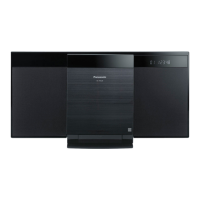
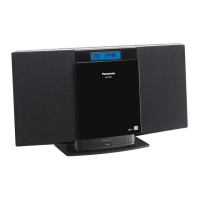
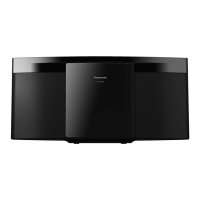
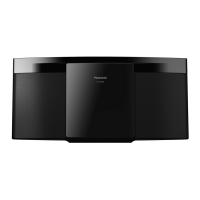
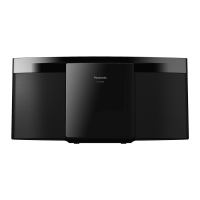
Panasonic SC-HC27 - User Manual

Panasonic SC-HC27
24 pages
Print Icon
To Next Page IconTo Next Page
Loading...
PC
RQT9567-C
Owners Manual
Manuel d’utilisation
Compact Stereo System
Chaîne stéréo compacte
Model No. / Modèle SC-HC27
As an ENERGY STAR
®
Participant,
Panasonic has determined that this
product meets the ENERGY STAR
®
guidelines for energy efficiency.
À titre de participant au programme
ENERGY STAR
®
, Panasonic a
déterminé que cet appareil respecte
les directives ENERGY STAR
®
en
matière d’économie d’énergie.
Thank you for purchasing this product.
For optimum performance and safety, please read
these instructions carefully.
Please keep this manual for future reference.
If you have any questions, contact:
1-800-561-5505
Nous vous remercions d’avoir arrêté votre choix sur
cet appareil.
Pour en tirer un rendement optimal et par mesure de
sécurité, lire attentivement le présent manuel.
Conserver ce manuel pour référence ultérieure.
Pour toute demande de renseignements, appeler au :
1-800-561-5505
HC27_PC_1en.indd 1HC27_PC_1en.indd 1 12/22/2011 11:27:03 AM12/22/2011 11:27:03 AM

Other manuals for Panasonic SC-HC27

Questions and Answers

  • M
    Marissa SchmidtAug 19, 2025
    How to fix a Panasonic SC-HC27 remote control that is not working?
    • T
      Timothy CamachoAug 20, 2025
      If your Panasonic Stereo System remote control isn't working, first, check that the battery is correctly installed. If the problem persists, the remote control and the unit might be using different codes. In this case, you need to change the code of the remote control.
  • J
    Juan Beck PhDAug 22, 2025
    What to do if the Panasonic SC-HC27 sound is distorted?
    • R
      Rhonda LopezAug 22, 2025
      If the sound from your Panasonic Stereo System is distorted, it might be due to the speakers straining from excessive volume or power, especially in a hot environment. Try adjusting the volume of the system. Also, check the volume of the connected iPod/iPhone. If the issue persists, switch off the system, identify, and correct the cause before switching it back on.
  • M
    Michael GlennAug 25, 2025
    What to do if playback does not start on Panasonic SC-HC27 Stereo System?
    • D
      Daniel GarrettAug 25, 2025
      If playback doesn't start on your Panasonic Stereo System, ensure the disc is correctly inserted. If it still doesn't work, the disc may be dirty, so clean it. If the disc is scratched, warped, or non-standard, replace it. Finally, if there's condensation, let the system dry for 1 to 2 hours.
  • S
    Samantha BakerAug 26, 2025
    Why can't my Panasonic Stereo System read my USB device?
    • B
      boltonkristinAug 26, 2025
      If your Panasonic Stereo System can't read the USB device, it may be because the format of the USB device or its contents is not compatible with the system. Also, USB devices with a storage capacity of more than 32 GB may not work in some conditions.
  • J
    James CookAug 28, 2025
    How to stop humming sound during playback on Panasonic SC-HC27?
    • N
      Nicholas PowersAug 28, 2025
      If you hear a humming sound during playback on your Panasonic Stereo System, it could be due to the AC mains lead or a fluorescent light being near the cables. Try to keep other appliances and cords away from the system's cables.
  • R
    Ryan TaylorAug 29, 2025
    How to eliminate low hum during AM broadcasts on Panasonic Stereo System?
    • A
      asnowAug 30, 2025
      If you hear a low hum during AM broadcasts on your Panasonic Stereo System, move the antenna away from other cables and cords.
  • A
    Alex TuckerAug 31, 2025
    Why is the sound distorted or not working on my Panasonic SC-HC27 Stereo System?
    • J
      Jonathan RayAug 31, 2025
      Sound distortion or the absence of sound in your Panasonic Stereo System can occur if the speakers are strained due to excessive volume or power, or if the system is used in a hot environment. To resolve this, first, adjust the volume. If the issue persists, switch off the system, identify and fix the underlying cause, and then switch the system back on.
  • E
    Elizabeth WhiteSep 3, 2025
    What does 'NOT SUPPORTED' mean on my Panasonic Stereo System?
    • S
      Shelby PerezSep 3, 2025
      The 'NOT SUPPORTED' message on your Panasonic Stereo System indicates that you have inserted an incompatible iPod/iPhone. If the iPod/iPhone is compatible, try removing it and connecting it again. Also, ensure that the battery of the iPod/iPhone is not depleted.
  • I
    ilyonsSep 4, 2025
    Why does my Panasonic SC-HC27 Stereo System display '--:--'?
    • S
      Shirley BaldwinSep 4, 2025
      The “--:--” display on your Panasonic Stereo System indicates that you connected the AC mains lead for the first time or there was a recent power failure. You will need to set the clock.
  • M
    Michelle CabreraSep 6, 2025
    What does 'REMOTE ?' mean on Panasonic Stereo System?
    • T
      tammykelleySep 6, 2025
      The “REMOTE ?” message on your Panasonic Stereo System means that the remote control and the unit are using different codes. You should change the code of the remote control. When “REMOTE 1” is shown, press and hold [OK] and [T] for a minimum of 4 seconds. When “REMOTE 2” is shown, press and hold [OK] and [R] for a minimum of 4 seconds.

Summary

Safety Precautions

Unit Safety Warnings

Details risks and precautions for the main unit, covering fire, shock, and damage.

Battery Safety Warnings

Details risks and precautions for batteries, including fire, explosion, and leakage.

Overview of Controls

Remote Control Layout

Identifies buttons and functions on the remote control for system operation.

Main Unit Controls

Details buttons and features on the top and front of the main system unit.

Getting Started

Antenna and Power Connection

Guides on connecting the FM antenna and AC power supply cord for initial setup.

Radio Operation

Troubleshooting

Common Problems

Addresses issues like remote control failure, distorted sound, and humming noises.

iPod;iPhone Issues

Troubleshooting specific problems related to iPod/iPhone connection and charging.

Specifications

Product Service Information

Details on servicing requirements, replacement parts, and safety checks after repair.

Panasonic SC-HC27 Specifications

General IconGeneral
KaraokeNo
Impedance6 Ω
Bass reflexYes
Speaker type1-way
RMS rated power10 W
Number of speakers2
USB 2.0 ports quantity1
Tuner typeDigital
Supported radio bandsFM
Preset stations quantity30
Apple docking compatibilityiPhone, iPod
Equalizer bands quantity4
Power sourceAC
Input voltage120 V
Input frequency60 Hz
Power consumption (standby)0.1 W
Power consumption (typical)14 W
TypeHome audio micro system
Product colorBlack
Number of optical discs1 discs
Channels quantity2 channels
Disc types supportedCD, CD-R, CD-RW
Playback disc formatsCD audio
Audio formats supportedMP3
Display typeFLT
Weight and Dimensions IconWeight and Dimensions
Depth110 mm
Width400 mm
Height213 mm
Weight2000 g

Related product manuals