EasyManua.ls Logo

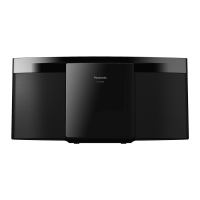
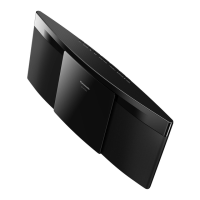
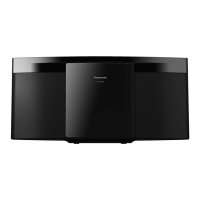
Panasonic SC-HC297 - User Manual

Panasonic SC-HC297
20 pages
Print Icon
To Next Page IconTo Next Page
Loading...
Operating Instructions
Compact Stereo System
Model No. SC-HC297
SC-HC295
“EB” indicates the United Kingdom model.
Thank you for purchasing this product.
For optimum performance and safety, please read these instructions carefully.
Please keep this manual for future reference.
The installation instructions are on page 17.
Please read these instructions carefully before installing.
EB
RQT0B01-B
GSGN
SC-HC297.295 EB.GN.GS RQT0B01-B En.fm Page 1 Tuesday, January 19, 2016 2:49 PM
Question and Answer IconNeed help?

Do you have a question about the Panasonic SC-HC297 and is the answer not in the manual?

Summary

Product Overview and Introduction

Safety Precautions

General Warnings

Safety warnings for the unit, including fire, electric shock, and damage risks.

General Cautions

Precautions for unit placement, ventilation, and flames.

Specific Precautions

Safety advice for AC mains lead, battery handling, and regional use.

AC Mains Lead and Fuse Replacement

AC Mains Lead Safety

Safety advice regarding the AC mains plug and its disconnection.

Fuse Replacement Procedure

Step-by-step guide on how to safely replace the fuse in the AC mains plug.

Supplied Accessories

Accessory Identification

Lists all accessories provided with the system, categorized by region.

System Connections

Antenna Connections

Instructions for connecting DAB, FM, and AM antennas based on region.

Power and Remote Control Setup

Guidance on connecting the AC mains lead and installing remote batteries.

Control Panel and Remote Functions

Main Unit Controls

Explanation of buttons and indicators on the main unit.

Remote Control Operations

Detailed description of each button function on the remote control.

System Terminals

Identifies and explains the purpose of various terminals and the NFC area.

Media Preparation and Pairing

Disc and USB Media

Instructions for inserting and using discs and USB devices.

Bluetooth Device Pairing

Step-by-step process for pairing Bluetooth devices with the system.

Bluetooth Connection and Disconnection

How to connect and disconnect previously paired Bluetooth devices.

NFC One-Touch Connection

NFC Pairing Procedure

Guide to connecting NFC-enabled devices via touch.

NFC Setup Notes

Important considerations and troubleshooting for NFC setup.

Basic Media Playback

Playback Controls

Details on play, stop, pause, skip, and search functions for media.

Viewing Media Information

How to view track and album information on the display panel.

Advanced Playback Settings

Play Mode and Repeat Options

Customizing playback modes like single track, album, random, and repeat.

Bluetooth Input and Link Modes

Adjusting Bluetooth sensitivity and link modes for connectivity or quality.

Media Format Guidelines

Disc and USB File Support

Information on supported disc formats and USB device compatibility.

MP3 File Specifications

Guidelines for MP3 file structure, naming, and limitations.

Radio Operations

Tuning and Presets

Steps for manual tuning, automatic scanning, and saving radio stations.

FM Sound and Signal Checks

Improving FM audio quality and checking signal status.

AM Broadcast Tuning

AM Allocation Adjustment

Adjusting AM frequency steps for better reception in specific regions.

DAB;DAB+ Radio Features

DAB Tuning and Presets

Guide to manual scan, auto scan, and preset tuning for DAB/DAB+ stations.

Secondary DAB Services

How to access and switch between primary and secondary DAB services.

DAB Signal and Clock Settings

Checking signal quality and automatic clock synchronization for DAB.

Clock and Timer Functions

Setting and Managing the Clock

How to set, view, and maintain the 24-hour clock.

Sleep and Play Timer Setup

Instructions for using the sleep timer and setting the play timer.

Audio Settings and External Input

Sound Effects and Saving Settings

Choosing sound effects and saving custom audio profiles.

Connecting External Audio Devices

Steps to connect external devices via AUX input for playback.

Adjusting Input Level

Fine-tuning the audio input level for connected devices.

System Features and Maintenance

Auto Off and Bluetooth Standby

Explains automatic power-off and Bluetooth standby functions.

Portable Device Charging

How to use the USB port to charge external devices.

Software Version and Cleaning

Verifying software version and instructions for cleaning the system.

Troubleshooting Common Problems

Unit Power and Operation Issues

Solutions for the unit not turning on or responding to controls.

Audio and Sound Quality Issues

Troubleshooting distorted sound, humming, or noise during playback.

Media Playback Errors

Diagnosing problems with disc, USB, and Bluetooth playback.

Radio and DAB Reception Issues

Addressing sound distortion or poor reception for Radio and DAB/DAB+.

System Display Messages

Interpreting common error and status messages displayed on the unit.

Advanced Troubleshooting

Error Code Explanations

Explanations for various error codes and their potential causes.

Remote Control and Memory Reset

How to change remote codes and reset system memory.

Technical Specifications

Amplifier and Power Specs

Details on output power, PMPO, and power supply.

USB and Bluetooth Specs

Information on USB standard, file support, and Bluetooth version/profiles.

Tuner, Speaker, and General Specs

Frequency ranges, speaker impedance, dimensions, and operating conditions.

Disc Playback Specs

Details on supported disc types and pickup wavelength.

Wall Mounting Installation

Preparation and Safety

Steps before starting wall installation, including safety and accessory checks.

Mounting Procedure

Detailed, step-by-step guide for securely attaching the unit to a wall.

Bluetooth Usage and References

Bluetooth Features and Restrictions

Details on frequency band, certification, usage restrictions, and range.

Interference and Intended Use

Information on interference, intended use, and licensing.

Sales Support and Compliance

Customer Support Information

Contact details for customer service and accessory orders.

Declaration of Conformity

Statement of product compliance with EU directives.

Australian Limited Warranty

Warranty Terms and Conditions

Details on the 12-month warranty, coverage, and exclusions for Australian customers.

Warranty Claim Procedure

Instructions on how to contact Panasonic and present proof of purchase for warranty claims.

Environmental Disposal Guidelines

Disposal of Electrical Waste

Instructions for disposing of old equipment and batteries in the EU.

Summary

Product Overview and Introduction

Safety Precautions

General Warnings

Safety warnings for the unit, including fire, electric shock, and damage risks.

General Cautions

Precautions for unit placement, ventilation, and flames.

Specific Precautions

Safety advice for AC mains lead, battery handling, and regional use.

AC Mains Lead and Fuse Replacement

AC Mains Lead Safety

Safety advice regarding the AC mains plug and its disconnection.

Fuse Replacement Procedure

Step-by-step guide on how to safely replace the fuse in the AC mains plug.

Supplied Accessories

Accessory Identification

Lists all accessories provided with the system, categorized by region.

System Connections

Antenna Connections

Instructions for connecting DAB, FM, and AM antennas based on region.

Power and Remote Control Setup

Guidance on connecting the AC mains lead and installing remote batteries.

Control Panel and Remote Functions

Main Unit Controls

Explanation of buttons and indicators on the main unit.

Remote Control Operations

Detailed description of each button function on the remote control.

System Terminals

Identifies and explains the purpose of various terminals and the NFC area.

Media Preparation and Pairing

Disc and USB Media

Instructions for inserting and using discs and USB devices.

Bluetooth Device Pairing

Step-by-step process for pairing Bluetooth devices with the system.

Bluetooth Connection and Disconnection

How to connect and disconnect previously paired Bluetooth devices.

NFC One-Touch Connection

NFC Pairing Procedure

Guide to connecting NFC-enabled devices via touch.

NFC Setup Notes

Important considerations and troubleshooting for NFC setup.

Basic Media Playback

Playback Controls

Details on play, stop, pause, skip, and search functions for media.

Viewing Media Information

How to view track and album information on the display panel.

Advanced Playback Settings

Play Mode and Repeat Options

Customizing playback modes like single track, album, random, and repeat.

Bluetooth Input and Link Modes

Adjusting Bluetooth sensitivity and link modes for connectivity or quality.

Media Format Guidelines

Disc and USB File Support

Information on supported disc formats and USB device compatibility.

MP3 File Specifications

Guidelines for MP3 file structure, naming, and limitations.

Radio Operations

Tuning and Presets

Steps for manual tuning, automatic scanning, and saving radio stations.

FM Sound and Signal Checks

Improving FM audio quality and checking signal status.

AM Broadcast Tuning

AM Allocation Adjustment

Adjusting AM frequency steps for better reception in specific regions.

DAB;DAB+ Radio Features

DAB Tuning and Presets

Guide to manual scan, auto scan, and preset tuning for DAB/DAB+ stations.

Secondary DAB Services

How to access and switch between primary and secondary DAB services.

DAB Signal and Clock Settings

Checking signal quality and automatic clock synchronization for DAB.

Clock and Timer Functions

Setting and Managing the Clock

How to set, view, and maintain the 24-hour clock.

Sleep and Play Timer Setup

Instructions for using the sleep timer and setting the play timer.

Audio Settings and External Input

Sound Effects and Saving Settings

Choosing sound effects and saving custom audio profiles.

Connecting External Audio Devices

Steps to connect external devices via AUX input for playback.

Adjusting Input Level

Fine-tuning the audio input level for connected devices.

System Features and Maintenance

Auto Off and Bluetooth Standby

Explains automatic power-off and Bluetooth standby functions.

Portable Device Charging

How to use the USB port to charge external devices.

Software Version and Cleaning

Verifying software version and instructions for cleaning the system.

Troubleshooting Common Problems

Unit Power and Operation Issues

Solutions for the unit not turning on or responding to controls.

Audio and Sound Quality Issues

Troubleshooting distorted sound, humming, or noise during playback.

Media Playback Errors

Diagnosing problems with disc, USB, and Bluetooth playback.

Radio and DAB Reception Issues

Addressing sound distortion or poor reception for Radio and DAB/DAB+.

System Display Messages

Interpreting common error and status messages displayed on the unit.

Advanced Troubleshooting

Error Code Explanations

Explanations for various error codes and their potential causes.

Remote Control and Memory Reset

How to change remote codes and reset system memory.

Technical Specifications

Amplifier and Power Specs

Details on output power, PMPO, and power supply.

USB and Bluetooth Specs

Information on USB standard, file support, and Bluetooth version/profiles.

Tuner, Speaker, and General Specs

Frequency ranges, speaker impedance, dimensions, and operating conditions.

Disc Playback Specs

Details on supported disc types and pickup wavelength.

Wall Mounting Installation

Preparation and Safety

Steps before starting wall installation, including safety and accessory checks.

Mounting Procedure

Detailed, step-by-step guide for securely attaching the unit to a wall.

Bluetooth Usage and References

Bluetooth Features and Restrictions

Details on frequency band, certification, usage restrictions, and range.

Interference and Intended Use

Information on interference, intended use, and licensing.

Sales Support and Compliance

Customer Support Information

Contact details for customer service and accessory orders.

Declaration of Conformity

Statement of product compliance with EU directives.

Australian Limited Warranty

Warranty Terms and Conditions

Details on the 12-month warranty, coverage, and exclusions for Australian customers.

Warranty Claim Procedure

Instructions on how to contact Panasonic and present proof of purchase for warranty claims.

Environmental Disposal Guidelines

Disposal of Electrical Waste

Instructions for disposing of old equipment and batteries in the EU.

Overview

This document provides operating instructions for the Panasonic Compact Stereo System models SC-HC297 and SC-HC295. It covers safety precautions, setup, media playback, radio functions, clock and timers, sound effects, external equipment connection, and maintenance.

Safety and Setup

The manual begins with crucial safety information, warning users about potential hazards such as fire, electric shock, and product damage. It advises against exposing the unit to rain or moisture, placing liquid-filled objects on it, and obstructing ventilation. Users are instructed to use only recommended accessories, avoid removing covers, and refer servicing to qualified personnel. For the United Kingdom and Ireland, specific instructions are given for securely attaching the apparatus to a wall. Caution is also provided regarding the AC mains lead, detailing how to replace the fuse in a three-pin plug. The unit is designed for use in tropical climates (Asia and Middle East) or moderate climates (others). It warns about potential radio interference from mobile phones and the laser utilized by the unit. Battery safety is also emphasized, including proper replacement, disposal, and storage.

The system comes with various supplied accessories, including an AC mains lead, AM loop antenna (for Australia and New Zealand), DAB antenna (for UK and Ireland), FM indoor antenna (for others), a remote control with battery, and a wall mount kit (for UK and Ireland).

Making connections involves connecting the DAB antenna (for UK and Ireland), AM loop antenna (for Australia and New Zealand), or FM indoor antenna (for others). The AC mains lead should be connected last. The manual highlights power conservation, noting that the system consumes a small amount of power in standby mode and advises disconnecting the power supply if not in use, though some settings may be lost. It also cautions about speaker placement near TVs or PCs due to lack of magnetic shielding and suggests taping antennas to a wall for better reception.

The remote control requires an alkaline or manganese battery, installed with correct polarity.

Overview of Controls

The system features controls on both the main unit and the remote control. Key functions include:

  • Standby/on switch: To toggle between on and standby modes.
  • Audio source selection: Options include CD, Bluetooth, USB, DAB+, FM, and AM.
  • Basic playback control: Play, pause, stop, skip tracks/albums, and search.
  • Menu navigation: Setup menu, play menu, content information display, and option selection/confirmation.
  • Sliding door control: To open and close the CD compartment.
  • Display panel brightness: To adjust the display's illumination.
  • Volume adjustment.
  • Mute function.
  • AUX IN terminal: For connecting external audio devices.
  • USB port (DC OUT 5V 1.5A): For charging portable devices.
  • Bluetooth® pairing button: To initiate Bluetooth® pairing.
  • NFC touch area: For one-touch connection with NFC-compatible devices.
  • Remote control sensor: Specifies distance and angle for optimal remote control operation.

Media Playback

The system supports playback from various media:

  • Disc (CD): Users can play CD-R/RW discs with CD-DA or MP3 format content. To play a disc, press [USB/CD] to select "CD," then press [CD] (or [▲ OPEN/CLOSE] on the main unit) to open the sliding door, insert the disc label-side up, and close the door.
  • USB device: Supports USB devices with MP3 files. Press [USB/CD] to select "USB." It's important not to use a USB extension cable.
  • Bluetooth®: Allows wireless audio playback from Bluetooth®-enabled devices.

Pairing a Bluetooth® device:

  1. Select "BLUETOOTH" using [].
  2. If "PAIRING" is not shown, press [PLAY MENU] to select "PAIRING" or press and hold [ –PAIRING] on the main unit.
  3. Confirm pairing by selecting "OK? YES" and pressing [OK].
  4. Select "SC-HC297" or "SC-HC295" from the device's Bluetooth® menu. A passkey "0000" might be required. The system can pair up to 8 devices, replacing the oldest if a 9th is added.

Connecting a Bluetooth® device:

  1. Select "BLUETOOTH" using []. "BLUETOOTH READY" will be shown.
  2. Select "SC-HC297" or "SC-HC295" from the device's Bluetooth® menu.
  3. Start playback on the device. The system automatically tries to connect to the last connected device.

Disconnecting a Bluetooth® device:

  1. Select "BLUETOOTH" using [].
  2. Press [PLAY MENU] repeatedly to select "DISCONNECT?".
  3. Confirm by selecting "OK? YES" and pressing [OK]. Alternatively, press and hold [ -PAIRING] on the main unit until "PAIRING" is shown.

One-Touch Connection (NFC): For NFC-compatible Android™ devices (version 4.1 or higher), simply touching the device to the NFC touch area on the main unit can establish a Bluetooth® connection. For older Android™ versions, the "Panasonic Music Streaming" app is required.

  1. Switch on the NFC feature of the device.
  2. Press [] to select "BLUETOOTH."
  3. Touch and hold the device on the NFC touch area [] until it beeps, vibrates, or displays a pop-up window, then move it away.
  4. Start playback on the device. Touching another NFC device to the system will automatically disconnect the previous one.

Basic playback controls (for CD, USB, Bluetooth®):

  • Play: Press [-/II].
  • Stop: Press [■]. For USB, pressing again stops fully; otherwise, the position is memorized ("RESUME").
  • Pause: Press [/II].
  • Skip: Use [ or ►I] for tracks, or [▲, ▼] for MP3 albums (CD/USB).
  • Search: Press and hold [ or ►I].

Viewing available information: Press [DISPLAY] to view information on the display panel. Maximum characters vary by source (32 for CD/USB, 16 for Bluetooth®).

Play menu: Allows users to select playback modes like "PLAYMODE" (Off, 1-TRACK, 1-ALBUM, RANDOM, 1-ALBUM RANDOM) and "REPEAT" (Off, On). Settings are cancelled when the sliding door is opened or a USB device is disconnected.

Input level (Bluetooth®): Users can adjust the input level (LEVEL 0, +1, +2) if the sound input from Bluetooth® is too low. "LEVEL 0" is the default and recommended if sound is distorted.

Link mode (Bluetooth®): Allows changing the link mode to prioritize connectivity ("MODE 1") or sound quality ("MODE 2" - default). "MODE 1" is suggested if sound is interrupted or playback image/sound is out of sync.

Radio Functions

The system supports FM radio, and for Australia and New Zealand, AM radio. For the United Kingdom and Ireland, DAB/DAB+ radio is supported.

FM/AM Radio:

  • Preparation: Press [RADIO/AUX] to select "FM" or "AM."
  • Manual tuning: Select "TUNEMODE" from [PLAY MENU], then "MANUAL." Use [K or ►I] to tune. Pressing and holding tunes automatically. "STEREO" indicates a stereo broadcast.
  • Memory presetting: Up to 30 FM stations (15 AM for Australia and New Zealand) can be preset.
    • Automatic presetting: Select "A.PRESET" from [PLAY MENU], then "LOWEST" or "CURRENT" to start tuning from the lowest or current frequency.
    • Manual presetting: Select "TUNEMODE," then "MANUAL." Tune to a station, press [OK], select a preset number, and press [OK].
  • Selecting a preset station: Select "TUNEMODE," then "PRESET." Use [ or ►I] to select the preset station.
  • Improving sound quality (FM): Select "FM MODE" from [PLAY MENU], then "MONO" to reduce noise. "STEREO" cancels this.
  • Checking signal status (FM): Press [DISPLAY] to view FM signal status (monaural, no station tuned, stereo, or "MONO" mode).
  • AM allocation setting (Australia and New Zealand): Press [RADIO/AUX] to select "AM," then press and hold [SELECTOR] on the main unit to switch between 9 kHz and 10 kHz steps.

DAB/DAB+ Radio (United Kingdom and Ireland):

  • Preparation: Press [RADIO/AUX] to select "DAB+." The system tunes automatically the first time.
  • Manual tuning: Select "MANUAL SCAN" from [PLAY MENU], then select a frequency block. "SCAN FAILED" indicates no station detected.
  • Automatic tuning: Select "AUTOSCAN" from [PLAY MENU], then press [OK] to start. Preset frequencies are erased after automatic tuning.
  • Memory presetting: Up to 20 stations can be preset.
    • Select "TUNEMODE" from [PLAY MENU], then "STATION." Tune to a station, press [OK], select a preset number, and press [OK].
  • Selecting a preset station: Select "TUNEMODE," then "PRESET." Use [ or ►I] to select the preset station.
  • Secondary service: Listen to secondary services when is shown. Select "DAB SECONDARY" from [PLAY MENU], then select the service.
  • Viewing available information: Press [DISPLAY] to view DAB broadcast information, program type, ensemble label, frequency, and time.
  • Checking signal quality: Select "SIGNAL QUALITY" from [PLAY MENU] to view reception quality (0 to 8).
  • Automatic clock adjustment: Select "AUTO CLOCK ADJ" from [PLAY MENU], then "ON ADJUST" to set the clock automatically.

Clock and Timers

  • Setting the clock: This is a 24-hour clock. Press [SETUP] to select "CLOCK," then set the time using [▲, ▼] and [OK]. To check the time, press [SETUP] to select "CLOCK" or [DISPLAY] in standby mode.
  • Sleep timer: Switches off the system after a set time (30, 60, 90, 120 minutes). Press [SETUP] to select "SLEEP," then select the time. "OFF" cancels it.
  • Play timer: Wakes you up at a certain time (except for Bluetooth® source).
    1. Set the clock.
    2. Press [SETUP] to select "TIMER ADJ," then set start and end times, and the source.
    3. To start the timer, press [SETUP] to select "TIMER SET," then "SET." "OFF" cancels it. The system must be switched off for the timer to operate. The timer starts at a low volume and gradually increases. It comes on daily if set.

Sound Effects

Users can customize the sound output:

  • Preset EQ: Select "HEAVY," "SOFT," "CLEAR," "VOCAL," or "FLAT."
  • BASS/TREBLE: Adjust levels from -4 to +4.
  • D.BASS: Turn "ON D.BASS" or "OFF D.BASS."
  • SURROUND: Turn "ON SURROUND" or "OFF SURROUND." The default settings are underlined.

Saving sound settings: Up to 3 combinations of current sound effects can be saved.

  1. Select "SAVE MY SOUND" from [SETUP].
  2. Select a sound setting number and press [OK]. "SAVED" is shown. Recalling sound settings:
  3. Select "MY SOUND" from [SOUND].
  4. Select a sound setting number and press [OK].

External Equipment

The system can play music from portable audio equipment via the AUX IN terminal.

  1. Connect the portable audio equipment using a Ø 3.5 mm stereo audio cable (not supplied).
  2. Press [RADIO/AUX] to select "AUX."
  3. Play the portable audio equipment. Adjusting input level: Select "INPUT LEVEL" from [SOUND], then "NORMAL" (default) or "HIGH." "NORMAL" is recommended if sound is distorted on "HIGH."

Other Features

  • Auto off: The system automatically switches off after 20 minutes of inactivity. Press [SETUP] to select "AUTO OFF," then "ON." "OFF" cancels it. This function does not work in radio or Bluetooth® sources (DAB+ for UK/Ireland).
  • Bluetooth® standby: The system automatically switches on when a Bluetooth® connection is established from a paired device. Press [SETUP] to select "BLUETOOTH STANDBY," then "ON." "OFF" cancels it.
  • Charging a portable device: The USB port can supply power (5 V, 1.5 A) to charge compatible portable devices like Android™ smartphones. Use a compatible cable and check the device screen for charging status.
  • Checking software version: Press [SETUP] to select "SW VER.," then [OK] to view the version.

Maintenance

To clean the system, wipe it with a soft, dry cloth. Avoid alcohol, paint thinner, or benzine. If using chemically treated cloth, follow its instructions.

Troubleshooting

The manual provides solutions for common issues:

  • Unit not switching on/working: Check AC mains lead, try switching to standby and back, or disconnect/reconnect AC mains.
  • Remote control not working: Check battery installation.
  • Distorted/no sound: Adjust volume, switch off/on the system, check for speaker strain or hot environment.
  • Humming sound: Move AC mains lead or fluorescent light away from cables.
  • Noise: Disconnect DC OUT cable if connected simultaneously with AUX IN.
  • Disc issues: Ensure disc is inserted correctly, clean dirty discs, replace scratched/warped discs, allow for condensation to dry.
  • USB device issues: Check compatibility, storage capacity (up to 32 GB), file system (FAT 12/16/32). Reformat USB device if elapsed time is incorrect.
  • Bluetooth® issues: Check device condition, communication range (within 10 m), re-pair device, check for obstacles, interference from other 2.4 GHz devices, or select "MODE 1" for stable communication.
  • NFC not working: Ensure system and NFC are on, re-touch device to NFC area.
  • Radio/DAB/DAB+ issues: Use optional outdoor antenna, switch off/move TV, move mobile phones, move antenna away from cables/cords.
  • Main unit displays: Explanations for "--:--", "ADJUST CLOCK", "ADJUST TIMER", "AUTO OFF", "ERROR", "F61/F77/F703/F76" (power/Bluetooth® issues), "ILLEGAL OPEN" (sliding door), "NODEVICE" (USB), "NO DISC", "NO MEMORY" (DAB), "NO PLAY" (content/system), "NO SIGNAL" (reception), "PLAYERROR" (unsupported MP3), "REMOTE 1/2" (remote control code mismatch), "SCAN FAILED" (tuning), "SOUND 1/2/3 NOT SET" (sound effects), "USB OVER CURRENT ERROR", "VBR" (variable bit rate).

Remote control code: If other Panasonic equipment responds, change the remote control code to "REMOTE 2" or "REMOTE 1" by pressing and holding specific buttons on the main unit and remote.

System memory reset: Disconnect AC mains, then press and hold [0/1] on the main unit while reconnecting AC mains until "---" is shown. Release [0/1]. This resets all settings to factory preset.

Attaching the Unit to a Wall (Optional)

For the United Kingdom and Ireland, a wall mount kit is supplied.

  1. Detach the pedestal by removing the screw from the bottom.
  2. Measure and mark the wall for bracket placement (more than 60 cm width by 40 cm height).
  3. Fix wall mount brackets to the wall using screws (not supplied), ensuring they are level.
  4. Fix the safety holder to the unit with the supplied screw.
  5. Attach a cord to the unit to prevent falling.
  6. Connect antennas and AC mains lead.
  7. Hook the unit onto the wall mount brackets.
  8. Fix the safety holder to the wall.
  9. Attach the cord to the wall using a screw eye (not supplied). Panasonic is not responsible for damage from improper installation. Installation should be done by a competent specialist, ensuring the wall can support over 30 kg.

References and Licenses

The manual includes information about Bluetooth® (frequency band, certification, restrictions of use, range, interference, intended usage) and licenses for MPEG Layer-3 audio coding technology and Bluetooth® trademarks. Google Play and Android are trademarks of Google Inc.

Sales and Support Information

Contact details for Panasonic Customer Communications Centre in the UK and Ireland are provided, along with information on direct sales for accessories and finished products via phone and website. A Declaration of Conformity (DoC) for European Union countries is included.

Limited Warranty (Australia)

The product is warranted for 12 months from the date of purchase. The warranty covers necessary service for faulty products under normal use and reasonable care, provided valid proof of purchase is presented. It does not cover damage from incorrect voltages, installation, misuse, neglect, or commercial use. Specific exclusions include cabinet parts, video/audio tapes, SD cards/USB devices, user-replaceable batteries, and DTV reception issues. Ethernet connection hardware issues are also limited. Instructions for claiming warranty service are provided, including contacting the Customer Care Centre and sending/taking the product to an Authorised Service Centre. The warranty does not cover installation/de-installation costs. Panasonic products come with consumer guarantees under Australian Consumer Law.

Panasonic SC-HC297 Specifications

General IconGeneral
Power Output20 W
Speaker Configuration2.0
BluetoothYes
CD PlayerYes
FM RadioYes
USB PortYes
TunerFM
Preset Stations30
Audio Input3.5 mm Aux
Headphone JackYes
Wall MountableYes
Playable MediaCD, USB
Playback FormatsMP3
Speakers2

Related product manuals