VQT4E49
5
English
By using the Bluetooth
®
connection, you can listen to the sound from the
Bluetooth
®
audio device
with this unit wirelessly.
Preparation
Switch on the Bluetooth
®
feature of the device and put the device near this unit.
Read the operating instructions of Bluetooth
®
audio device for its operation.
Pair with another device and listen to audio
1 Press [Í/I] to turn this unit on.
• If using this unit for the first time, please go to Step 3.
2 Press and hold [ ] for 2 seconds.
• The indicator will blink fast and the unit will enter pairing standby mode.
• When this unit is operated on batteries, it functions as a battery check indicator.
(See page 3)
3 In the Bluetooth
®
pairing settings of the Bluetooth
®
device,
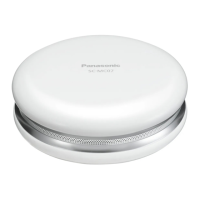
select to pair with "SC-MC07".
• Depending on the device, connection may take place automatically when pairing is
selected. In this case, go to Step 5.
• If prompted for a passkey, input “0000”.
4 In the Bluetooth
®
connecting settings of the Bluetooth
®
device,
select to connect with "SC-MC07".
• When the connection is made, the indicator on the unit lights up.
5 Start playback on the Bluetooth
®
device.
• Adjust the volume using the [- VOL +] buttons on the unit.
When the maximum or minimum volume is reached, you will be notified by a beep
sound.
Disconnecting
• Switch off this unit or the device.
• Stop / disable the Bluetooth
®
transmission of the device.
Listening to audio from a paired device
When this unit is turned on, the indicator will blink slowly indicating that the unit is in
connection standby mode. Please perform Steps 4 and 5.
• When the power is turned on, this unit is connected to the last-used Bluetooth
®
device. At this
point, please perform Step 5.
Note
• This unit can only connect to one device at a time.
• You can pair up to 6 devices with this unit. If a 7th device is paired, the device with the oldest
connection history will be replaced.
• Panasonic bears no responsibility for data and/or information that can possibly be
compromised during a wireless transmission.
Listening to audio from a Bluetooth
®
device
5
SC-MC07_E.book 5 ページ 2012年2月14日 火曜日 午後5時26分




 To Next Page