EasyManua.ls Logo

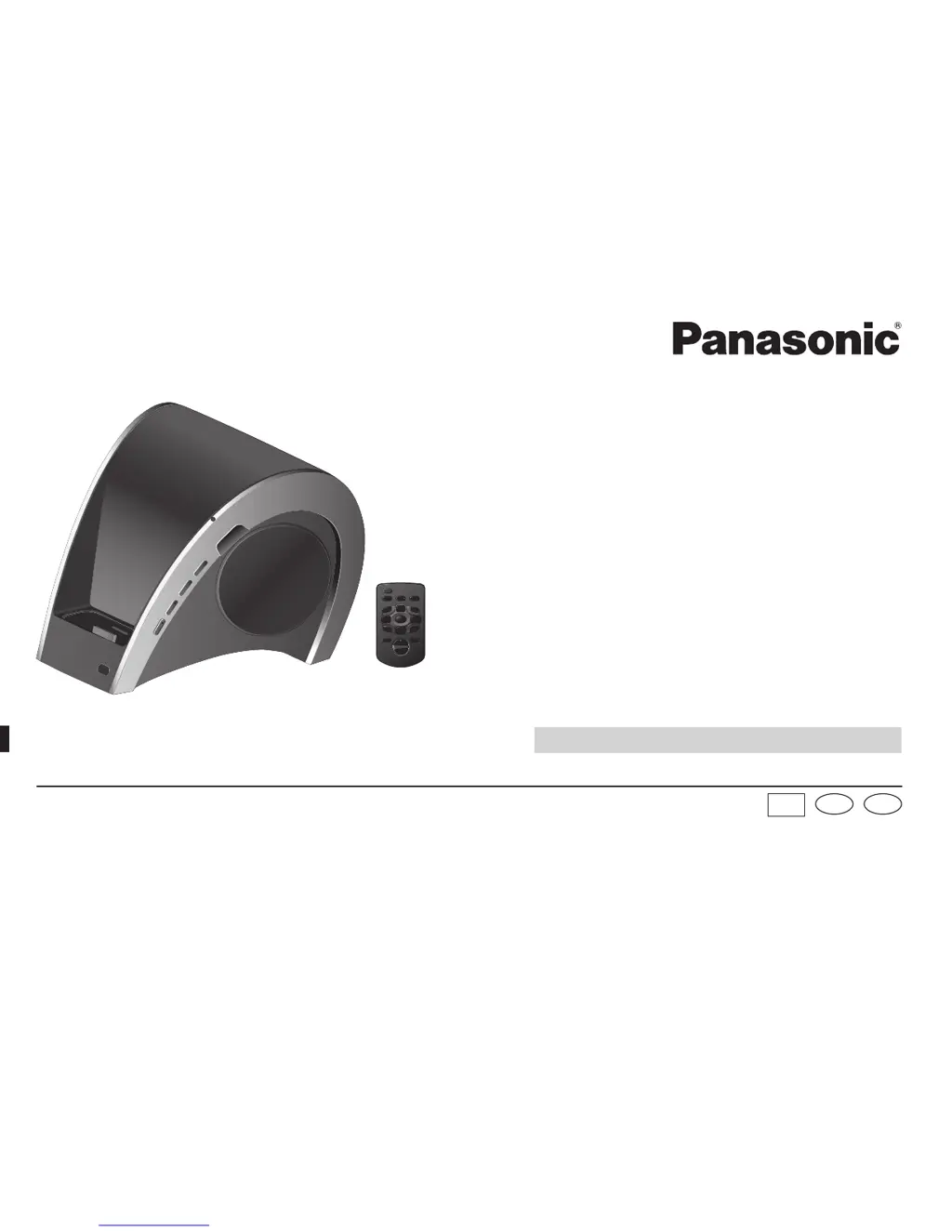
Panasonic SC-SP100 - User Manual

Panasonic SC-SP100
32 pages
Print Icon
To Next Page IconTo Next Page
Loading...
Panasonic Consumer Electronics
Company, Division of Panasonic
Corporation of North America
One Panasonic Way, Secaucus,
New Jersey 07094
http://www.panasonic.com
© Panasonic Corporation 2009
Printed in China
Operating Instructions
Compact Stereo System
Model No. SC-SP100
If you have any questions contact
In the U.S.A and Puerto Rico:
1-800-211-PANA (7262)
In Canada:
1-800-561-5505
PP
La guía rápida en Espol se encuentra en la página 15 a 19.
SpEn
RQTX1012-3Y
L1009CH3129
Panasonic Canada Inc.
5770 Ambler Drive
Mississauga, Ontario
L4W 2T3
www.panasonic.ca
RQTX1012-3Y_us_le.indd 1RQTX1012-3Y_us_le.indd 1 12/28/09 12:01:33 PM12/28/09 12:01:33 PM

Questions and Answers

  • M
    michele75Aug 16, 2025
    What to do if the Panasonic SC-SP100 Stereo System remote control is not functioning?
    • M
      melissatuckerAug 16, 2025
      If the remote control for your Panasonic Stereo System isn't working, first replace the battery. If that doesn't solve the issue, ensure your iPod or iPhone is properly seated in the unit.
  • D
    Douglas JohnsonAug 18, 2025
    Why is my Panasonic SC-SP100 Stereo System remote control not working?
    • S
      Samantha CruzAug 19, 2025
      If the remote control for your Panasonic Stereo System isn't functioning, try replacing the battery. Also, ensure that the iPod or iPhone is seated properly into the unit, if applicable.
  • E
    ewebbAug 22, 2025
    Why is there no sound coming from my Panasonic Stereo System?
    • N
      Nicole JohnsonAug 22, 2025
      If your Panasonic Stereo System has no sound, first adjust the volume. If there's still no sound, check if the mute function is enabled. For iPod or iPhone, update to the latest software. Also, ensure the iPod or iPhone is correctly inserted into the dock by turning it off, removing it, reinserting it, and turning it back on.
  • M
    mbanksAug 25, 2025
    How to fix distorted sound on Panasonic Stereo System?
    • M
      masonmendozaAug 26, 2025
      If you are experiencing distorted sound from your Panasonic Stereo System, try reducing the volume. You can also set the “EQ” setting of the iPod to “Off” or “Flat.”
  • S
    Stephanie BurnsAug 28, 2025
    What to do if my Panasonic Stereo System has no sound?
    • D
      Danielle ParkerAug 28, 2025
      If your Panasonic Stereo System isn't producing any sound, first, try adjusting the volume. Also, check to see if the mute function is enabled. If you are using an iPod or iPhone, make sure it has the latest software. If the issue persists with an iPod or iPhone, turn off the device, remove it from the dock connector, reinsert it, and turn it on again.
  • N
    Neil MeyersAug 31, 2025
    How to fix Panasonic SC-SP100 Stereo System when it has no power?
    • K
      Kevin StewartAug 31, 2025
      If your Panasonic Stereo System has no power, ensure that the AC power supply cord is connected properly.
  • D
    Danny VangSep 3, 2025
    What to do if Panasonic SC-SP100 sound is distorted?
    • G
      galvarezSep 3, 2025
      If the sound from your Panasonic Stereo System is distorted, reduce the volume. Additionally, set the “EQ” setting of the iPod to “Off” or “Flat,” if you are using one.
  • C
    Christopher LewisSep 6, 2025
    How to troubleshoot a Panasonic Stereo System that has no power?
    • B
      Blake AdamsSep 6, 2025
      If your Panasonic Stereo System has no power, make sure the AC mains lead is properly connected.
  • P
    Paula BlackSep 9, 2025
    Why is my iPod or iPhone not charging on Panasonic SC-SP100 Stereo System?
    • C
      Carol WatsonSep 9, 2025
      If your iPod or iPhone isn't charging when connected to the Panasonic Stereo System, check the connections.
  • A
    Angela StarkSep 12, 2025
    How to fix Panasonic SC-SP100 when unable to use PC synchronization?
    • J
      James EspinozaSep 12, 2025
      If you are unable to use PC synchronization with your Panasonic Stereo System, turn the main unit on. Also, check the PC and iPod or iPhone connections.

Summary

Important Safety Instructions

Compatible iPod and iPhone

Charging the iPod or iPhone

Preparing the Remote Control

Connecting the iPod or iPhone

Connecting the AC Power

Steps for connecting the AC adapter and power supply cord to the unit.

Inserting the Dock Adapter

Instructions for inserting the correct dock adapter for iPod or iPhone.

Connecting iPod or iPhone to Main Unit

How to connect the iPod or iPhone to the main unit.

Listening to the iPod or iPhone

Connecting to the PC

USB Connection and Safe Removal

Steps for connecting via USB and safely disconnecting the device from the PC.

Troubleshooting Guide

Specifications

Listening Caution

Product Service

Limited Warranty (USA & Puerto Rico)

Warranty Coverage and Terms

Details on warranty coverage, parts, labor, and exclusions for USA and Puerto Rico.

Limited Warranty (Canada)

Panasonic SC-SP100 Specifications

General IconGeneral
BrandPanasonic
ModelSC-SP100
CategoryStereo System
LanguageEnglish

Related product manuals