
 Need help?
Do you have a question about the Panasonic SC-XH333 and is the answer not in the manual?
Safety warnings for the main unit concerning fire, electric shock, and physical damage.
Precautions for the power cord to prevent fire, electric shock, or product damage.
Safety guidelines for speakers and keeping small objects away from children.
Cautions about laser, ventilation, and environmental conditions for unit placement.
Instructions on how to clean the main unit using a soft, dry cloth.
Guidelines for handling discs to prevent scratches and avoid damaged discs.
Lists the various types of media discs and USB devices supported by the unit.
Details discs that cannot be played and general media playback limitations.
Recommendations for optimal placement of speakers for surround sound.
Guidance on using HDMI ARC and Digital Audio In for optimal audio connection.
Detailed explanation of the buttons on the remote control and their operations.
Identification and description of the main unit's physical controls and input/output terminals.
Step-by-step guide to connect a Bluetooth® device to the system for wireless audio.
Important limitations and restrictions when using Bluetooth® devices with the system.
Instructions on how to tune into radio stations and save them as presets.
How to connect microphones and adjust volume and echo effects for karaoke.
How to change the sound effect modes like Flat, Heavy, Clear, and Soft.
How to adjust the bass level for the subwoofer from "SUB 1" to "SUB 4".
How to access the Option menu for playback operations and settings adjustments.
Configuring TV System, Display Dim, Screen Saver, and Sleep Timer.
Setting OSD language, audio output, and subtitle language preferences.
Guidelines for placing speakers and adjusting delay times for optimal 5.1 channel sound.
Using test tones for speaker calibration and adjusting dynamic range for dialogue clarity.
Instructions for securely mounting speakers on a wall, including screw selection.
Specific measurements and guidance for screwing speakers to the wall.
Settings for picture quality, resolution, and matching the TV type for optimal display.
Configuration for Bluetooth Standby, Parental Rating, and resetting to default settings.
How to use cords and anchors to secure speakers to walls for safety.
Solutions for when the unit does not respond to remote or button inputs.
Common issues with distorted images, no sound, or incorrect audio types.
Troubleshooting steps for when the unit does not recognize USB devices.
Common problems like discs not playing or subtitle selection issues.
Troubleshooting distorted radio sound, pairing errors, and connection problems.
Power consumption, dimensions, mass, USB, Mic jack, and Bluetooth® specifications.
Details on amplifier output, audio inputs, video output, and HDMI AV output.
Physical dimensions and mass for XH385 and XH333 speaker models.
 General
| Number of Channels | 5.1 |
|---|---|
| Channels | 5.1 |
| Bluetooth | Yes |
| USB Playback | Yes |
| USB Port | Yes |
| HDMI Output | 1 |
| FM Tuner | Yes |
| Audio Input | Yes |
| Dolby Digital | Yes |
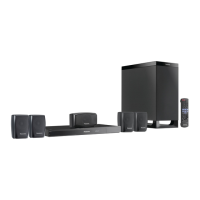
| Type | Home Theater System |
| Speaker Configuration | 5.1 |



 To Next Page