This document is a service manual for the Panasonic SDR-H250 series of SD Card/Hard Disk Video Cameras, including models SDR-H250E, SDR-H250EB, SDR-H250EE, SDR-H250EF, SDR-H250EG, SDR-H250EP, SDR-H250GC, SDR-H250GN, and SDR-H258GK. It provides technical information for experienced repair technicians, covering specifications, service procedures, troubleshooting, and replacement parts.
Function Description:
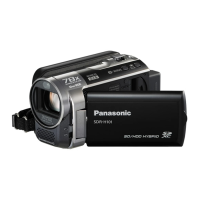
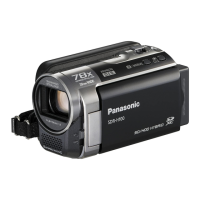
The Panasonic SDR-H250 series are hybrid video cameras capable of recording to both SD Memory Cards and an internal Hard Disk Drive (HDD). They feature a 3CCD image sensor for high-quality video capture and a Leica Dicomar lens. The cameras are designed for ease of use with features like a joystick for navigation, a mode dial for quick setting changes, and PictBridge compatibility for direct printing. They also incorporate a "PbF Solder Lead free" design, indicating the use of lead-free solder in their manufacturing process, aligning with global environmental conservation efforts. The device includes a stereo microphone with a zoom function and a video light for improved recording in various conditions.
Important Technical Specifications:
- Recording Media: SD Memory Card (32MB to 2GB, FAT12/FAT16 format) and SDHC Memory Card (4GB, FAT32 format) for removable storage; 30GB Hard Disk Drive (fixed type) for internal storage.
- Image Sensor: 1/6-inch 3CCD Image Sensor with a total of 800K pixels. Effective pixels for moving pictures are 630K x 3 (4:3) or 540K x 3 (16:9), and for still pictures, 710K x 3 (4:3) or 540K x 3 (16:9).
- Lens: Leica Dicomar lens with Auto Iris, F1.8 to F2.8, focal length of 3.0 mm to 30.0 mm, and Macro (Full Range AF).
- Zoom: 10x optical zoom, 25x/700x digital zoom.
- Monitor: 2.7-inch wide LCD monitor with approximately 123K pixels.
- Audio: Stereo microphone with zoom function, 1 round speaker (φ 20 mm).
- Illumination: Standard illumination of 1,400 lx, minimum required illumination of 12 lx (Low Light Mode: 1/50), and approximately 1 lx with the color night view function.
- Output Level: Video Output: 1.0 Vp-p, 75Ω; S Video Output: Y: 1.0 Vp-p, 75Ω, C: 0.3 Vp-p, 75Ω; Audio Output (Line): 316 mV, 600Ω.
- USB: Hi-Speed USB (USB 2.0) compliant, with card reader and HDD reader functions, and PictBridge compatibility.
- Recording Format: SD Card: SD-Video standard; HDD: Independent standard.
- Video Compression: MPEG-2.
- Audio Compression: SD card: MPEG-1 Audio Layer 2, 16bit (48 kHz/2 ch); HDD: Dolby Digital, 16 bit (48 kHz/2 ch).
- Recordable Time (30GB HDD): XP: 7 hours, SP: 13 hours 30 minutes, LP: 27 hours.
- Still Picture Compression: JPEG (Design rule for Camera File system, based on Exif 2.2 standard), DPOF compatible.
- Still Picture Sizes: 2048 x 1512, 1920 x 1080 (16:9), 1280 x 960, 640 x 480.
- Power Source: DC 7.9/7.2 V (camera), AC 110-240 V, 50/60 Hz (AC Adaptor).
- Power Consumption: 5.7 W (recording) for camera, 19 W for AC Adaptor.
- Operating Condition: 0°C-40°C (Temperature), 10%-80% (Humidity), Less than 3000 m above sea level (Altitude).
- Weight: 450 g (without battery) for camera, 110 g for AC Adaptor.
- Dimensions: 70.1 mm x 73.0 mm x 120.8 mm (W x H x D) for camera (excluding projecting parts); 61 mm x 32 mm x 91 mm (W x H x D) for AC Adaptor.
Usage Features:
The camera features a user-friendly interface with clearly labeled controls. The mode dial allows selection of different recording modes, while the joystick facilitates menu navigation. A dedicated MENU button provides access to various settings, including the setup for formatting the HDD. The camera also includes a DELETE button, a PHOTOSHOT button for still images, and a recording start/stop button. An illumination LED and status indicator provide visual feedback. The grip belt is adjustable for comfortable handling. The device supports PictBridge for direct printing and offers USB connectivity for data transfer.
Maintenance Features:
The service manual outlines detailed procedures for maintenance and repair, emphasizing safety precautions for handling electrostatically sensitive (ES) devices and lead-free solder (PbF).
- HDD Handling: Specific instructions are provided for handling the HDD, including precautions against shock, condensation, and static electricity. It details the correct method for inserting and removing the HDD Flexible Printed Circuit (FPC) using a specialized tool (LSVQ0112) to prevent damage.
- HDD Formatting: A step-by-step guide is included for formatting the HDD when it is exchanged, accessible through the service menu.
- Service Mode: The manual describes how to access and navigate the service menu, which provides error displays, HDD information (fall detection, temperature, re-allocated sectors, pending sectors, disk shift), and self-check functions. This mode is crucial for diagnosing issues and confirming the need for HDD replacement.
- Default Setting: Instructions are given for resetting the device to its default factory settings, which affects menu, mode, card, and EEPROM settings, and clears mechanism lock information.
- Service Fixture & Tools: A list of specialized extension cables, tools (e.g., HDD Connector Tool, Plier for Non ZIF Connector), and calibration equipment (Light Box, Infinity Lens, White Chart, Color Bar Chart, Gray Scale Chart) is provided for servicing.
- Disassembly and Assembly: Detailed flow charts and diagrams illustrate the disassembly and assembly procedures for various units, including the rear case, operation unit, front/top case, side R/LCD unit, lens unit, main/camera P.C.B., and front P.C.B.
- Electrical Adjustment: Guidelines for electrical adjustments are provided, indicating which adjustments are necessary based on replaced parts.
- EEPROM Data: Technicians are advised to save EEPROM data using a PC-EVR Adjustment Program before service to prevent data loss.
- Troubleshooting: Comprehensive troubleshooting flowcharts are included for common issues such as "No picture LCD in Camera Mode," "No Audio," "No power," "Zoom Motor Lock," "Focus Motor Lock," "Operation Key does not work," and "Hard Disk Drive malfunctions." These charts guide technicians through checks of FPC connections, voltages, waveforms, and service menu information to identify the root cause and recommend appropriate replacements (e.g., CCD Unit, Camera P.C.B., Main P.C.B., Lens Unit, HDD Relay P.C.B., HDD).
- Cleaning: Instructions for cleaning the lens and LCD panel are provided, recommending the use of an air-blower for dust and lens cleaning paper with lens cleaner for the LCD.
- Replacement Parts: The manual includes extensive lists of mechanical and electrical replacement parts, along with notes on part numbering, safety-critical components, and the use of original replacement parts. It also specifies that certain P.C.B.s are supplied as complete units and are not serviceable at the component level.

 Need help?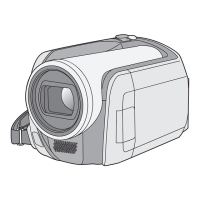


 To Next Page
 General