91
VQT3E89
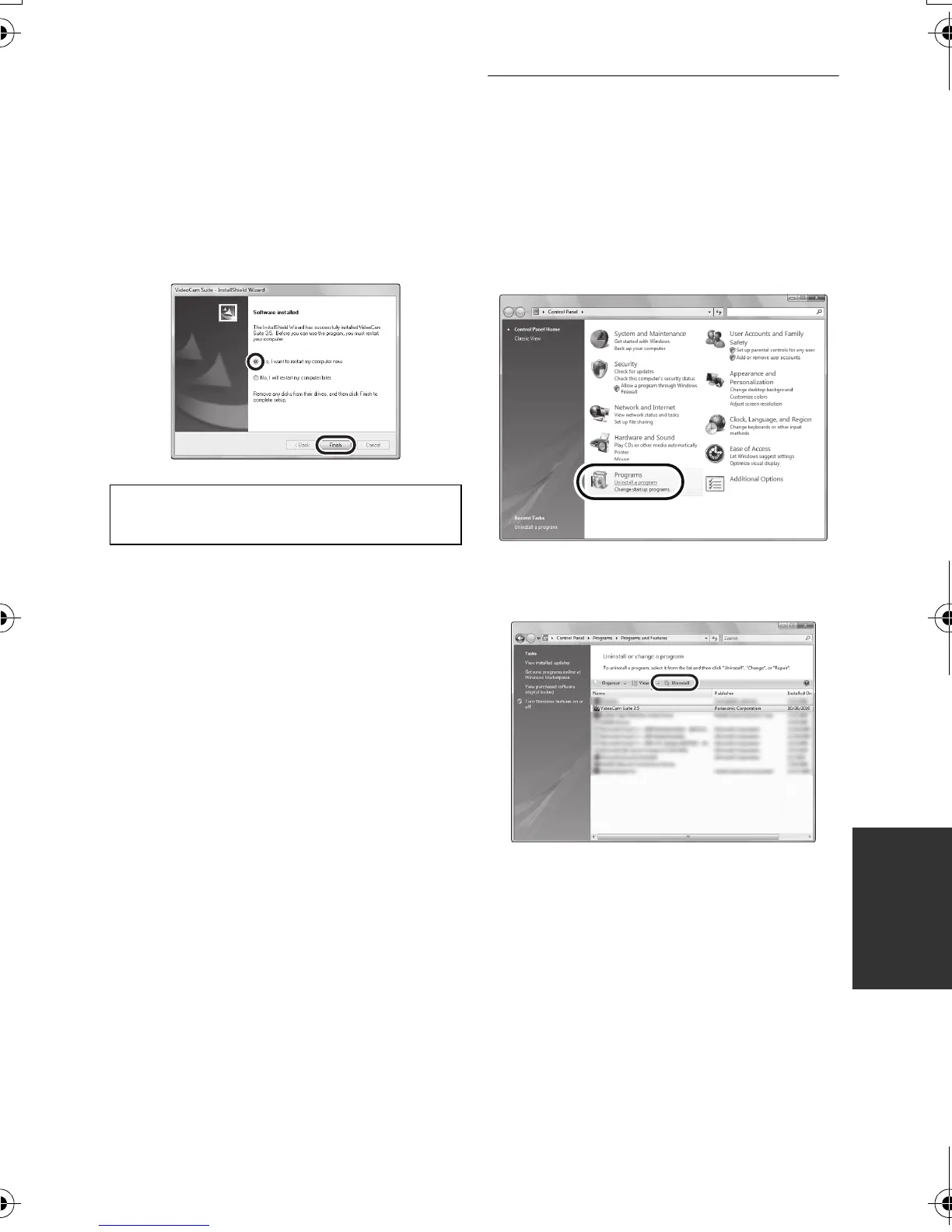
7 When installation is complete, some
notes will appear.
Check the contents, then close
the window.
8 Select [Yes, I want to restart my
computer now.], then click
[Finish].
∫ Uninstalling VideoCam Suite
3.5
Follow the steps below to uninstall any
software applications that you no longer
require.
1 Select [start] # [Control Panel]
# [Uninstall a program].
2 Select [VideoCam Suite 3.5],
then click [Uninstall].
≥ Proceed with the uninstallation by
following the on-screen instructions.
≥ After uninstalling the software, be sure to
reboot the PC.
The PC must be rebooted for the
application to work.
SDRS71&H101GN-VQT3E89_mst.book 91 ページ 2010年12月2日 木曜日 午後3時35分






 To Next Page