EasyManua.ls Logo

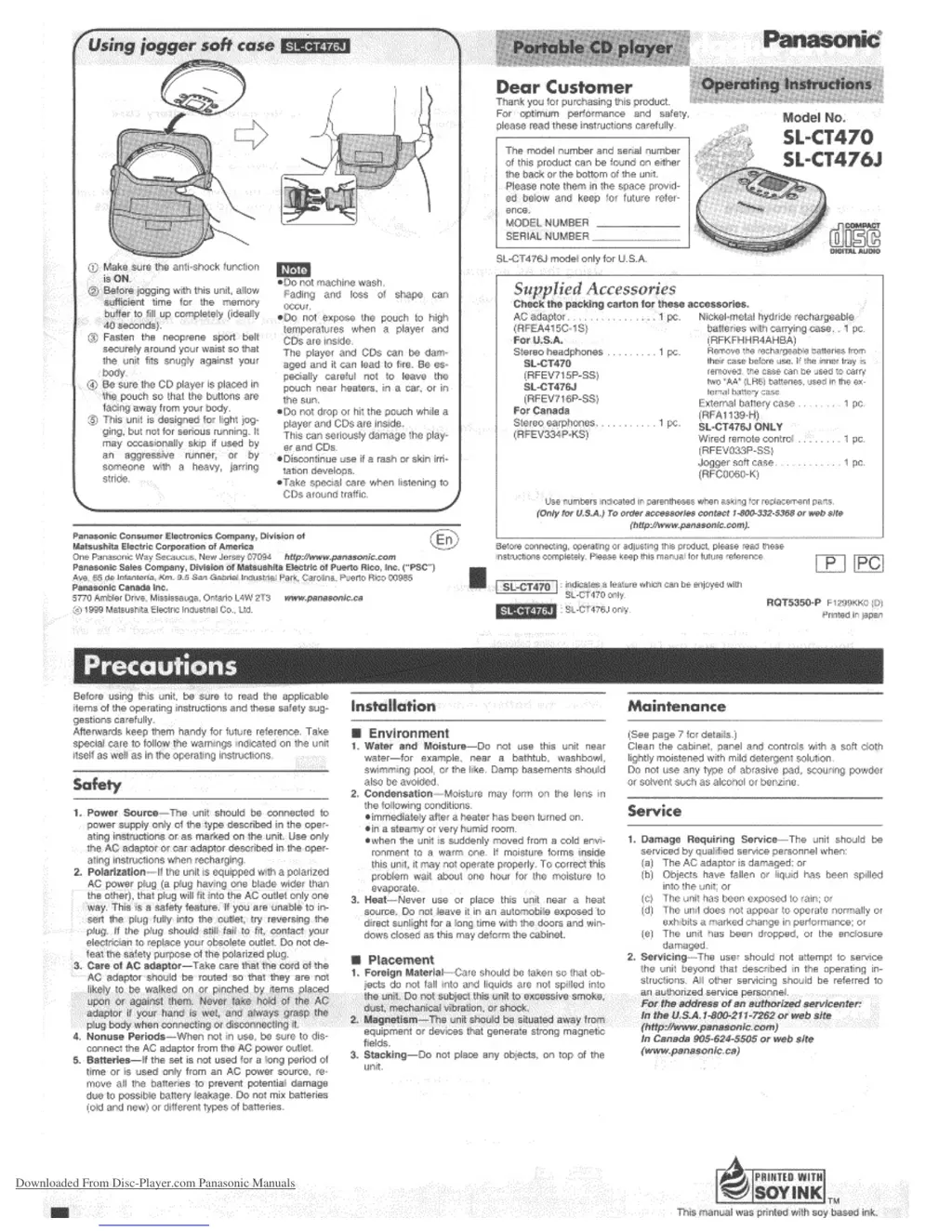
Panasonic SL-CT470 - User Manual

Panasonic SL-CT470
8 pages
Print Icon
To Next Page IconTo Next Page
Loading...
Downloaded From Disc-Player.com Panasonic Manuals

Questions and Answers

  • L
    lopezcharlesJul 30, 2025
    What to do if my Panasonic SL-CT470 cannot play discs?
    • E
      Elizabeth SmithJul 30, 2025
      If your Panasonic CD Player is not playing discs, check if the unit is in HOLD mode. Also, verify that the disc is properly secured in place. If the issue persists, there might be moisture on the lens; wait for about an hour and try again.
  • M
    Marcia DavisAug 4, 2025
    How to make tracks play in order on Panasonic SL-CT470 CD Player?
    • M
      Michael PrattAug 4, 2025
      If tracks on your Panasonic CD Player do not play in order, starting with the first track, check if [RESUME, RANDOM, NORMAL] is in the [NORMAL] position.
  • T
    Tim SharpAug 9, 2025
    What to do if I cannot remove a disc from my Panasonic CD Player?
    • J
      johnsonsteveAug 9, 2025
      If you cannot remove the disc from your Panasonic CD Player, ensure that you have pressed [PUSH] to release the disc.
  • G
    gonzalezandrewAug 13, 2025
    Why is the music too noisy on my Panasonic SL-CT470?
    • B
      Brian BradfordAug 13, 2025
      If you cannot hear music and it sounds too noisy on your Panasonic CD Player, ensure that the earphone and wired remote control plugs are firmly inserted. Also, check if the plugs are dirty and, if so, wipe them clean. Try to keep the unit separated from mobile phones, as they may cause interference.
  • B
    Brandon DuarteAug 19, 2025
    Why is the TV picture distorted when using my Panasonic SL-CT470?
    • A
      April HayesSep 12, 2025
      If the TV picture is distorted or the radio reception is noisy while using your Panasonic CD Player, it might be too close to a TV or tuner. If the TV or tuner is connected to a simple indoor antenna, try connecting it to an outdoor antenna.
  • L
    lunadavidAug 25, 2025
    Why I cannot close the cover of my Panasonic SL-CT470?
    • D
      dominic60Aug 25, 2025
      If you cannot close the cover of your Panasonic CD Player, check if the disc is properly secured in place.

Summary

Precautions

Safety Precautions

Essential safety guidelines regarding power, handling, and battery usage for the unit.

Installation and Environment Guidelines

Advice on proper installation and avoiding unsuitable environmental conditions for the player.

Unit Placement Advice

Guidance on where to place the unit to avoid damage, interference, or overheating.

Maintenance Instructions

Instructions for cleaning and maintaining the unit's appearance and components.

Service Information

Information on when and how to get the unit serviced by qualified professionals.

Power Supply Preparations

Rechargeable Battery Usage

Details on charging and using the unit's rechargeable battery pack for operation.

Dry Cell Battery Usage

Information on inserting and using standard alkaline batteries for portable power.

External Battery Case Use

How to attach and use an optional external case for extended playing time.

HOLD Function Operation

Activating and Using HOLD Mode

Explains how to activate the HOLD function to prevent accidental button presses.

Sequential Play and Basic Playback

Playback Control Operations

Instructions on how to play, pause, stop, skip tracks, and turn off the CD player.

Auto Power Off and Disc Removal

Details on the auto power-off feature and procedures for safely removing discs.

Other Play Methods and Controls

Advanced Playback Modes

Explains skip, program, random, resume, and repeat play functions for discs.

Sound Quality Adjustment Options

How to adjust sound settings like S-XBS, TRAIN, and LIVE modes.

Control Locations

Identification of buttons, ports, and features on the CD player and remote.

Anti-Shock Functionality

Understanding Anti-Shock

Explains how the anti-shock feature prevents skipping and its operational indicators.

Using Optional Accessories

Connecting to Audio Systems

Instructions for connecting the unit to home audio systems via cables.

Car Audio System Connection

Guidance for connecting the unit to a car audio system for playback.

Product Service and Support

Customer Service Contact

Provides phone numbers and website for product information and inquiries.

Factory Servicenter Locations

Lists locations of authorized Panasonic factory service centers across the US.

Compact Disc Handling

Disc Handling Precautions

Guidelines for handling, cleaning, and storing compact discs to prevent damage.

Lens Maintenance

Instructions on how to clean the unit's optical lens for optimal performance.

Product Warranty and Service

Limited Warranty Details

Outlines the terms and conditions of the Panasonic Audio Products Limited Warranty.

Specifications and Troubleshooting

Technical Specifications

Detailed technical specifications including frequency response, output, and power consumption.

Troubleshooting Guide

Common problems and their solutions to help diagnose and fix unit malfunctions.

Battery Selection and Care

Advice on choosing, using, and caring for rechargeable and dry cell batteries.

Panasonic SL-CT470 Specifications

General IconGeneral
BrandPanasonic
ModelSL-CT470
CategoryCD Player
LanguageEnglish

Related product manuals