1
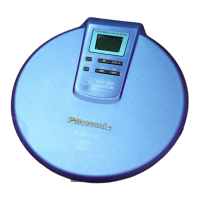
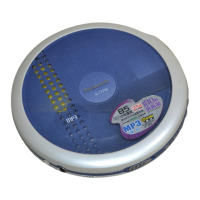
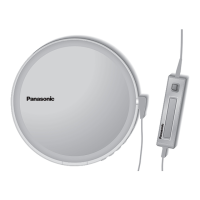
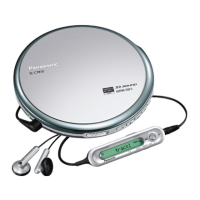
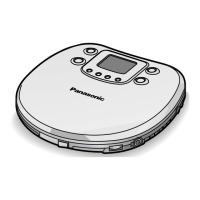
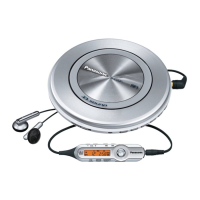
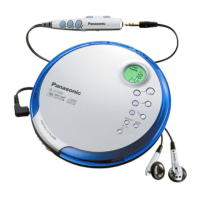
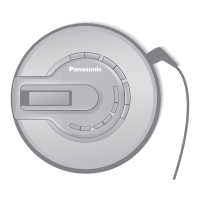
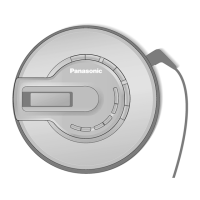
Portable CD player
Dear Customer
Thank you for purchasing this product.
For optimum performance and safety,
please read these instructions carefully.
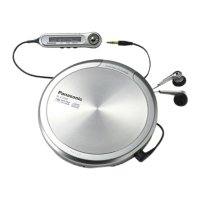
Supplied Accessories
Check the packing carton for these accessories.
Model No. SL-CT790
Before connecting, operating or adjusting this product, please read these
instructions completely. Please keep this manual for future reference.
Operating Instructions
The model number and serial number
of this product can be found on either
the back or the bottom of the unit.
Please note them in the space provid-
ed below and keep for future refer-
ence.
MODEL NUMBER
SL-CT790
SERIAL NUMBER
Concerning Compact Discs
Only compact discs bearing this mark can be used with this unit.
However, continued use of irregular shaped CDs can damage the unit.
If the surface is dirty
Wipe it with a damp cloth and then wipe dry.
Wipe from the center toward the outer circumference.
How to hold a disc
How to store the disc in its caseHow to remove a disc from its case
P PC
Use numbers indicated in parentheses when asking for replacement parts.
[Refer to “Using rechargeable batteries” (page2) for the parts marked with an asterisk(
†
). ]
(Only for U.S.A.) To order accessories contact 1-800-332-5368 or web site
(http://www.panasonic.com).
Panasonic Consumer Electronics Company,
p
Division of Matsushita Electric Corporation of America
One Panasonic Way Secaucus, New Jersey 07094 http://www.panasonic.com
Panasonic Sales Company, Division of Matsushita Electric of Puerto Rico, Inc. (“PSC”)
Ave. 65 de Infantería, Km. 9.5 San Gabriel Industrial Park, Carolina, Puerto Rico 00985
Panasonic Canada Inc.
5770 Ambler Drive, Mississauga, Ontario L4W 2T3 www.panasonic.ca
C 2002 Matsushita Electric Industrial Co., Ltd.
RQT6154-P F0102KN0
Printed in Japan
Handling precautions
≥If you are taking the CD from a cold to
a warm environment, moisture may
form on the CD. Wipe this off with a
soft, dry, lint-free cloth before using the
CD.
≥Do not write on the label side with a
ball-point pen or other writing instru-
ment.
≥Do not use record cleaning sprays,
benzine, thinner, static electricity pre-
vention liquids or any other solvent.
≥Do not attach labels or stickers to CDs.
(Do not use CDs with exposed adhe-
sive from tape or left over peeled off
stickers.)
≥Do not use scratch-proof protectors
etc.
Storage precautions
Be sure to store CDs in their cases to
protect them from dust, scratches, and
warping.
Do not place or store CDs in the fol-
lowing places
≥Locations exposed to direct sunlight
≥Humid or dusty locations
≥Locations directly exposed to a heat
vent or heating appliance
≥In the glove compartment or on the
rear deck of an automobile
Safety
1. Power source—Connect the unit to a power source
of the type described in these instructions or as
marked on the unit.
2. Polarization—The unit is equipped with a polarized
power plug where one blade is wider than the other.
This safety feature ensures that the plug fits into your
household AC outlet only one way. If the plug does-
n’t fit one way, try reversing it. If the plug still doesn’t
fit, contact an electrician to replace the obsolete out-
let. Do not attempt to defeat the safety purpose of
the plug.
3. Power cord protection—Route the AC power sup-
ply cord so that it will not be walked on or pinched by
items placed on or against it. Never take hold of the
plug or cord with wet hands. Always grasp the plug
body firmly when connecting and disconnecting it.
4. Overloading—When connecting the AC power sup-
ply cord, be careful not to overload the household
AC outlet, extension cord, or outlet from any other
device as this can result in fire or electric shock.
5. Nonuse periods—Turn the unit off when it is not in
use. Unplug the unit from the household AC outlet if
it is not to be used for a long time. Unplug the unit
during lightning storms. Leaving the unit connected
to a household AC outlet for extended periods can
cause battery fluid leakage.
6. Attachments and accessories—Use only the at-
tachments and accessories recommended in these
operating instructions.
Installation
Placement
1. Foreign material—Ensure objects and liquids do
not get into the unit. Avoid exposing the unit to ex-
cessive smoke, dust, mechanical vibration, and
shock.
2. Magnetism—Situate the unit away from equipment
and devices that generate strong magnetic fields.
3. Stacking—Do not place anything on top of this unit.
4. Wall and ceiling mounting—Do not mount the unit
on walls or ceilings unless specified in the instruc-
tions.
Environment
1. Water and moisture—Do not use the unit near
water, such as near a bathtub or swimming pool.
Avoid damp basements.
2. Heat—Situate the unit away from heat sources, such
as radiators. Do not leave it in an automobile ex-
posed to direct sunlight with the doors and windows
closed as this may deform the cabinet.
2. Do not situate where temperatures fall below 5 oC
(41 oF) or rise above 35 oC (95 oF).
Maintenance
(See page 7 for details.)
Unplug the unit from the household AC outlet before
cleaning.
Clean with a damp cloth.
Do not use abrasive pads, scouring powders, or sol-
vents.
Service
1. Damage requiring service—The unit should be
serviced by qualified service personnel if:
1. (a) The AC power supply cord or AC adaptor has
been damaged; or
1. (b) Objects or liquids have gotten into the unit; or
1. (c) The unit has been exposed to rain; or
1. (d) The unit does not operate normally or exhibits a
marked change in performance; or
1. (e) The unit has been dropped or the cabinet dam-
aged.
2. Servicing—Do not attempt to service the unit be-
yond that described in these operating instructions.
Refer all other servicing to authorized servicing per-
sonnel.
3. Replacement parts—When parts need replacing
ensure the servicer uses parts specified by the man-
ufacturer or parts that have the same characteristics
as the original parts. Unauthorized substitutes may
result in fire, electric shock, or other hazards.
4. Safety check—After repairs or service, ask the ser-
vicer to perform safety checks to confirm that the unit
is in proper working condition.
IMPORTANT SAFETY INSTRUCTIONS
Read these operating instructions carefully before using the unit. Follow the safety instructions on the unit and the safety precautions listed below. Keep these operating instruc-
tions handy for future reference.
AC adaptor. . . . . . . . . . . . . . . . . . . 1
(RFEA415C-1S)
Wired remote control . . . . . . . . . . . 1
(N2QCBD000019)
For U.S.A.
Stereo headphones . . . . . . . . . . . . 1
(RFEV716P-SS)
For Canada
Stereo earphones. . . . . . . . . . . . . . 1
(L0BAB0000170)
External battery case . . . . . . . . . . . 1
(RFA1821-H)
Nickel-metal hydride rechargeable
batteries
°
. . . . . . . . . . . . . . . . . . 2
Battery carrying case . . . . . . . . . . 1
(RFC0062-X)
Remove the rechargeable batter-
ies from their case before use.


 To Next Page
 General