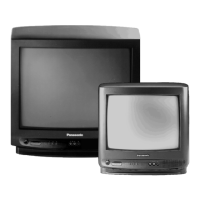
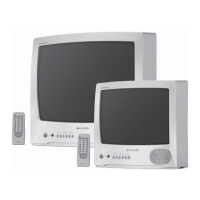
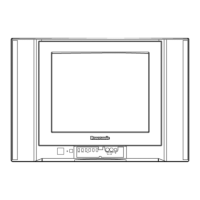
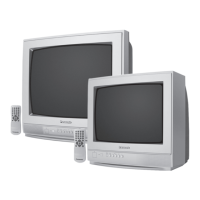
This document is the operating instructions manual for Panasonic Colour Televisions, specifically models TC-1400Z and TC-1401ZR. The manual provides detailed information on the device's function, technical specifications, usage, and maintenance.
Function Description
The Panasonic TC-1400Z and TC-1401ZR are colour televisions designed for receiving broadcast signals. The TC-1401ZR model includes remote control capabilities, while the TC-1400Z is a basic model without remote control. These televisions are designed to operate on AC 230V, 50 Hz power and are exclusively for broadcast systems PAL B & G.
Important Technical Specifications
- Power Source: AC 230 V, 50 Hz
- Power Consumption:
- Operating: 65 W
- Stand-by: 12 W (for remote control model only)
- Receiving Systems: PAL System B & G
- Receiving Channels:
- Picture Tube: 36 cm (14 inches) measured diagonally, 90° deflection
- Audio Output: 3.0 W (Max.)
- Dimensions (W x D x H): 424 x 372 x 348 mm
- Mass (Weight): 10.5 kg (Net)
Usage Features
The manual outlines various features for operating the television, including both on-set controls and remote control functions (for the TC-1401ZR).
On-Set Controls (Common to both models)
The television features controls located both on the front panel and behind a door.
- Power Switch: Turns the TV on/off.
- Stand-by Indicator: Lights up when the TV is in stand-by mode (remote control model only).
- Programme Number Up/Down Buttons (1): Selects higher or lower programme numbers.
- Volume Up/Down Buttons (2): Increases or decreases sound level.
- Recall Button (3): Activates the on-screen display to show the current programme number.
- Contrast Control (4): Adjusts the contrast level of the picture.
- Sharpness Control (5): Adjusts the sharpness of the picture.
- Vertical-Hold Control (6): Adjusts the picture if it rolls up or down.
- Colour / Brightness Selection Button (7): Toggles between colour and brightness adjustment modes. Once selected, the Up/Down buttons (a/b) are used to increase or decrease the level of the chosen function.
- AFC Button (8): Used for slight adjustment of tuning in areas of poor reception or constant interference to improve picture and sound quality. An AFC OFF symbol appears on screen when activated.
Remote Control Operation (TC-1401ZR only)
The remote control transmitter allows for convenient operation from a distance, provided the TV's main power switch is ON.
- Power (Stand-by) Button (9): Turns the TV off (stand-by) or on.
- Direct Programme Selection Buttons (10): Allows direct selection of programme numbers 1-12.
- Programme Number Up/Down Buttons (11): Selects higher or lower programme numbers (also used for 13-30).
- Volume Up/Down Buttons (12): Increases or decreases sound level.
- Sound Mute Button (13): Mutes the sound. Pressing again or using volume buttons restores sound.
- Normalization Button (14): Resets colour and brightness to factory-preset levels.
- Colour Up/Down Buttons (15): Increases or decreases colour (saturation) level.
- Brightness Up/Down Buttons (16): Increases or decreases brightness level.
- Recall Button (17): Activates the on-screen display to show the current programme number.
- Off-Timer Button (18): Presets the TV to switch off after a fixed period (30, 60, or 90 minutes). Can be cancelled by setting to "00" or turning off the TV.
Tuning Procedure
The manual details a 6-step tuning procedure:
- Turn on the TV.
- Push the "PRE." (PRESET) Button until the on-screen display appears, showing the programme number and band indicator (VL: VHF Low Band, VH: VHF High Band, U: UHF Band).
- Select the desired programme number using the Programme Number Up "A" or Down "V" Button.
- Quick Tuning - Fast Selection: Push and hold either the Tuning Up "A" or Down "V" Button with the "FAST" Button until the desired station's picture appears. The band display can be changed (VL – VH – U) similarly.
- Fine Tuning: Push either the Tuning Up "A" or Down "V" Button until picture and sound quality are best. The tuning position is automatically memorized upon release.
- Repeat steps 3 and 4 for all available TV stations. After tuning all stations, push the "PRE." (PRESET) Button to return to normal operation.
Programme Number Skip Function
This feature allows users to skip programme numbers with no tuned TV stations.
- To set: Select a programme number, push "PRE.", then push "SKIP" until "SKIP" indication appears.
- To cancel: Push and hold "PRE.", select the desired programme number, push and hold "SKIP" until "SKIP" indication disappears, then push "PRE." again.
Maintenance Features
Cabinet and Picture Tube Care
- The cabinet and picture tube should be cleaned with a clean, soft cloth moistened with mild detergent and water.
- Avoid using solutions containing benzol, petroleum, or chemical cloths.
- For safety, unplug the TV from the wall outlet before cleaning.
General Safety Warnings and Cautions
- Power Source: The TV operates on AC 230V, 50 Hz.
- Moisture: Do not expose the TV to rain or excessive moisture to prevent fire or electrical shock.
- Ventilation: Adequate ventilation is essential to prevent electrical component failure.
- High Voltage: Do not remove the rear cover as live parts are accessible.
- Heat/Sunlight: Avoid exposing the TV to direct sunlight and other sources of heat.
- Unplugging: Remove the plug from the wall outlet when the TV is not used for a prolonged period.
- Stand-by: Do not leave the TV in stand-by for prolonged periods; it's better to switch it off completely.
Battery Installation and Replacement (Remote Control Transmitter)
- Batteries: Uses two "R6" size dry cells.
- Installation: Open the cover by pressing down and sliding it out. Insert batteries with correct polarity (+ and - symbols). Replace the cover, ensuring it snaps into place.
- Battery Precautions:
- Incorrect use can cause electrolyte leakage, corroding the transmitter or causing batteries to burst.
- Replace both old batteries with new ones simultaneously.
- Dispose of old batteries immediately.
- Do not mix battery types (e.g., alkaline with carbon zinc).
- Do not recharge, short-circuit, disassemble, or expose batteries to heat or fire.
Troubleshooting
The manual includes a troubleshooting guide to help users identify and resolve common issues before calling for service. It lists symptoms related to picture (Snowy, Multiple Image, Interference, No Picture, Rolling Picture, No Colour, H-Line) and sound (Noisy Sound, Normal Sound, No Sound) and provides corresponding checks such as aerial location/connection, aerial direction/location, electrical appliances interference, volume, speaker select switch, power connection, contrast/brightness/volume settings, V-Hold control, colour control, and system switch.

 Need help?

 To Next Page
 General