EasyManua.ls Logo

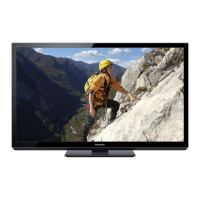
Panasonic TC-P50C2X - User Manual

Panasonic TC-P50C2X
26 pages
Print Icon
To Next Page IconTo Next Page
Loading...
TM
Quick Start Guide
See page 8-16
Operating Instructions
42”/50” Class 720p Plasma HDTV
(41.6/49.9 inches measured diagonally)
TQB2AC0010-1
Model No.
TC-P42C2X
TC-P50C2X
English
Thank you for purchasing this Panasonic product.
Please read these instructions before operating your set and retain them for future
reference. The images shown in this manual are for illustrative purposes only.
Customers Record
The model number and serial number of this product can be found on its back cover. You should note this serial number in
the space provided below and retain this book, plus your purchase receipt, as a permanent record of your purchase to aid
in identification in the event of theft or loss, and for Warranty Service purposes.
Model Number Serial Number
Web Site: http://panasonic.net/
©
Panasonic Corporation 2010
Printed in U.S.A.
M0210-0
Question and Answer IconNeed help?

Do you have a question about the Panasonic TC-P50C2X and is the answer not in the manual?

Summary

Safety Precautions

General Safety Warnings and Electrical Hazards

Covers risks of electric shock, fire, moisture, ventilation, cleaning, power cord hazards, and general cautions.

Installation and Physical Safety

Addresses small parts hazards, setup safety, wall mounting, moving the TV, and weight considerations.

Power Cord Specifics

Focuses on proper power cord handling, avoiding damage, and ensuring secure connection.

Basic Connections

Antenna and Cable TV Setup

Instructions for connecting the TV to antenna and cable TV sources.

AV Equipment Connections (HDMI, Component, Composite)

Details on connecting external audio-visual devices using various terminal types.

Identifying Controls

First Time Setup

Initial TV Configuration Steps

Guides through initial setup: language selection, viewing mode, and channel scanning.

Watching TV

Basic Channel Tuning and Input Selection

Instructions on how to tune channels and select input sources for viewing.

Watching TV Features

VIERA TOOLS and VIERA Link

Watching Videos and DVDs

How to Use Menu Functions

Menu Function Details

VIERA Link HDAVI Control

Connecting and Operating VIERA Link Devices

Initial setup and basic control operations for interconnected VIERA Link devices.

VIERA Link HDAVI Control Continued

Lock Feature

Channel and Program Locking with Passwords

Methods for restricting access to specific channels or programs using passwords.

Editing and Setting Channels

Closed Caption Settings

Frequently Asked Questions (FAQ)

Troubleshooting Common Screen and Sound Issues

Solutions for common problems related to the TV's screen display and audio output.

TV Set and Remote Control Troubleshooting

Addresses issues concerning the TV unit itself and the functionality of the remote control.

Specifications

Summary

Safety Precautions

General Safety Warnings and Electrical Hazards

Covers risks of electric shock, fire, moisture, ventilation, cleaning, power cord hazards, and general cautions.

Installation and Physical Safety

Addresses small parts hazards, setup safety, wall mounting, moving the TV, and weight considerations.

Power Cord Specifics

Focuses on proper power cord handling, avoiding damage, and ensuring secure connection.

Basic Connections

Antenna and Cable TV Setup

Instructions for connecting the TV to antenna and cable TV sources.

AV Equipment Connections (HDMI, Component, Composite)

Details on connecting external audio-visual devices using various terminal types.

Identifying Controls

First Time Setup

Initial TV Configuration Steps

Guides through initial setup: language selection, viewing mode, and channel scanning.

Watching TV

Basic Channel Tuning and Input Selection

Instructions on how to tune channels and select input sources for viewing.

Watching TV Features

VIERA TOOLS and VIERA Link

Watching Videos and DVDs

How to Use Menu Functions

Menu Function Details

VIERA Link HDAVI Control

Connecting and Operating VIERA Link Devices

Initial setup and basic control operations for interconnected VIERA Link devices.

VIERA Link HDAVI Control Continued

Lock Feature

Channel and Program Locking with Passwords

Methods for restricting access to specific channels or programs using passwords.

Editing and Setting Channels

Closed Caption Settings

Frequently Asked Questions (FAQ)

Troubleshooting Common Screen and Sound Issues

Solutions for common problems related to the TV's screen display and audio output.

TV Set and Remote Control Troubleshooting

Addresses issues concerning the TV unit itself and the functionality of the remote control.

Specifications

Panasonic TC-P50C2X Specifications

General IconGeneral
Screen Size50 inches
Display TypePlasma
Resolution1920 x 1080
Refresh Rate600 Hz Sub-field Drive
HDMI Ports3
Component Video Inputs1
Composite Video Inputs1
Aspect Ratio16:9
PC InputYes
SD Card SlotNo
Weight60.6 lbs

Related product manuals