EasyManua.ls Logo

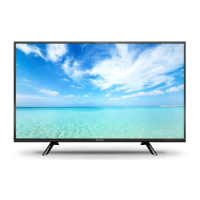
Panasonic TH-42C410K - User Manual

Panasonic TH-42C410K
71 pages
Print Icon
To Next Page IconTo Next Page
Loading...
© Panasonic Corporation 2015.
ORDER NO. MTV1503368CE
LED TV
Model No. TH-42C410K
Chassis: KM25
Destination: MALAYSIA
TABLE OF CONTENTS
PAGE PAGE
1 Safety Precautions----------------------------------------------- 3
1.1. General Guidelines---------------------------------------- 3
1.1.1. Leakage Current Cold Check---------------------- 3
1.1.2. Leakage Current Hot Check (See Figure
1.) --------------------------------------------------------- 3
2 Warning -------------------------------------------------------------- 4
2.1. Prevention of Electrostatic Discharge (ESD)
to Electrostatically Sensitive (ES) Devices---------- 4
2.2. About lead free solder (PbF)---------------------------- 5
3 Service Navigation ----------------------------------------------- 6
3.1. Service Hint ------------------------------------------------- 6
4 Specifications ----------------------------------------------------- 7
5 Service Mode ------------------------------------------------------ 8
5.1. How to enter into Service Mode ----------------------- 8
5.1.1. Purpose ------------------------------------------------- 8
5.1.2. Key command ----------------------------------------- 8
5.1.3. How to exit---------------------------------------------- 8
5.1.4. Contents of adjustment mode --------------------- 8
5.1.5. Display of SOS History ------------------------------ 9
5.1.6. Exit-------------------------------------------------------- 9
5.1.7. Hotel Mode----------------------------------------------9
6 Troubleshooting Guide --------------------------------------- 10
6.1. Check of the IIC bus lines------------------------------ 10
6.1.1. How to access --------------------------------------- 10
6.1.2. Self-check indication only ------------------------- 10
6.1.3. Self-check indication and forced to factory
shipment setting ------------------------------------- 10
6.1.4. Exit ------------------------------------------------------ 10
6.1.5. Screen display --------------------------------------- 10
6.2. Power LED Blinking timing chart --------------------- 11
6.3. Method of detecting SOS ------------------------------ 11
6.4. LCD Panel test mode ----------------------------------- 12
6.5. No Power--------------------------------------------------- 12
7 Disassembly and Assembly Instructions--------------- 13
7.1. Speaker Fixing and Assembly ----------------------- 13
7.2. LCD Panel Fixing & Handling Method -------------- 14
7.3. Metal MTG Fixing --------------------------------------- 15
7.4. Key Button Assembly ----------------------------------- 16
7.5. PCB Fixing and Screw---------------------------------- 17
7.6. Pop Sticker & Energy Rating ------------------------- 18
Question and Answer IconNeed help?

Do you have a question about the Panasonic TH-42C410K and is the answer not in the manual?

Summary

Safety Precautions

General Guidelines and Checks

General guidelines for safe servicing, leakage current checks.

Prevention of Electrostatic Discharge (ESD)

Techniques to prevent damage to sensitive electronic components from static discharge.

About Lead Free Solder (PbF)

Information and precautions regarding the use of lead-free solder in the TV.

Service Navigation

Service Hint

Overview of the main boards and their functions within the TV for service.

Specifications

Service Mode

How to Enter and Use Service Mode

Instructions on accessing, operating, and exiting the service mode.

Display of SOS History

Explains the SOS history indication based on LED blinking.

Hotel Mode Settings

Features and settings available for hotel mode to restrict TV functions.

Troubleshooting Guide

IIC Bus Line Check

Steps to check IIC bus lines using the self-check function.

Self-Check and Factory Setting

How to access and initiate self-check and factory shipment setting.

Power LED Blinking and SOS Detection

Information on LED timing and methods for detecting system operation status errors.

LCD Panel Test Mode

Procedure to find failure points in the LCD Panel or PCB using test patterns.

No Power Troubleshooting

Troubleshooting steps for the "No Power" indication by the power LED.

Disassembly and Assembly Instructions

Speaker Fixing and Assembly

Instructions and parts list for fixing and assembling the speakers.

LCD Panel Fixing & Handling Method

Precautions and steps for correctly installing and handling the LCD panel.

Metal MTG Fixing

Instructions for fixing VESA metal and bottom panel components.

Key Button Assembly

Steps for assembling the key button PCB and bracket.

PCB Fixing and Screw

Procedure for attaching PCBs, brackets, and screws with caution points.

Pop Sticker & Energy Rating

Guidance on applying pop stickers and energy rating labels to the unit.

Fan Bag Assembly

Instructions for assembling the fan bag, including parts and sequence.

Pedestal Assembly

Steps for assembling the TV pedestal and packaging it.

Back Cover Felt Application

Instructions for applying felt to the back cover.

Back Cover Label & Screw

Steps for fixing the back cover, labels, and screws.

Measurements and Adjustments

Voltage Chart of A-Board

Table of voltage specifications for the A-board test points.

Voltage Chart of P-Board

Table of voltage specifications for the P-board test points.

Block Diagram

Main Block Diagram

A high-level block diagram showing the main components and their interconnections.

Wiring Connection Diagram

Wire Dressing 1

Illustration showing the routing of wires for the first dressing configuration.

Wire Dressing 2

Illustration showing the routing of wires for the second dressing configuration using pet tape.

Schematic Diagram

TH-42 C410 K A-Board (1;14)

Schematic for the main A-Board, first of fourteen parts.

TH-42 C410 K GK-Board

Schematic diagram for the GK-Board.

TH-42 C410 K K-Board

Schematic diagram for the K-Board.

TH-42 C410 K LD-Board

Schematic diagram for the LD-Board.

TH-42 C410 K P-Board (1;2)

Schematic diagram for the P-Board, first of two parts.

Printed Circuit Board

TH-42 C410 K A-Board (Top Component Side)

Component layout diagram for the A-Board, top side.

TH-42 C410 K A-Board (Bottom Component Side)

Component layout diagram for the A-Board, bottom side.

TH-42 C410 K GK-Board

Component layout diagrams for the GK-Board (top and bottom sides).

TH-42 C410 K K-Board

Component layout diagrams for the K-Board (top and bottom sides).

TH-42 C410 K LD-Board

Component layout diagrams for the LD-Board (top and bottom sides).

TH-42 C410 K P-Board (Top Component Side)

Component layout diagram for the P-Board, top side.

TH-42 C410 K P-Board (Bottom Component Side)

Component layout diagram for the P-Board, bottom side.

Exploded View and Replacement Parts List

Exploded View of Components

Illustration showing the location of major components within the TV assembly.

Replacement Parts List - Capacitors

List of capacitor part numbers, descriptions, and specifications for replacement.

Replacement Parts List - Diodes

List of diode part numbers, descriptions, and specifications for replacement.

Replacement Parts List - Transistors

List of transistor part numbers, descriptions, and specifications for replacement.

Replacement Parts List - Resistors

List of resistor part numbers, descriptions, and specifications for replacement.

Replacement Parts List - Others

List of other components like connectors, transformers, and switches.

Summary

Safety Precautions

General Guidelines and Checks

General guidelines for safe servicing, leakage current checks.

Prevention of Electrostatic Discharge (ESD)

Techniques to prevent damage to sensitive electronic components from static discharge.

About Lead Free Solder (PbF)

Information and precautions regarding the use of lead-free solder in the TV.

Service Navigation

Service Hint

Overview of the main boards and their functions within the TV for service.

Specifications

Service Mode

How to Enter and Use Service Mode

Instructions on accessing, operating, and exiting the service mode.

Display of SOS History

Explains the SOS history indication based on LED blinking.

Hotel Mode Settings

Features and settings available for hotel mode to restrict TV functions.

Troubleshooting Guide

IIC Bus Line Check

Steps to check IIC bus lines using the self-check function.

Self-Check and Factory Setting

How to access and initiate self-check and factory shipment setting.

Power LED Blinking and SOS Detection

Information on LED timing and methods for detecting system operation status errors.

LCD Panel Test Mode

Procedure to find failure points in the LCD Panel or PCB using test patterns.

No Power Troubleshooting

Troubleshooting steps for the "No Power" indication by the power LED.

Disassembly and Assembly Instructions

Speaker Fixing and Assembly

Instructions and parts list for fixing and assembling the speakers.

LCD Panel Fixing & Handling Method

Precautions and steps for correctly installing and handling the LCD panel.

Metal MTG Fixing

Instructions for fixing VESA metal and bottom panel components.

Key Button Assembly

Steps for assembling the key button PCB and bracket.

PCB Fixing and Screw

Procedure for attaching PCBs, brackets, and screws with caution points.

Pop Sticker & Energy Rating

Guidance on applying pop stickers and energy rating labels to the unit.

Fan Bag Assembly

Instructions for assembling the fan bag, including parts and sequence.

Pedestal Assembly

Steps for assembling the TV pedestal and packaging it.

Back Cover Felt Application

Instructions for applying felt to the back cover.

Back Cover Label & Screw

Steps for fixing the back cover, labels, and screws.

Measurements and Adjustments

Voltage Chart of A-Board

Table of voltage specifications for the A-board test points.

Voltage Chart of P-Board

Table of voltage specifications for the P-board test points.

Block Diagram

Main Block Diagram

A high-level block diagram showing the main components and their interconnections.

Wiring Connection Diagram

Wire Dressing 1

Illustration showing the routing of wires for the first dressing configuration.

Wire Dressing 2

Illustration showing the routing of wires for the second dressing configuration using pet tape.

Schematic Diagram

TH-42 C410 K A-Board (1;14)

Schematic for the main A-Board, first of fourteen parts.

TH-42 C410 K GK-Board

Schematic diagram for the GK-Board.

TH-42 C410 K K-Board

Schematic diagram for the K-Board.

TH-42 C410 K LD-Board

Schematic diagram for the LD-Board.

TH-42 C410 K P-Board (1;2)

Schematic diagram for the P-Board, first of two parts.

Printed Circuit Board

TH-42 C410 K A-Board (Top Component Side)

Component layout diagram for the A-Board, top side.

TH-42 C410 K A-Board (Bottom Component Side)

Component layout diagram for the A-Board, bottom side.

TH-42 C410 K GK-Board

Component layout diagrams for the GK-Board (top and bottom sides).

TH-42 C410 K K-Board

Component layout diagrams for the K-Board (top and bottom sides).

TH-42 C410 K LD-Board

Component layout diagrams for the LD-Board (top and bottom sides).

TH-42 C410 K P-Board (Top Component Side)

Component layout diagram for the P-Board, top side.

TH-42 C410 K P-Board (Bottom Component Side)

Component layout diagram for the P-Board, bottom side.

Exploded View and Replacement Parts List

Exploded View of Components

Illustration showing the location of major components within the TV assembly.

Replacement Parts List - Capacitors

List of capacitor part numbers, descriptions, and specifications for replacement.

Replacement Parts List - Diodes

List of diode part numbers, descriptions, and specifications for replacement.

Replacement Parts List - Transistors

List of transistor part numbers, descriptions, and specifications for replacement.

Replacement Parts List - Resistors

List of resistor part numbers, descriptions, and specifications for replacement.

Replacement Parts List - Others

List of other components like connectors, transformers, and switches.

Panasonic TH-42C410K Specifications

General IconGeneral
Screen Size42 inches
Display TypeLED
HDMI Ports2
USB Ports1
Smart TVNo
Built-in Wi-FiNo
BluetoothNo
Resolution1920 x 1080 (Full HD)
Refresh Rate100 Hz
Sound Output20 Watts

Related product manuals