EasyManua.ls Logo

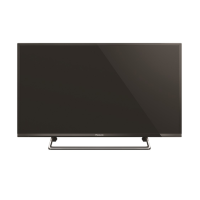
Panasonic TH-40HX700Z - User Manual

Panasonic TH-40HX700Z
24 pages
Print Icon
To Next Page IconTo Next Page
Loading...
TQB4GD0342
FAW
F0520-1 English
Thank you for purchasing this Panasonic product.
Please read these instructions carefully before operating this product and
retain them for future reference.
Please carefully read the “Safety Precautions” of this manual before use.
The images shown in this manual are for illustrative purposes only.
Model No.
TH-40HX700Z
TH-50HX700Z
TH-58HX700Z
TH-65HX700Z
For more detailed instructions, please refer to [eHELP]
(Built-in Operating Instructions).
How to use [eHELP] (p. 19)
(image: TH-50HX700Z)
Operating Instructions
LED TV
English
TH-40.50.58.65HX700Z_EN.indd 1TH-40.50.58.65HX700Z_EN.indd 1 9/6/2020 2:41:29 PM9/6/2020 2:41:29 PM
Question and Answer IconNeed help?

Do you have a question about the Panasonic TH-40HX700Z and is the answer not in the manual?

Summary

Important Notice

Safety Precautions

Mains plug and lead

Warnings and cautions regarding the safe use and handling of the TV's power plug and cord.

Take care

General safety advice including preventing falls, securing furniture, and child safety.

Suffocation; Choking Hazard

Warning about packaging materials posing suffocation or choking risks to young children.

Ventilation

Guidelines for ensuring adequate airflow around the TV to prevent overheating and component failure.

Built-in wireless LAN

Precautions and advice for using the TV's wireless network connection, including interference avoidance.

Accessories

Standard accessories

Lists the standard accessories included with the TV set and instructions to check for missing items.

Installing the TV

Assembling; Removing the pedestal

Step-by-step guide for attaching or detaching the TV stand, including parts and screw types.

Preparations

Important preparation steps before assembling the TV pedestal or using wall-hanging brackets.

Installing the wall-hanging bracket

Preventing the TV from falling over

Recommendations and methods to secure the TV to furniture or walls to prevent tipping.

Connections

Basic connections

General overview of essential connections like mains lead and aerial, and terminal identification.

Satellite dish

Instructions for connecting a satellite dish to the TV for digital satellite services.

Network

Requirements and setup for connecting the TV to a network for internet services (wired/wireless).

Connections for 4 K; HDR compatible equipment

Other connections

Amplifier (external speakers)

Guide for connecting the TV to external amplifiers or speaker systems.

USB HDD (for recording)

Information on connecting a USB HDD for recording content on the TV.

Cable arrangement

Identifying Controls

Remote Control

An overview and explanation of the buttons and functions on the TV's remote control.

Indicator; Control panel

Description of the TV's indicator lights and on-unit control panel buttons.

First time Auto Tuning

How to Use eHELP

Display [HELP]

Instructions on how to access and display the TV's built-in operating instructions.

Select the menu

Guidance on navigating the eHELP menu using keyword search or purpose-based search.

Select the item

Steps to select specific items or features from the eHELP menu for detailed information.

FAQS

Maintenance

Display panel, Cabinet, Pedestal

Regular and stubborn dirt cleaning instructions for the TV's surfaces.

Mains plug

Guidance on cleaning the mains plug to prevent electrical hazards.
Specifications

WARRANTY - New Zealand only

Summary

Important Notice

Safety Precautions

Mains plug and lead

Warnings and cautions regarding the safe use and handling of the TV's power plug and cord.

Take care

General safety advice including preventing falls, securing furniture, and child safety.

Suffocation; Choking Hazard

Warning about packaging materials posing suffocation or choking risks to young children.

Ventilation

Guidelines for ensuring adequate airflow around the TV to prevent overheating and component failure.

Built-in wireless LAN

Precautions and advice for using the TV's wireless network connection, including interference avoidance.

Accessories

Standard accessories

Lists the standard accessories included with the TV set and instructions to check for missing items.

Installing the TV

Assembling; Removing the pedestal

Step-by-step guide for attaching or detaching the TV stand, including parts and screw types.

Preparations

Important preparation steps before assembling the TV pedestal or using wall-hanging brackets.

Installing the wall-hanging bracket

Preventing the TV from falling over

Recommendations and methods to secure the TV to furniture or walls to prevent tipping.

Connections

Basic connections

General overview of essential connections like mains lead and aerial, and terminal identification.

Satellite dish

Instructions for connecting a satellite dish to the TV for digital satellite services.

Network

Requirements and setup for connecting the TV to a network for internet services (wired/wireless).

Connections for 4 K; HDR compatible equipment

Other connections

Amplifier (external speakers)

Guide for connecting the TV to external amplifiers or speaker systems.

USB HDD (for recording)

Information on connecting a USB HDD for recording content on the TV.

Cable arrangement

Identifying Controls

Remote Control

An overview and explanation of the buttons and functions on the TV's remote control.

Indicator; Control panel

Description of the TV's indicator lights and on-unit control panel buttons.

First time Auto Tuning

How to Use eHELP

Display [HELP]

Instructions on how to access and display the TV's built-in operating instructions.

Select the menu

Guidance on navigating the eHELP menu using keyword search or purpose-based search.

Select the item

Steps to select specific items or features from the eHELP menu for detailed information.

FAQS

Maintenance

Display panel, Cabinet, Pedestal

Regular and stubborn dirt cleaning instructions for the TV's surfaces.

Mains plug

Guidance on cleaning the mains plug to prevent electrical hazards.
Specifications

WARRANTY - New Zealand only

Panasonic TH-40HX700Z Specifications

General IconGeneral
BrandPanasonic
ModelTH-40HX700Z
CategoryLED TV
LanguageEnglish

Related product manuals