EasyManua.ls Logo

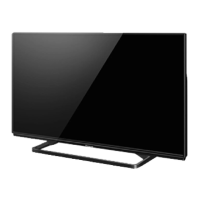
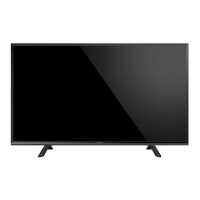
Panasonic TH-40A400X - User Manual

Panasonic TH-40A400X
59 pages
Print Icon
To Next Page IconTo Next Page
Loading...
© Panasonic Corporation 2014.
ORDER NO. MTV1401305CE
LED TV
Model No. TH-40A400X
Chassis: KM24
Destination: SINGAPORE
TABLE OF CONTENTS
PAGE PAGE
1 Safety Precautions----------------------------------------------- 3
1.1. General Guidelines---------------------------------------- 3
1.1.1. Leakage Current Cold Check---------------------- 3
1.1.2. Leakage Current Hot Check (See Figure
1.) --------------------------------------------------------- 3
2 Warning -------------------------------------------------------------- 4
2.1. Prevention of Electrostatic Discharge (ESD)
to Electrostatically Sensitive (ES) Devices---------- 4
2.2. About lead free solder (PbF)---------------------------- 5
3 Service Navigation ----------------------------------------------- 6
3.1. Service Hint ------------------------------------------------- 6
4 Specifications ----------------------------------------------------- 7
5 Service Mode ------------------------------------------------------ 8
5.1. How to enter into Service Mode ----------------------- 8
5.1.1. Purpose ------------------------------------------------- 8
5.1.2. Key command ----------------------------------------- 8
5.1.3. How to exit---------------------------------------------- 8
5.1.4. Contents of adjustment mode --------------------- 8
5.1.5. Display of SOS History ------------------------------ 9
5.1.6. Exit-------------------------------------------------------- 9
5.1.7. Hotel Mode----------------------------------------------9
6 Troubleshooting Guide --------------------------------------- 10
6.1. Check of the IIC bus lines------------------------------ 10
6.1.1. How to access --------------------------------------- 10
6.1.2. Self-check indication only ------------------------- 10
6.1.3. Self-check indication and forced to factory
shipment setting ------------------------------------- 10
6.1.4. Exit ------------------------------------------------------ 10
6.1.5. Screen display --------------------------------------- 10
6.2. Power LED Blinking timing chart --------------------- 11
6.3. Method of detecting SOS ------------------------------ 11
6.4. LCD Panel test mode ----------------------------------- 12
6.5. No Power--------------------------------------------------- 12
7 Disassembly and Assembly Instructions--------------- 13
7.1. SP Assembly --------------------------------------------- 13
7.2. LCD Panel Fixing & Handling Method -------------- 14
7.3. LED Panel Assy ------------------------------------------ 15
7.4. Install Metal Parts ---------------------------------------- 16
7.5. Metal Bracket Fixing ------------------------------------ 17
7.6. Chassis Frame-------------------------------------------- 18

Questions and Answers

Summary

Safety Precautions

General Guidelines

General guidelines for servicing and safety.

Leakage Current Cold Check

Procedure for checking leakage current when the unit is cold.

Leakage Current Hot Check

Procedure for checking leakage current when the unit is hot.

Warning

Prevention of Electrostatic Discharge (ESD)

Techniques to prevent damage from electrostatic discharge.

About Lead-Free Solder (PbF)

Information and precautions regarding lead-free solder.

Service Navigation

Service Hint

Hints for navigating service boards and components.

Specifications

Service Mode

How to Enter into Service Mode

Steps to access the service mode menu.

Key command

Explanation of remote control commands for service mode.

How to exit

Method to exit the service mode.

Contents of adjustment mode

Details of adjustable parameters within service mode.

Display of SOS History

Information on how to view the SOS history.

Hotel Mode

Purpose and setup for hotel mode functionality.

Troubleshooting Guide

Check of the IIC bus lines

Procedure to check IIC bus line status.

Self-check indication only

How to access the self-check display.

Screen display

Example of the self-check screen display.

Power LED Blinking timing chart

Chart showing LED blinking patterns for troubleshooting.

Method of detecting SOS

Detailed methods for detecting SOS signals.

LCD Panel test mode

How to enter and use the LCD panel test mode.

No Power

Troubleshooting steps for "No Power" indication.

Disassembly and Assembly Instructions

SP Assembly

Instructions for assembling the SP bracket.

LCD Panel Fixing & Handling Method

Procedures for safely fixing and handling the LCD panel.

LED Panel Assy

Instructions for installing the LED panel assembly.

Install Metal Parts

Sequence for assembling metal chassis parts.

Metal Bracket Fixing

Instructions for fixing metal brackets.

Chassis Frame

Procedure for fixing the chassis frame using screws.

A-Print & P-Print Board

Instructions for installing A-Print and P-Print boards.

Installation Back Cover Assy

Steps for installing the back cover assembly.

B;Cover

Instructions for installing the B/Cover, including Vesa Metal.

B;Cover & Pedestal

Instructions for assembling the B/Cover and pedestal.

Measurements and Adjustments

Voltage chart of A-board

Table of voltage specifications for the A-board.

Voltage chart of P-board

Table of voltage specifications for the P-board.

Block Diagram

Main Block Diagram

Diagram showing the main functional blocks of the TV.

Schematic Diagram

Printed Circuit Board

A-Board (Top Component Side)

Layout of the A-board, showing component placement.

K-Board (Top Component Side)

Layout of the K-board, showing component placement.

P-Board (Top Component Side)

Layout of the P-board, showing component placement.

Exploded View and Replacement Parts List

Parts Location

Visual guide to the location of major assemblies.

Summary

Safety Precautions

General Guidelines

General guidelines for servicing and safety.

Leakage Current Cold Check

Procedure for checking leakage current when the unit is cold.

Leakage Current Hot Check

Procedure for checking leakage current when the unit is hot.

Warning

Prevention of Electrostatic Discharge (ESD)

Techniques to prevent damage from electrostatic discharge.

About Lead-Free Solder (PbF)

Information and precautions regarding lead-free solder.

Service Navigation

Service Hint

Hints for navigating service boards and components.

Specifications

Service Mode

How to Enter into Service Mode

Steps to access the service mode menu.

Key command

Explanation of remote control commands for service mode.

How to exit

Method to exit the service mode.

Contents of adjustment mode

Details of adjustable parameters within service mode.

Display of SOS History

Information on how to view the SOS history.

Hotel Mode

Purpose and setup for hotel mode functionality.

Troubleshooting Guide

Check of the IIC bus lines

Procedure to check IIC bus line status.

Self-check indication only

How to access the self-check display.

Screen display

Example of the self-check screen display.

Power LED Blinking timing chart

Chart showing LED blinking patterns for troubleshooting.

Method of detecting SOS

Detailed methods for detecting SOS signals.

LCD Panel test mode

How to enter and use the LCD panel test mode.

No Power

Troubleshooting steps for "No Power" indication.

Disassembly and Assembly Instructions

SP Assembly

Instructions for assembling the SP bracket.

LCD Panel Fixing & Handling Method

Procedures for safely fixing and handling the LCD panel.

LED Panel Assy

Instructions for installing the LED panel assembly.

Install Metal Parts

Sequence for assembling metal chassis parts.

Metal Bracket Fixing

Instructions for fixing metal brackets.

Chassis Frame

Procedure for fixing the chassis frame using screws.

A-Print & P-Print Board

Instructions for installing A-Print and P-Print boards.

Installation Back Cover Assy

Steps for installing the back cover assembly.

B;Cover

Instructions for installing the B/Cover, including Vesa Metal.

B;Cover & Pedestal

Instructions for assembling the B/Cover and pedestal.

Measurements and Adjustments

Voltage chart of A-board

Table of voltage specifications for the A-board.

Voltage chart of P-board

Table of voltage specifications for the P-board.

Block Diagram

Main Block Diagram

Diagram showing the main functional blocks of the TV.

Schematic Diagram

Printed Circuit Board

A-Board (Top Component Side)

Layout of the A-board, showing component placement.

K-Board (Top Component Side)

Layout of the K-board, showing component placement.

P-Board (Top Component Side)

Layout of the P-board, showing component placement.

Exploded View and Replacement Parts List

Parts Location

Visual guide to the location of major assemblies.

Panasonic TH-40A400X Specifications

General IconGeneral
Screen Size40 inches
Display TypeLED
Refresh Rate100 Hz
HDMI Ports2
USB Ports1
Smart TVNo
Resolution1920 x 1080

Related product manuals