
 Need help?
Do you have a question about the Panasonic TH-40JX700Z and is the answer not in the manual?
Provides model numbers and a welcome message from the manufacturer.
Details how customer personal information is managed and protected on the TV.
Outlines disclaimers regarding internet services, peripheral devices, and licensing.
Explains the meaning of AC voltage and double insulated electrical appliance symbols.
Covers safe handling and precautions for the power cord and plug to prevent hazards.
Warns against water exposure, foreign objects, strong impacts, and climbing on the TV.
Emphasizes secure placement of the TV to prevent tipping and injury, especially to children.
Advises keeping open flames away from the product and precautions for packaging.
Details safe practices for installing, using, and handling the TV pedestal.
Warns about potential interference with medical equipment and automatic controls.
Advises on proper usage of the wireless LAN and potential interference.
Lists the items included with the TV, such as remote control and batteries.
Guides on preparing the TV and workspace for pedestal installation.
Provides step-by-step instructions for attaching and detaching the TV pedestal.
Details how to attach fall-prevention parts to secure the TV to furniture.
Lists hole positions and screw depth/diameter for wall bracket mounting.
Advises caution regarding professional installation and wall checks for safety.
Identifies all connection terminals on the TV and their functions.
Explains connections for AV devices, TV aerial, and satellite dish.
Outlines requirements for internet services and network connection setup.
Details connecting 4K/HDR devices and using HDMI Auto Setting for optimal display.
Covers connecting external audio/video equipment, amplifiers, and USB HDDs.
Guides on pairing Bluetooth devices like audio equipment with the TV.
Explains how to pair the remote control via Bluetooth for voice control functionality.
Identifies essential buttons like Power, Menu, OK, Back, and navigation controls.
Explains buttons for apps, voice control, input selection, and settings.
Shows how to install and remove batteries from the remote control.
Details how to use voice commands for TV operation and Google Assistant.
Explains the function of buttons on the TV itself and indicator lights.
Guides through plugging in, selecting language, and pairing the remote.
Covers setting up network, Google account, and parental controls.
Details tuner mode selection, scanning for channels, and viewing environment setup.
Instructions on how to display and browse the built-in operating instructions.
Addresses issues like remote not working and no image display.
Solutions for unusual images, sound problems, and voice control malfunctions.
Explains normal panel movement and provides inquiry contact information.
Provides instructions for cleaning the display panel, cabinet, pedestal, and mains plug.
Lists model numbers, physical dimensions, and power consumption details.
Details screen size, resolution, sound output, and connection terminal types.
Lists supported satellite, digital, and analogue receiving systems.
Covers temperature, humidity, and wireless LAN/Bluetooth standards.
Details the terms and conditions of the product warranty for New Zealand.
Provides contact information for Panasonic New Zealand customer care.
Instructions for recording and retaining the TV's model and serial numbers.
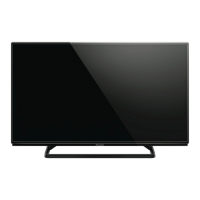
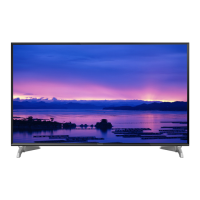
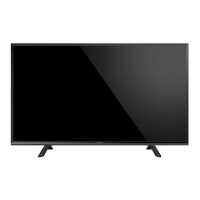
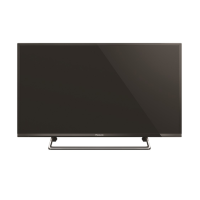
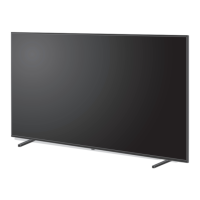
This document describes the Panasonic LED TV, models TH-40JX700Z, TH-50JX700Z, TH-58JX700Z, and TH-65JX700Z. It serves as an operating instruction manual, providing details on its functions, usage, and maintenance.
The Panasonic LED TV is designed for home use, offering a range of features for entertainment and connectivity. It supports various input modes, including Digital TV, Analogue TV, and Satellite TV, allowing users to access a wide array of channels. The TV is equipped with HDMI ports, enabling connection to external AV devices such as DVD/Blu-ray recorders, set-top boxes, camcorders, and game equipment. These HDMI ports support 4K and HDR content, with specific modes ([Mode1] and [Mode2]) available for optimizing image quality based on the connected equipment. HDMI CEC functionality is also supported, allowing for integrated control of compatible devices.
For audio, the TV features built-in speakers and a headphone jack for private listening. It also includes a DIGITAL AUDIO OUT port for connecting to external amplifiers, enabling multi-channel sound experiences like Dolby Digital 5.1ch.
The TV is internet-enabled, requiring a broadband network environment for access to online services and applications such as NETFLIX, Prime Video, and YouTube. It supports both wired (Ethernet) and wireless (built-in wireless LAN) connections. The built-in wireless LAN operates on 2.4 GHz and 5 GHz frequency bands, supporting various security protocols like WPA3-SAE, WPA2-PSK, WPA-PSK, and WEP.
A key feature of this TV is its Bluetooth® wireless technology, which allows for the connection and pairing of Bluetooth® devices, including audio devices that support A2DP. This enables wireless audio streaming. The remote control also utilizes Bluetooth® for voice control functionality, enhancing user interaction.
The TV incorporates a voice control function, allowing users to perform operations such as changing channels, adjusting volume, searching for programs, and conducting internet searches by speaking into the remote control's microphone. The Google Assistant function is integrated for this purpose, though its availability may vary by region or broadcaster.
For recording, the TV supports connecting a USB HDD to its USB 2 port.
The TV's operation is primarily managed through the supplied remote control. The remote control includes numeric buttons for channel selection, cursor buttons for navigation, and dedicated buttons for common functions like HOME, NETFLIX, Prime Video, YouTube, and [HELP]. The [Quick setting menu] provides quick access to settings for picture, viewing mode, and sound. Coloured buttons are available for selection, navigation, and operation of various functions within menus and applications.
Initial setup guides users through essential configurations, including selecting TV mode (Home or Shop), language, and registering the Bluetooth® remote control. Network connection setup is also part of the initial process, allowing users to connect to their Wi-Fi network or use an Ethernet cable. Parental controls can be set up with a PIN number. The TV automatically searches for available channels during initial setup.
The [HELP] (Built-in Operating Instructions) feature is a comprehensive guide accessible directly from the TV, offering detailed explanations of all features and troubleshooting steps.
The TV is designed for table-top use with a supplied pedestal, which requires assembly. Instructions are provided for both assembling and removing the pedestal, as well as for attaching fall-prevention parts to secure the TV to furniture. For wall-mounting, specific instructions are given to contact a local Panasonic dealer for recommended brackets and professional installation, emphasizing safety precautions.
Regular maintenance is crucial for the longevity and performance of the TV. The manual provides guidelines for cleaning the display panel, cabinet, and pedestal. For regular care, a soft cloth is recommended to remove dirt and fingerprints. For stubborn dirt, a soft cloth dampened with clean water or diluted neutral detergent (1 part detergent to 100 parts water) should be used, ensuring no liquid enters the TV. After cleaning, all moisture should be wiped away. Users are cautioned against using hard cloths, rubbing too hard, or exposing surfaces to insect repellent, solvent, thinner, or other volatile substances, as these can damage the surface quality or paint. Special care is advised for the display panel to prevent scratches.
The mains plug should be wiped with a dry cloth at regular intervals to prevent fire or electrical shock caused by moisture and dust.
The manual also addresses troubleshooting common issues, such as the TV not switching on, going into Standby mode, or the remote control not working. It suggests checking mains lead connections, battery installation in the remote control, and ensuring the remote control is pointed correctly at the TV's signal receiver (for infrared communication). For voice control issues, verifying remote control registration (pairing) and network connections is advised.
A built-in Self Test is available to diagnose picture or sound problems. If issues persist, users are advised to turn the TV off and on again, or to initialize all settings. For issues related to external equipment connected via HDMI, adjusting the [HDMI Auto Setting] to [Mode1] is suggested for better compatibility.
The TV is designed for indoor use and should not be exposed to direct sunlight or other heat sources. Adequate ventilation is emphasized, with a minimum of 10 cm space around the TV, and vents should not be covered. When moving the TV, at least two people are required, and the screen part should not be held as shown in the manual to prevent damage.
For safety, the manual provides warnings regarding the mains plug and lead, advising against damage, touching with wet hands, or using damaged plugs/sockets. It also warns against removing covers, exposing the TV to moisture, inserting foreign objects, or using unapproved mounting equipment. Children should be prevented from climbing on the TV or pedestal. Precautions for the remote control batteries include keeping them out of reach of children, correct installation, and proper disposal.
 General
| Screen Size | 40 inches |
|---|---|
| Display Type | LED |
| Smart TV | Yes |
| Operating System | Android TV |
| HDMI Ports | 3 |
| USB Ports | 2 |
| Ethernet Port | Yes |
| Wi-Fi | Yes |
| Bluetooth | Yes |
| Audio Output | 20W |
| Refresh Rate | 50Hz |
| Resolution | 3840 x 2160 |
| HDR Support | HDR10, HLG |


 To Next Page