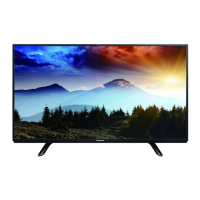
This document is the operating instructions manual for the Panasonic JX700H series LED TV. It covers various aspects of the TV's functionality, technical specifications, usage, and maintenance.
Function Description
The Panasonic JX700H series LED TV is designed for home entertainment, offering digital terrestrial broadcasting capabilities in areas where such services are available. It supports internet applications and voice control functions, which are dependent on respective service providers and may be subject to change or discontinuation. The TV is capable of displaying 4K and HDR content, providing a more precise image with an expanded color gamut when connected to compatible equipment. It also features Bluetooth® wireless technology for connecting various devices, including the remote control and audio devices supporting A2DP. The TV includes a built-in eHELP system for detailed operating instructions and troubleshooting.
Important Technical Specifications
Model Numbers:
- TH-40JX700H
- TH-50JX700H
- TH-58JX700H
- TH-65JX700H
Dimensions (W × H × D):
- 40-inch model: 904 mm x 548 mm x 174 mm (With Pedestal), 904 mm x 524 mm x 65 mm (TV only)
- 50-inch model: 1123 mm x 682 mm x 247 mm (With Pedestal), 1123 mm x 657 mm x 62 mm (TV only)
- 58-inch model: 1300 mm x 787 mm x 247 mm (With Pedestal), 1300 mm x 762 mm x 65 mm (TV only)
- 65-inch model: 1459 mm x 872 mm x 271 mm (With Pedestal), 1459 mm x 847 mm x 62 mm (TV only)
Mass:
- 40-inch model: 7.0 kg (With Pedestal), 6.7 kg (TV only)
- 50-inch model: 10.4 kg (With Pedestal), 9.9 kg (TV only)
- 58-inch model: 14.8 kg (With Pedestal), 14.3 kg (TV only)
- 65-inch model: 20.9 kg (With Pedestal), 20.3 kg (TV only)
Power Source: AC 220-240 V, 50 / 60 Hz
Rated Power Consumption:
- 40-inch model: 115 W
- 50-inch model: 160 W
- 58-inch model: 175 W
- 65-inch model: 194 W
Standby Power Consumption: 0.50 W
Visible Screen Size (diagonal):
- 40-inch model: 100 cm
- 50-inch model: 126 cm
- 58-inch model: 146 cm
- 65-inch model: 164 cm
Display Resolution: 3840 (W) × 2160 (H)
Panel: LED backlight Liquid Crystal Display
Sound:
- Speaker output: 20 W (10 W x 2)
- Headphones: 3.5 mm stereo mini jack × 1
Connection Terminals:
- AV IN: VIDEO (1.0 V[p-p], 75 Ω), AUDIO L - R (0.5 V[rms])
- HDMI 1/2/3 input: TYPE A Connectors. HDMI 1/3 support 4K, Content Type, Deep Colour, x.v.Colour™. HDMI 2 supports 4K, Content Type, ARC (Audio Return Channel), Deep Colour, x.v.Colour™.
- ETHERNET: 10BASE-T/100BASE-TX (Shielded Twist Pair (STP) LAN cable recommended)
- USB 1/2: DC === 5 V, Max. 500 mA [Hi-Speed USB (USB 2.0)]
- DIGITAL AUDIO OUT: PCM / Dolby Audio, Fibre optic
Receiving Systems / Band Name:
- Digital: DTMB
- Analogue: PAL B/G, D/K, H, I; SECAM B/G, D/K; Channel coverage: UHF/VHF/Cable. Supports PAL525/60 (VCR), M.NTSC (VCR), NTSC (AV input only).
- Aerial input: VHF / UHF
Operating Conditions:
- Temperature: 0 °C - 40 °C
- Humidity: 20% - 80% RH (non-condensing)
Built-in wireless LAN:
- Standard compliance and Frequency band: IEEE802.11a/n/ac (5 GHz band), IEEE802.11b/g/n (2.4 GHz band)
- Security: WPA3-SAE (AES), WPA2-PSK (TKIP/AES), WPA-PSK (TKIP/AES), WEP (64 bit/128 bit)
Bluetooth® wireless technology:
- Standard Compliance and Frequency band: Bluetooth® 5.1 (2.4 GHz band)
- Supports up to 5 Bluetooth® compatible devices simultaneously.
Usage Features
- Initial Setup: Guides the user through setting up TV channels, network connections (wired or wireless), and Google account pairing upon first power-on. It allows selection between "Home" mode (optimized for energy usage) and "Shop" mode (for store demos).
- Remote Control: Features dedicated buttons for HOME, NETFLIX, Prime Video, Google Assistant (voice control), input selection, TV Guide, and eHELP. The remote control can communicate via infrared or Bluetooth® wireless technology. For voice control, the remote must be registered (paired) with the TV.
- Voice Controls: Enables operations like changing channels, adjusting volume, and performing internet searches by speaking into the remote control's microphone. Requires internet connection and remote control pairing.
- eHELP (Built-in Operating Instructions): Provides comprehensive, detailed instructions and explanations for all TV features, accessible directly from the TV menu.
- 4K / HDR Compatibility: Supports connection to 4K-compatible equipment via HDMI terminals, offering enhanced image quality with expanded color gamut. The [HDMI Auto Setting] allows users to select between [Mode1] for better compatibility or [Mode2] for precise image output from compatible equipment.
- Bluetooth® Device Connection: Allows pairing and communication with Bluetooth® devices, including audio devices supporting A2DP. A maximum of one A2DP audio device can be used simultaneously.
- USB HDD Recording: Supports connecting a USB HDD to the USB 2 port for recording content.
- HDMI CEC: Enables control of HDMI CEC compatible equipment connected to HDMI 1-3 terminals.
- Ventilation: Requires sufficient space (at least 10 cm) around the TV to prevent overheating and ensure proper operation.
- Power Management: Includes a mains power On/Off switch for complete power disconnection. The TV consumes some power in Off mode if the mains plug remains connected. Auto power standby function is available.
Maintenance Features
- Display Panel, Cabinet, Pedestal Care:
- Regular care: Gently wipe surfaces with a soft cloth to remove dirt or fingerprints.
- Stubborn dirt: For persistent dirt, first dust the surface, then use a soft cloth dampened with clean water or diluted neutral detergent (1 part detergent to 100 parts water). Wring the cloth firmly to prevent liquid from entering the TV, wipe the dirt, and finally wipe away all moisture.
- Cautions: Avoid hard cloths, excessive rubbing, insect repellents, solvents, thinners, or other volatile substances, as these can damage surfaces or paint. Do not tap or scratch the display panel with fingernails or hard objects. Prevent rubber or PVC substances from prolonged contact with the cabinet and pedestal to avoid degradation.
- Mains Plug Care: Wipe the mains plug with a dry cloth at regular intervals to prevent fire or electrical shock caused by moisture and dust.
- Battery for Remote Control:
- Warning: Keep batteries out of reach of children to prevent swallowing. Seek medical attention immediately if swallowed.
- Caution: Ensure correct installation, replace with the same or equivalent type, do not mix old and new batteries or different battery types (alkaline and manganese). Do not use rechargeable batteries. Do not burn or break up batteries, or expose them to excessive heat. Dispose of batteries correctly. Remove batteries if the unit is not used for a prolonged period to prevent leakage, corrosion, and explosion.
- Self Test: The TV includes a built-in Self Test function to diagnose picture or sound problems.
- Reset Function: Allows initialization of all settings, which can be useful for troubleshooting persistent issues or changing the viewing environment from "Shop" to "Home" mode.

 Need help?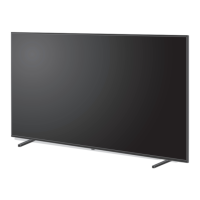



 To Next Page
 General