EasyManua.ls Logo

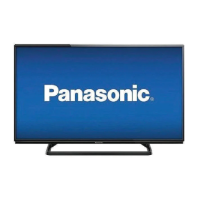
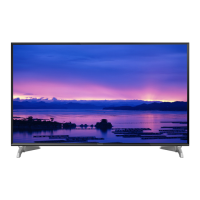
Panasonic TH-40A400S - User Manual

Panasonic TH-40A400S
59 pages
Print Icon
To Next Page IconTo Next Page
Loading...
© Panasonic Corporation 2014.
ORDER NO. MTV1401302CE
LED TV
Model No. TH-40A400S
Chassis: KM25
Destination: SINGAPORE
TABLE OF CONTENTS
PAGE PAGE
1 Safety Precautions----------------------------------------------- 3
1.1. General Guidelines---------------------------------------- 3
1.1.1. Leakage Current Cold Check---------------------- 3
1.1.2. Leakage Current Hot Check (See Figure
1.) --------------------------------------------------------- 3
2 Warning -------------------------------------------------------------- 4
2.1. Prevention of Electrostatic Discharge (ESD)
to Electrostatically Sensitive (ES) Devices---------- 4
2.2. About lead free solder (PbF)---------------------------- 5
3 Service Navigation ----------------------------------------------- 6
3.1. Service Hint ------------------------------------------------- 6
4 Specifications ----------------------------------------------------- 7
5 Service Mode ------------------------------------------------------ 8
5.1. How to enter into Service Mode ----------------------- 8
5.1.1. Purpose ------------------------------------------------- 8
5.1.2. Key command ----------------------------------------- 8
5.1.3. How to exit---------------------------------------------- 8
5.1.4. Contents of adjustment mode --------------------- 8
5.1.5. Display of SOS History ------------------------------ 9
5.1.6. Exit-------------------------------------------------------- 9
5.1.7. Hotel Mode----------------------------------------------9
6 Troubleshooting Guide --------------------------------------- 10
6.1. Check of the IIC bus lines------------------------------ 10
6.1.1. How to access --------------------------------------- 10
6.1.2. Self-check indication only ------------------------- 10
6.1.3. Self-check indication and forced to factory
shipment setting ------------------------------------- 10
6.1.4. Exit ------------------------------------------------------ 10
6.1.5. Screen display --------------------------------------- 10
6.2. Power LED Blinking timing chart --------------------- 11
6.3. Method of detecting SOS ------------------------------ 11
6.4. LCD Panel test mode ----------------------------------- 12
6.5. No Power--------------------------------------------------- 12
7 Disassembly and Assembly Instructions--------------- 13
7.1. SP Assembly --------------------------------------------- 13
7.2. LCD Panel Fixing & Handling Method -------------- 14
7.3. LED Panel Assy ------------------------------------------ 15
7.4. Install Metal Parts ---------------------------------------- 16
7.5. Metal Bracket Fixing ------------------------------------ 17
7.6. Chassis Frame-------------------------------------------- 18
Question and Answer IconNeed help?

Do you have a question about the Panasonic TH-40A400S and is the answer not in the manual?

Summary

Safety Precautions

General Guidelines

General guidelines for servicing the equipment safely and correctly.

Leakage Current Cold Check

Procedure to check for leakage current with the AC cord unplugged.

Leakage Current Hot Check

Procedure to check for leakage current with the AC cord plugged in.

Warning

Prevention of Electrostatic Discharge (ESD) to Electrostatically Sensitive (ES) Devices

Techniques to reduce component damage from static electricity.

About lead free solder (PbF)

Information regarding the use and characteristics of lead-free solder.

Service Navigation

Service Hint

Hints for navigating service modes and board identification.

Specifications

Service Mode

How to enter into Service Mode

Instructions for accessing the service mode menu.

Key command

Explanation of remote control key commands for service mode navigation.

How to exit

Instructions on how to exit the service mode.

Contents of adjustment mode

Details of adjustable parameters within the service mode.

Display of SOS History

Information on how to view the Service Occurrence Status history.

Exit

Procedure to exit the service mode by disconnecting power.

Hotel Mode

How to access and use the Hotel Mode for restricted functions.

Troubleshooting Guide

Check of the IIC bus lines

Procedure for checking IIC bus lines using self-check functions.

Self-check indication only

Method to display self-check results without forcing factory shipment.

Self-check indication and forced to factory shipment setting

Method to display self-check and initiate factory shipment.

Screen display

Example of the self-check screen display.

Power LED Blinking timing chart

Chart detailing LED blinking patterns for troubleshooting.

Method of detecting SOS

Detailed methods for detecting Service Occurrence Status (SOS).

LCD Panel test mode

Procedure for entering LCD panel test mode for diagnostics.

No Power

Troubleshooting steps for the "No Power" condition.

Disassembly and Assembly Instructions

SP Assembly

Instructions for assembling the SP unit.

LCD Panel Fixing & Handling Method

Precautions and methods for handling and fixing the LCD panel.

LED Panel Assy

Instructions for installing the LED Panel Assembly.

Install Metal Parts

Sequence and method for installing metal chassis parts.

Metal Bracket Fixing

Instructions for fixing metal brackets and felt.

Chassis Frame

Procedure for fixing the chassis frame with screws.

A-Print & P-Print Board

Instructions for inserting and fixing A-Print and P-Print boards.

Installation Back Cover Assy

Steps for attaching and securing the back cover assembly.

B;Cover

Instructions for installing Vesa Metal and fixing the B/Cover.

B;Cover & Pedestal

Instructions for attaching the B/Cover and Pedestal.

Measurements and Adjustments

Voltage chart of A-board

Table of specified voltages for the A-board.

Voltage chart of P-board

Table of specified voltages for the P-board.

Block Diagram

Main Block Diagram

Overall block diagram of the TV's main functions.

Schematic Diagram

A-Board (1;13)

Schematic for A-Board, Sheet 1 of 13.

A-Board (2;13)

Schematic for A-Board, Sheet 2 of 13.

A-Board (3;13)

Schematic for A-Board, Sheet 3 of 13.

A-Board (4;13)

Schematic for A-Board, Sheet 4 of 13.

A-Board (5;13)

Schematic for A-Board, Sheet 5 of 13.

A-Board (6;13)

Schematic for A-Board, Sheet 6 of 13.

A-Board (7;13)

Schematic for A-Board, Sheet 7 of 13.

A-Board (8;13)

Schematic for A-Board, Sheet 8 of 13.

A-Board (9;13)

Schematic for A-Board, Sheet 9 of 13.

A-Board (10;13)

Schematic for A-Board, Sheet 10 of 13.

A-Board (11;13)

Schematic for A-Board, Sheet 11 of 13.

A-Board (12;13)

Schematic for A-Board, Sheet 12 of 13.

A-Board (13;13)

Schematic for A-Board, Sheet 13 of 13.

K-Board

Schematic for K-Board.

P-Board

Schematic for P-Board.

Printed Circuit Board

A-Board (Top Component Side)

PCB layout for A-Board, top component side.

A-Board (Bottom Component Side)

PCB layout for A-Board, bottom component side.

K-Board (Top Component Side)

PCB layout for K-Board, top component side.

K-Board (Bottom Component Side)

PCB layout for K-Board, bottom component side.

P-Board (Top Component Side)

PCB layout for P-Board, top component side.

P-Board (Bottom Component Side)

PCB layout for P-Board, bottom component side.

Exploded View and Replacement Parts List

Parts Location

Exploded view showing the location of major parts.

Packing Exploded View 1

Exploded view detailing the packing process and materials.

Packing Exploded View 2

Second part of the exploded view for packing details.

Parts List

Capacitors

List of capacitors used in the device.

Diodes, Integrated Circuits, Coils

List of diodes, ICs, and coils.

Transistors and Resistors

List of transistors and resistors.

Others

List of miscellaneous parts.
Summary

Safety Precautions

General Guidelines

General guidelines for servicing the equipment safely and correctly.

Leakage Current Cold Check

Procedure to check for leakage current with the AC cord unplugged.

Leakage Current Hot Check

Procedure to check for leakage current with the AC cord plugged in.

Warning

Prevention of Electrostatic Discharge (ESD) to Electrostatically Sensitive (ES) Devices

Techniques to reduce component damage from static electricity.

About lead free solder (PbF)

Information regarding the use and characteristics of lead-free solder.

Service Navigation

Service Hint

Hints for navigating service modes and board identification.

Specifications

Service Mode

How to enter into Service Mode

Instructions for accessing the service mode menu.

Key command

Explanation of remote control key commands for service mode navigation.

How to exit

Instructions on how to exit the service mode.

Contents of adjustment mode

Details of adjustable parameters within the service mode.

Display of SOS History

Information on how to view the Service Occurrence Status history.

Exit

Procedure to exit the service mode by disconnecting power.

Hotel Mode

How to access and use the Hotel Mode for restricted functions.

Troubleshooting Guide

Check of the IIC bus lines

Procedure for checking IIC bus lines using self-check functions.

Self-check indication only

Method to display self-check results without forcing factory shipment.

Self-check indication and forced to factory shipment setting

Method to display self-check and initiate factory shipment.

Screen display

Example of the self-check screen display.

Power LED Blinking timing chart

Chart detailing LED blinking patterns for troubleshooting.

Method of detecting SOS

Detailed methods for detecting Service Occurrence Status (SOS).

LCD Panel test mode

Procedure for entering LCD panel test mode for diagnostics.

No Power

Troubleshooting steps for the "No Power" condition.

Disassembly and Assembly Instructions

SP Assembly

Instructions for assembling the SP unit.

LCD Panel Fixing & Handling Method

Precautions and methods for handling and fixing the LCD panel.

LED Panel Assy

Instructions for installing the LED Panel Assembly.

Install Metal Parts

Sequence and method for installing metal chassis parts.

Metal Bracket Fixing

Instructions for fixing metal brackets and felt.

Chassis Frame

Procedure for fixing the chassis frame with screws.

A-Print & P-Print Board

Instructions for inserting and fixing A-Print and P-Print boards.

Installation Back Cover Assy

Steps for attaching and securing the back cover assembly.

B;Cover

Instructions for installing Vesa Metal and fixing the B/Cover.

B;Cover & Pedestal

Instructions for attaching the B/Cover and Pedestal.

Measurements and Adjustments

Voltage chart of A-board

Table of specified voltages for the A-board.

Voltage chart of P-board

Table of specified voltages for the P-board.

Block Diagram

Main Block Diagram

Overall block diagram of the TV's main functions.

Schematic Diagram

A-Board (1;13)

Schematic for A-Board, Sheet 1 of 13.

A-Board (2;13)

Schematic for A-Board, Sheet 2 of 13.

A-Board (3;13)

Schematic for A-Board, Sheet 3 of 13.

A-Board (4;13)

Schematic for A-Board, Sheet 4 of 13.

A-Board (5;13)

Schematic for A-Board, Sheet 5 of 13.

A-Board (6;13)

Schematic for A-Board, Sheet 6 of 13.

A-Board (7;13)

Schematic for A-Board, Sheet 7 of 13.

A-Board (8;13)

Schematic for A-Board, Sheet 8 of 13.

A-Board (9;13)

Schematic for A-Board, Sheet 9 of 13.

A-Board (10;13)

Schematic for A-Board, Sheet 10 of 13.

A-Board (11;13)

Schematic for A-Board, Sheet 11 of 13.

A-Board (12;13)

Schematic for A-Board, Sheet 12 of 13.

A-Board (13;13)

Schematic for A-Board, Sheet 13 of 13.

K-Board

Schematic for K-Board.

P-Board

Schematic for P-Board.

Printed Circuit Board

A-Board (Top Component Side)

PCB layout for A-Board, top component side.

A-Board (Bottom Component Side)

PCB layout for A-Board, bottom component side.

K-Board (Top Component Side)

PCB layout for K-Board, top component side.

K-Board (Bottom Component Side)

PCB layout for K-Board, bottom component side.

P-Board (Top Component Side)

PCB layout for P-Board, top component side.

P-Board (Bottom Component Side)

PCB layout for P-Board, bottom component side.

Exploded View and Replacement Parts List

Parts Location

Exploded view showing the location of major parts.

Packing Exploded View 1

Exploded view detailing the packing process and materials.

Packing Exploded View 2

Second part of the exploded view for packing details.

Parts List

Capacitors

List of capacitors used in the device.

Diodes, Integrated Circuits, Coils

List of diodes, ICs, and coils.

Transistors and Resistors

List of transistors and resistors.

Others

List of miscellaneous parts.
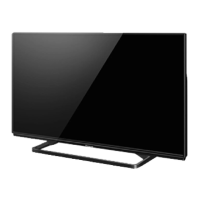
Panasonic TH-40A400S Specifications

General IconGeneral
BrandPanasonic
ModelTH-40A400S
CategoryLED TV
LanguageEnglish

Related product manuals