© Panasonic Corporation 2010
Unauthorized copying and distribution is a violation
of law.
Order Number MTNC100664CE
B32 Canada: B61
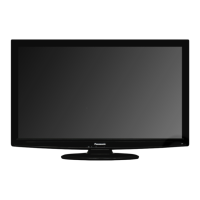
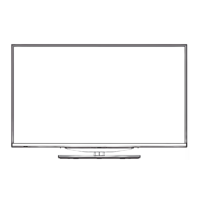
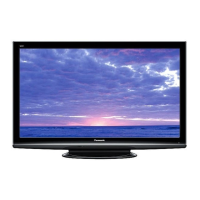
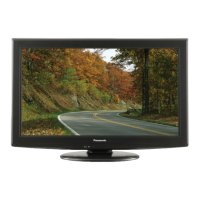
Hospitality LCD HDTV
Model No. TH-42LRU20
LA11 Chassis
TABLE OF CONTENTS
PAGE PAGE
1 Safety Precautions----------------------------------------------- 3
1.1. General Guidelines---------------------------------------- 3
2 Warning-------------------------------------------------------------- 4
2.1. Prevention of Electrostatic Discharge (ESD)
to Electrostatically Sensitive (ES) Devices---------- 4
2.2. About lead free solder (PbF)---------------------------- 5
3 Service Navigation----------------------------------------------- 6
3.1. Service Hint ------------------------------------------------- 6
3.2. Applicable signals ----------------------------------------- 6
4 Specifications ----------------------------------------------------- 7
5 Service Mode ------------------------------------------------------ 8
5.1. How to enter into Service Mode ----------------------- 8
5.2. SRV-TOOL -------------------------------------------------- 9
5.3. Hotel mode-------------------------------------------------10
5.4. Data Copy by SD Card----------------------------------11
6 Troubleshooting Guide----------------------------------------14
6.1. Check of the IIC bus lines ------------------------------14
6.2. Power LED Blinking timing chart ---------------------15
6.3. No Power--------------------------------------------------- 15
7 Disassembly and Assembly Instructions--------------- 16
7.1. Removal of Rear Cover -------------------------------- 16
7.2. Removal of Pedestal Assy----------------------------- 16
7.3. Removal of AC Cord ------------------------------------ 16
7.4. Removal of Control Panel Assy ---------------------- 16
7.5. Removal of P-Board------------------------------------- 16
7.6. Removal of TA-Board ----------------------------------- 16
7.7. Removal of Side AV Bracket -------------------------- 17
7.8. Removal of A-Board------------------------------------- 17
7.9. Removal of Speaker Unit (L, R) ---------------------- 17
7.10. Removal of V-Board------------------------------------- 18
7.11. Removal of LCD Panel and Cabinet Assy--------- 18
8 Measurements and Adjustments -------------------------- 20
8.1. Voltage chart of A-board ------------------------------- 20
8.2. Picture level adjustment (RF) ------------------------- 20
9 Block Diagram --------------------------------------------------- 21
9.1. Main Block Diagram ------------------------------------ 21


 To Next Page
 General