52
Applicable Input Signals
1/2
Signal
Off
Standby save
Off
PC Power management
Off
DVI-D Power management
Off
Auto power off
Off
OSD Language English
(
UK
)
Component/RGB-in select
RGB
Power save
Setup
Screensaver
Extended life settings
Input label
Shipping
YES NO
Options
Shipping
[from the unit]
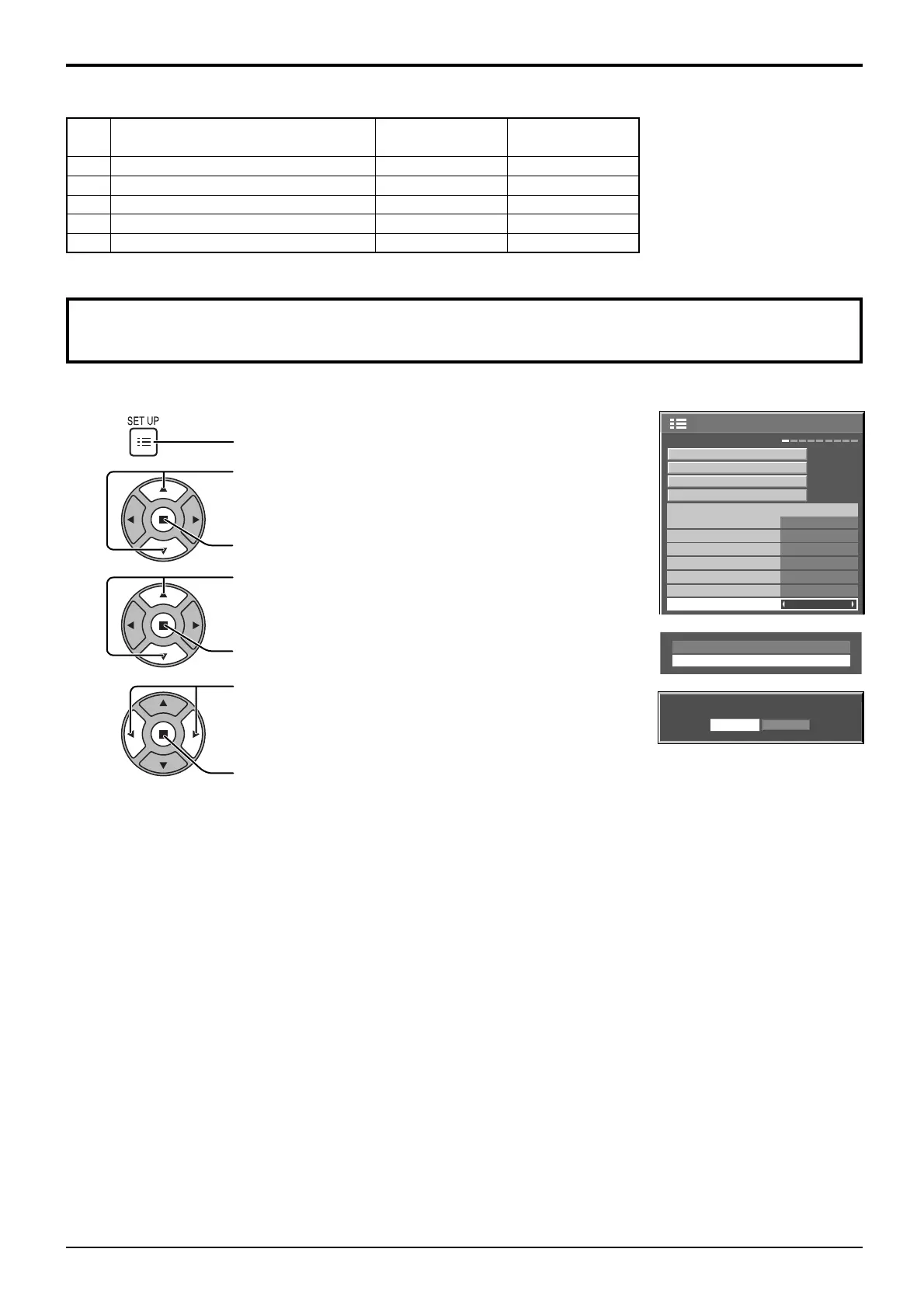
1 Press the MENU button till the Setup menu is displayed.
2 Press the Volume Up“+” or Down“–” button to select “OSD Language”.
3 Press and hold the ENTER button till the Shipping menu is displayed.
4 Press the Volume Up“+” or Down“–” button to select “YES”.
5 Press the ENTER button and wait for 10 sec.
This function allows you to reset the unit to the factory setting.
Shipping condition
1
2
3
4
Press to display the Setup menu.
Press to select “OSD Language”.
Press for more than 3 seconds.
Press to select “Shipping”.
Press to display the Shipping menu.
Press to select “YES”.
Press to confi rm.
Video input (VIDEO)
Signal name
Horizontal Vertical
frequency(kHz) frequency(Hz)
1 NTSC 15.73 59.94
2 PAL 15.63 50.00
3 PAL60 15.73 59.94
4 SECAM 15.63 50.00
5 Modifi ed NTSC 15.73 59.94



 To Next Page