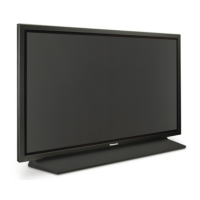

 To Next Page
R
robertbushAug 6, 2025
How to prevent image retention on my Panasonic TH-42PH11EK?
- BBrandon WilsonAug 6, 2025
To prevent image retention on your Panasonic Plasma TV, avoid displaying a still picture for an extended period.

How to prevent image retention on my Panasonic TH-42PH11EK?
To prevent image retention on your Panasonic Plasma TV, avoid displaying a still picture for an extended period.
What to do if my Panasonic TH-42PH11EK Plasma TV has no sound?
If your Panasonic Plasma TV has no sound, first check if the mute function is activated on the remote. Also, ensure the TV is properly plugged into an AC outlet and switched on, either by pressing the power switch or the standby button on the remote. Finally, verify the Picture and Brightness/Volume settings.
Why is my Panasonic Plasma TV remote control not working?
If your Panasonic Plasma TV remote control isn't working, start by checking the batteries. Make sure they haven't discharged completely and are inserted correctly. Also, ensure that the remote control sensor on the TV isn't exposed to direct outdoor light or strong fluorescent light. Lastly, confirm that you are using the remote control specifically designed for your Panasonic Plasma TV.
Why does my Panasonic TH-42PH11EK have sound but no color?
If your Panasonic Plasma TV has sound but no color, it might be due to the color controls being set at the minimum level. You should also check the Color system.
Why does my Panasonic TH-42PH11EK Plasma TV make a cracking sound?
If you sometimes hear a cracking sound from your Panasonic Plasma TV, and there is nothing wrong with the picture or sound, it's likely due to the cabinet undergoing slight contractions in response to changes in room temperature. This is normal.
Why can I hear sounds coming from inside my Panasonic Plasma TV?
When your Panasonic Plasma TV is turned on, you might hear a sound of the display panel being driven. This is normal and not indicative of a malfunction.
What to do if the picture is cut off when using the zoom function on my Panasonic TH-42PH11EK Plasma TV?
If the top or bottom of the picture on your Panasonic Plasma TV screen is cut off when using the zoom function, adjust the position of the picture on the screen.
Details on plug safety, fuse replacement, and proper usage for electrical safety.
Guidelines for using optional accessories and essential setup safety measures.
Procedures for safely cleaning the display panel and cabinet to maintain appearance.
List and description of supplied accessories with the Plasma Display.
Steps and notes for connecting the power cord to the wall outlet and powering the unit.
How to choose the active input source from connected equipment.
Guide to selecting and adjusting various picture aspect ratios for optimal viewing.
How to use Picture-in-Picture and related multi-picture display functions.
Steps for enlarging specific parts of the image and navigating within the zoomed view.
Detailed guide to adjusting horizontal and vertical position and size of the picture.
How to adjust picture settings like mode, contrast, brightness, color, and hue.
Adjusting sound modes, bass, mid, treble, balance, surround, and audio output.
Choosing screensaver functions (image, bar) and modes (on, off, interval).
Using functions to prevent image retention by shifting the image or limiting contrast.
Configuring multiple displays for an enlarged picture across screens.
Programming specific times for commands to execute, creating custom sequences.
Procedure to reset the unit to its original factory default settings.
Checks and solutions for common interference, no sound, or no picture issues.


 General