
EasyManua.ls Logo

Panasonic TH-42PH20U - User Manual

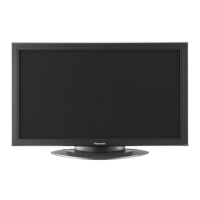
Panasonic TH-42PH20U
56 pages
Print Icon
To Next Page IconTo Next Page
Loading...
TH-42PH20U
TH-50PH20U
Model No.
Operating Instructions
High De nition Plasma Display
English
Before connecting, operating or adjusting this product,
please read these instructions completely.
Please keep this manual for future reference.

Questions and Answers

  • J
    Jordan NelsonAug 12, 2025
    Why Panasonic TH-42PH20U Display power automatically turns off?
    • R
      Russell SalazarAug 12, 2025
      If your Panasonic Display is unexpectedly turning off, the 'PC POWER MANAGEMENT', 'DVI-D POWER MANAGEMENT', or 'AUTO POWER OFF' settings in the SET UP menu might be enabled. Check these settings to ensure they are not set to 'ON'.
  • D
    Daniel JordanAug 21, 2025
    What to do if there is no picture on Panasonic TH-42PH20U Display?
    • T
      Thomas SmithAug 21, 2025
      If there is no picture on your Panasonic Display, check the following: * Ensure the display is plugged into an AC outlet. * Verify the display is switched on by pressing the power switch or stand-by button on the remote control. * Check the PICTURE and BRIGHTNESS/Volume settings by pressing the power switch or stand-by button on the remote control.
  • M
    Mary MolinaAug 31, 2025
    What to do if Panasonic Display remote control not working?
    • J
      Joseph KelleyAug 31, 2025
      If the Panasonic Display remote control isn't working, consider these potential causes: * The batteries might be completely discharged or not inserted correctly. Check their condition and placement. * The remote control sensor could be exposed to strong light. Verify that the sensor isn't exposed to outdoor light or strong fluorescent light. * The remote control might not be the correct one for the unit. Ensure you're using the remote control specifically designed for your Panasonic Display.

Panasonic TH-42PH20U Specifications

General IconGeneral
Display TypePlasma
Screen Size42 inches
Resolution1024 x 768
Aspect Ratio16:9
Brightness1000 cd/m²
Contrast Ratio5000:1
Weight68 lbs
Native Resolution1024 x 768
Viewing Angle160°
InputsComponent, Composite, S-Video