EasyManua.ls Logo

Panasonic TH-49JX900Z - User Manual

Panasonic TH-49JX900Z
28 pages
Print Icon
To Next Page IconTo Next Page
Loading...
Operating Instructions
LED TV
Model No.
TH-49JX900Z
TH-55JX900Z
TH-65JX900Z
For more detailed instructions, please refer to [eHELP]
(Built-in Operating Instructions).
How to use [eHELP] (p. 23)
Thank you for purchasing this Panasonic product.
Please read these instructions carefully before operating this product and retain them
for future reference.
Please carefully read the “Safety Precautions” of this manual before use.
The images shown in this manual are for illustrative purposes only.
F0521AY0 English
TQB4GA0017
English
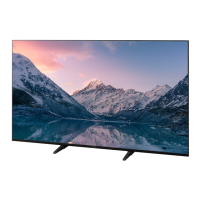
(image: TH-65JX900Z)
TH-49_55_65JX900Z_Eng_TQB4GA0017.book 1 ページ 2021年5月18日 火曜日 午前9時39
Question and Answer IconNeed help?

Do you have a question about the Panasonic TH-49JX900Z and is the answer not in the manual?

Overview

This document provides operating instructions for the Panasonic LED TV, models TH-49JX900Z, TH-55JX900Z, and TH-65JX900Z. It covers various aspects of the TV's functionality, setup, and maintenance.

Function Description

The Panasonic LED TV is a smart television designed to provide a comprehensive viewing experience. It supports internet applications, voice control, and various external connections for multimedia devices.

  • Internet Apps and Voice Control: The TV offers access to a wide range of internet applications and features voice control functionality. These services are provided by their respective service providers and may be subject to change or discontinuation. Panasonic disclaims responsibility for the availability or continuity of these services. The voice control microphone is integrated into the remote control, allowing users to perform operations like changing channels, adjusting volume, searching for programs, and conducting internet searches by speaking into it. The Google Assistant function may also be available, depending on the country, area, or broadcaster. For voice controls to work, the TV needs to be connected to the internet, and the remote control must be registered (paired) with the TV.
  • Connectivity: The TV is equipped with multiple connection terminals, including HDMI, USB, Ethernet, aerial, and satellite inputs, allowing for versatile connectivity with various external devices. It supports 4K/HDR compatible equipment, enabling precise image reproduction with expanded color gamut and high frame rates. For VRR/AMD FreeSync™ Premium compatible equipment, the TV offers a smoother gaming experience with low latency and without image stuttering or tearing.
  • Bluetooth® Wireless Technology: The TV supports Bluetooth® communications, allowing users to connect and register compatible Bluetooth® devices, including audio devices that support A2DP. Up to two A2DP audio devices can be used simultaneously. The remote control also utilizes Bluetooth® wireless technology for enhanced operation, especially for voice control.
  • Built-in Wireless LAN: The TV features a built-in wireless LAN for connecting to a broadband network environment, enabling access to internet services. It supports 2.4 GHz and 5 GHz frequency bands.
  • Recording Functionality: The TV supports USB HDD recording, allowing users to record content by connecting a USB HDD to the designated USB 1 port.
  • VIERA Link: The TV supports VIERA Link "HDAVI Control™" functionality via HDMI 1-4, enabling integrated control with compatible Panasonic equipment.
  • eHELP: A detailed operating instruction manual is built into the TV, providing comprehensive explanations for all features and operations. This can be accessed via the menu bar.

Usage Features

The TV is designed for ease of use, from initial setup to daily operation.

  • First Time Auto Tuning: Upon initial power-on, the TV automatically searches for available channels and guides the user through the setup process, including language selection, viewing environment (Home/Shop), network connection, and auto tuning for TV signals (aerial/satellite).
  • Remote Control: The supplied remote control provides a wide range of buttons for various functions, including power on/off, picture mode selection, direct access to streaming services (Netflix, Prime Video, YouTube, Market), application list (Apps), menu navigation, information display, volume control, channel selection, teletext, subtitles, and audio description. The colored buttons are used for selection, navigation, and operation of various functions.
  • Control Panel: In addition to the remote control, the TV has a control panel on the rear side with buttons for input mode selection, menu access, channel up/down, and volume up/down. A power LED indicates the TV's status (Standby, On, or Standby with active functions). An ambient sensor adjusts picture quality based on room brightness when enabled.
  • Pedestal Assembly: The TV can be assembled with a pedestal in two styles: "With Pedestal (IN)" or "With Pedestal (OUT)". Specific instructions are provided for secure assembly.
  • Wall-hanging Bracket Installation: For wall mounting, specific dimensions and screw depths are provided for installing a wall-hanging bracket. Users are advised to contact a local Panasonic dealer or licensed contractor for installation to ensure safety and maintain warranty.
  • Cable Arrangement: The TV includes a cable cover to help fix and organize cables, ensuring a neat setup.
  • HDMI Auto Setting: Users can adjust the [HDMI Auto Setting] in the Setup menu to optimize image reproduction for 4K compatible equipment, choosing between [Mode1], [Mode2], and [Mode3] based on the equipment's capabilities.
  • Headphone/Subwoofer Output: The TV allows for connection of headphones or a subwoofer via the 3.5 mm stereo mini plug, with settings adjustable in the Sound menu.

Maintenance Features

Proper maintenance ensures the longevity and optimal performance of the TV.

  • Display Panel, Cabinet, Pedestal:
    • Regular Care: Gently wipe surfaces with a soft cloth to remove dirt or fingerprints.
    • Stubborn Dirt: For stubborn dirt, first dust the surface, then dampen a soft cloth with clean water or diluted neutral detergent (1 part detergent to 10 parts water), wring it out firmly, carefully wipe the dirt, and finally wipe away all moisture.
    • Cautions: Avoid using hard cloths or rubbing too hard to prevent scratches. Do not use insect repellent, solvents, thinners, or other volatile substances, as these can degrade surface quality or cause paint peeling. The display panel is specially treated and can be easily damaged; avoid tapping or scratching with fingernails or hard objects. Do not allow the cabinet and pedestal to contact rubber or PVC substances for prolonged periods, as this may degrade surface quality.
  • Mains Plug: Wipe the mains plug with a dry cloth at regular intervals to prevent moisture and dust from causing fire or electrical shock.
  • Battery for the Remote Control:
    • Installation: Slide and lift the battery cover, insert batteries with correct polarity, and close the cover.
    • Cautions: Keep batteries out of reach of children to prevent swallowing. Replace only with the same or equivalent type. Do not mix old and new batteries, or different battery types. Do not use rechargeable batteries. Do not burn or break up batteries, or expose them to excessive heat. Dispose of batteries correctly. Remove batteries if the unit is not used for a prolonged period to prevent leakage, corrosion, and explosion.
  • Ventilation: Ensure sufficient space (at least 10 cm) around the TV for adequate ventilation to prevent excessive heat, which can lead to early failure of electronic components. Do not cover ventilation openings with items like newspapers, tablecloths, or curtains. Ensure the vents at the bottom of the TV are not blocked.
  • Moving the TV: Before moving, disconnect all cables. At least two people are required to move the TV to prevent injury. Do not hold the screen part directly when moving the TV, as this may cause malfunction or damage.
  • When Not in Use for a Long Time: The TV consumes some power even in Off mode if the mains plug is connected. Remove the mains plug from the wall socket if the TV will not be used for a prolonged period.

Panasonic TH-49JX900Z Specifications

General IconGeneral
Screen Size49 inches
Resolution3840 x 2160 (4K UHD)
Display TechnologyLED
Smart TVYes
HDMI Ports4
USB Ports2
BluetoothYes
Wi-FiYes
HDR SupportYes
Audio Output20W (2 x 10W)
Operating SystemMy Home Screen 6.0
Voice ControlYes

Related product manuals