How to use
You can check useful information using Info Frame while watching TV.
1. Press and hold HOME.
●
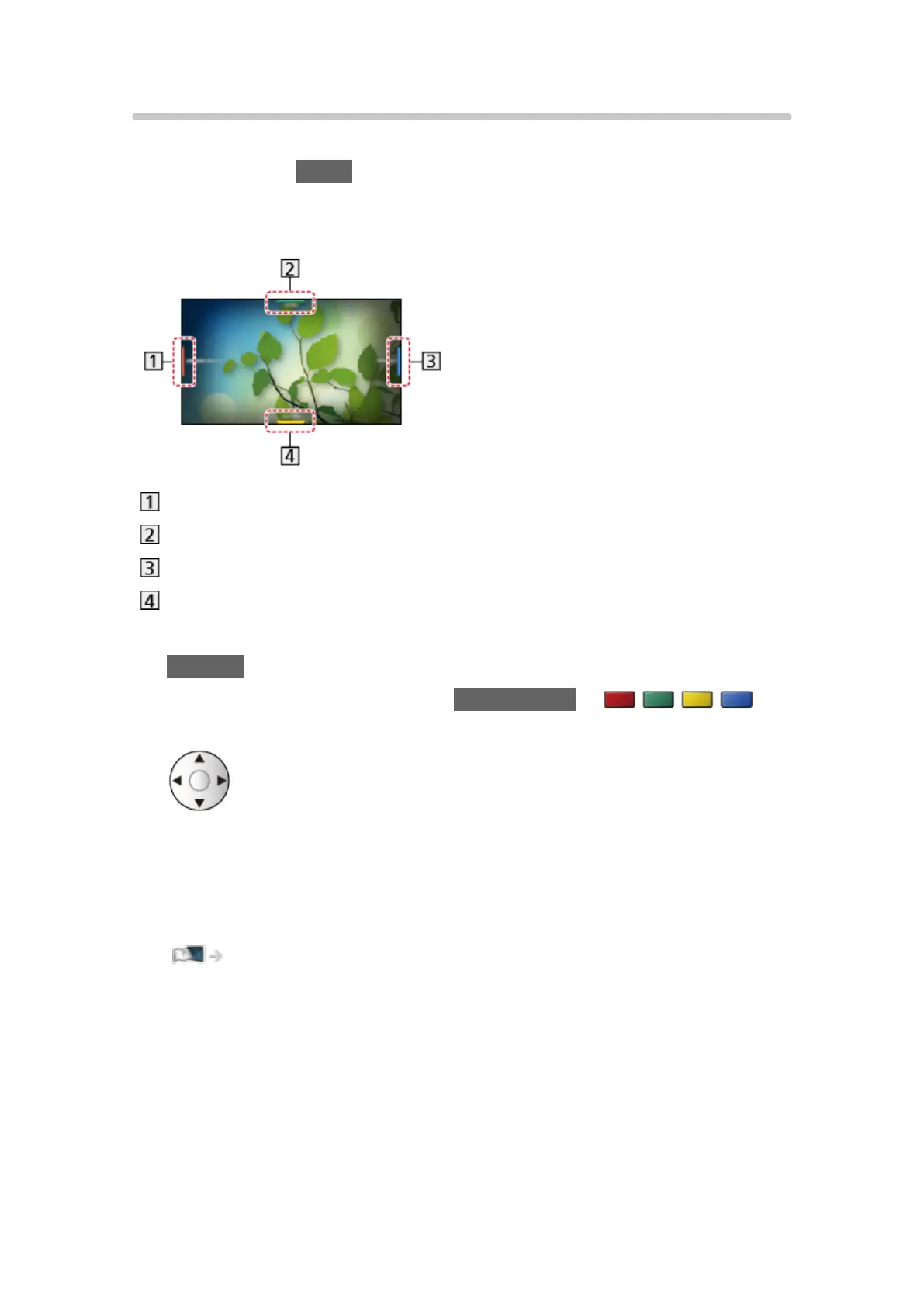
Info Frame is displayed on the edge of screen.
(Example)
Current programme information, etc.
Relevant information (weather forecast, etc.)
Notification message
Recommended content (TV programme, internet content, etc.)
●
To exit Info Frame
RETURN
2. Select one side of Info Frame with Cursor buttons or
(coloured buttons) while Info Frame is displayed.
3. Follow the on-screen instructions.
= Note =
●
Info Frame is displayed for several seconds each time the TV is turned on.
Functions > Info Frame > Settings
- 215 -



 To Next Page