34
2
1
3 4
Operation
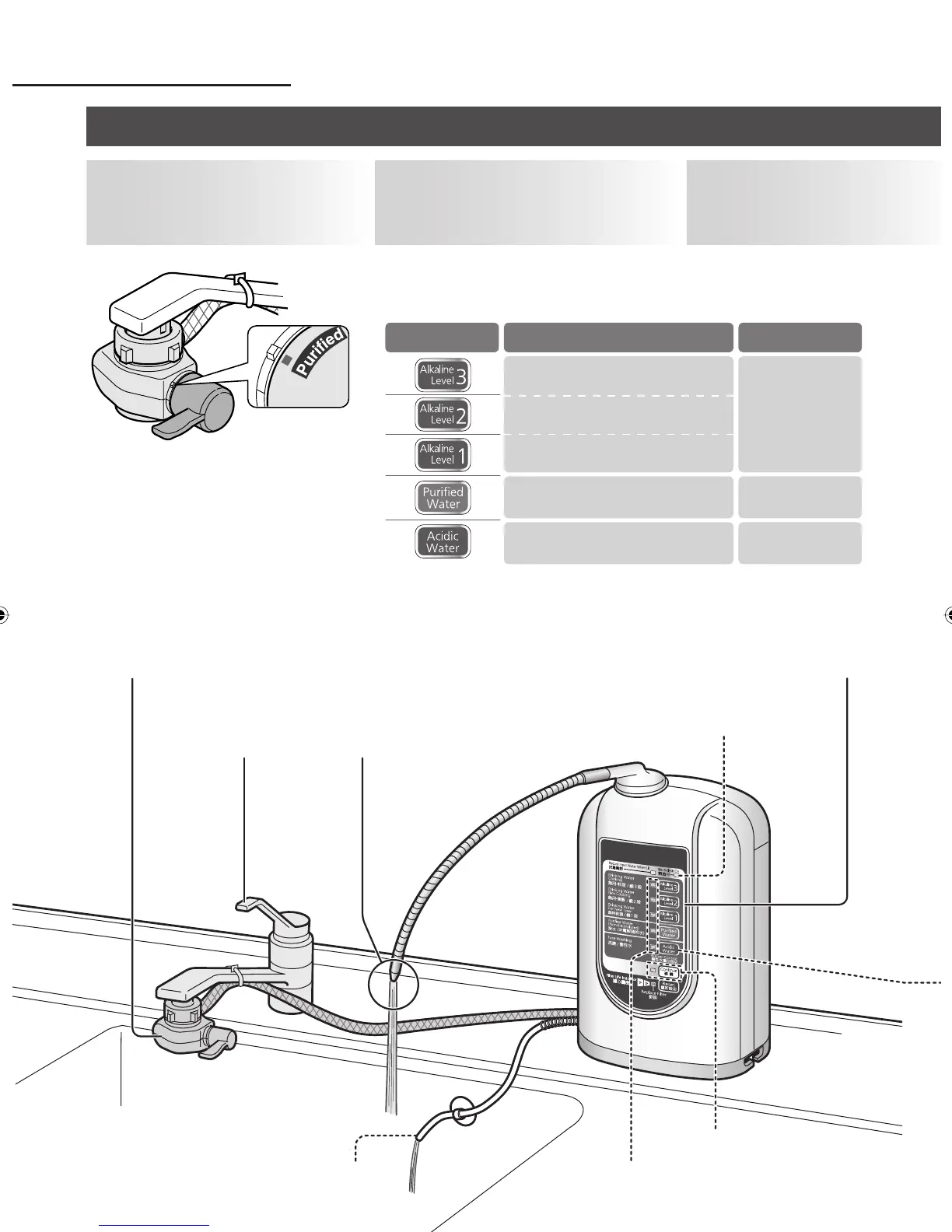
Using alkaline ion water, acidic water or purified water
Application
Drinking water in daily life
Drinking water for Experienced user
Drinking water for new user
Medicine, milk
Washing the face
Water quality
indicator lamp
Water quality
selector button
Yellowish-green
Yellowish-green
Red
Press the water
quality selector button
corresponding to the type of
water required.
The buzzer beeps, and the water
quality indicator lamp lights.
2
Open the
faucet.
The water quality
indicator lamp blinks.
3
Set the bypass
selector to
“Purified”.
1
Water quality indicator lamps
Continue button • lamp
34
Generating lamp
Drain hose
ZGS0TKAS400EXZ.indb 34ZGS0TKAS400EXZ.indb 34 5/11/2010 3:28:57 PM5/11/2010 3:28:57 PM












 To Next Page