36
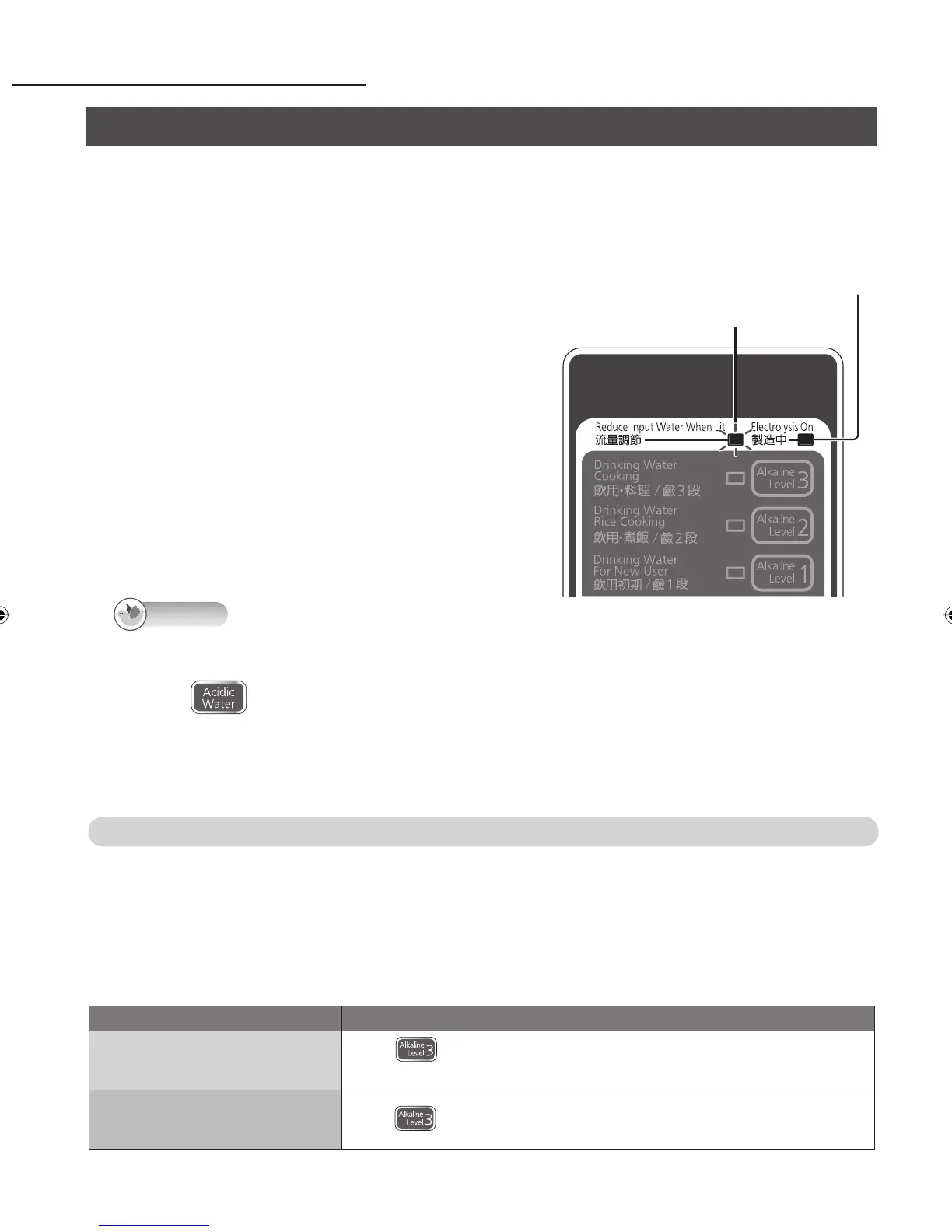
■ When the water flow adjustment lamp blinks
(only while “Alkaline” or “Acidic Water” is selected)
This lamp blinks when too much water is
flowing (in which case, it may not be possible to
achieve a high enough pH level).
Gradually reduce the flow from the faucet
until the lamp goes out ※ .
※ For “Alkaline” : Flow of about 5.0 liters/minute
For “Acidic Water” : Flow of about 3.2 liters/minute
■ When the Generating lamp goes out
The Generating lamp will go out when the water
faucet is stopped down too far or when the water flow
diminishes due to fluctuations in the water pressure.
(Electrolysis will be suspended.)
To use the Alkaline Ionizer again, open the faucet until
the Generating lamp is restored.
Operation (continued)
▼
■ T
o find out what the pH level is
Measure the pH level using the supplied pH test kit. (See page 26.)
When acidic water was being used, the water quality
will be switched to “Purified Water.”
Press
again, and open the faucet.
Note
Setting to “Alkaline priority”
The unit can be set to return automatically to the “Alkaline” setting ※ used last when the faucet has
been turned off after using acidic water or purified water. (Normally, it is set to return to “Purified
Water.”)
※ When the Continue lamp is lit, the “Alkaline” setting is restored after the lamp has gone off.
Turn off the faucet before proceeding with the operation. (The operation cannot be performed
while water is still passing through the unit.)
Setting Operation
Setting to “Alkaline priority”
Press until four short beeps are heard in succession.
(This takes about 3 seconds.)
Releasing the setting
Press
until a long beep is heard. (This takes about 3 seconds.)
Using alkaline ion water, acidic water or purified water (continued)
Generating Lamp (Yellowish-green)
Water Flow Adjustment Lamp (Red)
TK-AS40_41_P34_45.indd 36TK-AS40_41_P34_45.indd 36 5/12/2010 1:03:47 PM5/12/2010 1:03:47 PM












 To Next Page