
 Need help?
Do you have a question about the Panasonic TX-14JT1F and is the answer not in the manual?
Care instructions for the TV cabinet and picture tube, emphasizing safety and cleaning methods.
Automatic standby mode after 30 minutes of inactivity when TV station is not transmitting.
Remembers settings like volume, contrast, and program position upon switch-off.
List of items included with the TV, such as TV Guarantee, remote control, and antenna.
Connecting the TV directly to an aerial via a coaxial cable for initial setup.
Connecting the TV to a VCR using coaxial and SCART cables for video playback.
Selecting the OSD language and initiating the Automatic Tuning Process (ATP).
Automatic process to locate, sort, and store TV stations based on signal reception.
Display of the first available channel and instructions for switching off the VCR test signal.
Explanation of on-screen display elements like Menu Title, Cursor Bar, Sub Menu, and Commands.
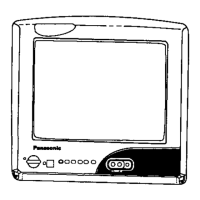
Identification and function of buttons and sockets located on the front panel of the television.
Detailed explanation of the functions of various buttons on the remote control unit.
Adjusting picture settings such as Contrast, Brightness, Colour, and Sharpness via the main menu.
Automatic contrast adjustment based on ambient lighting, with sensitivity settings.
Changing the language used for on-screen menus displayed by the television.
Accessing automatic (ATP) and manual tuning options for TV stations.
Manually tuning TV stations using the controls on the front panel of the television.
Using Teletext features like switching modes, holding pages, revealing hidden information, and navigating.
Selecting specific sub pages within Teletext information efficiently.
Methods for selecting Teletext pages and using FASTEXT colored buttons for quick access.
Connecting audio and video equipment using RCA cables for input and headphone output.
Connecting AV equipment via the SCART socket for audio, video, and RGB signals.
Using the TV remote control to operate basic functions of compatible Panasonic VCRs.
Guide to identifying common picture and sound problems and performing basic checks before service.
Technical specifications for the Panasonic TX-21JT1F model, including power, picture tube, and dimensions.
Technical specifications for the Panasonic TX-14JT1F model, including power, picture tube, and dimensions.
General technical details like power source, consumption, receiving systems, and connections.




 To Next Page
 General