
 Need help?
Do you have a question about the Panasonic TX-14B3T and is the answer not in the manual?
Safety instructions regarding the fitted mains plug, fuse, and EMC compliance.
Step-by-step guide on how to insert batteries into the remote control.
Instructions for connecting the aerial directly to the TV for TV-only operation.
Connection guide for using a VCR with the television via RF or SCART.
Connection guide for using both a VCR and a satellite receiver with the TV.
Explanation of on-screen menu elements and command functions.
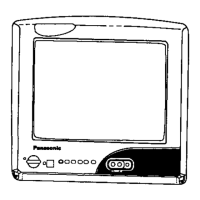
Identification and function of the TV's front panel buttons and sockets.
Overview of the remote control buttons and their functions.
Details on accessing and adjusting main menu settings like contrast and brightness.
How to access and navigate the tuning menu for channel setup.
Procedure for automatically retuning the TV and storing stations.
Method for manually tuning individual programme positions and channels.
Process to clear tuning data and reset controls to factory default settings.
How to rearrange programme order by swapping positions.
Alternative method to tune channels using the TV's front panel controls.
Explanation of teletext modes and how to navigate pages.
How to access specific sub-pages directly using the remote.
Function of the Index key to return to the main index page.
Steps to tune the VCR to the television for proper signal reception.
Steps to tune the TV to the VCR for optimal viewing of VCR output.
Automatic standby mode activation when TV signal is lost.
How settings like volume and channel are retained after switch-off.
Precautions to prevent screen damage from prolonged gaming or computer use.
 General
| Display Technology | CRT |
|---|---|
| Screen Size | 14 inches |
| Tuner | Analog |
| TV Standard | PAL |
| Inputs | Antenna |
| Dimensions | 360 x 360 x 380 mm |


 To Next Page
