EasyManua.ls Logo

Panasonic TX-14S4TP - User Manual

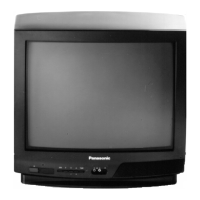
Panasonic TX-14S4TP
40 pages
Print Icon
To Next Page IconTo Next Page
Loading...
74%(
3OHDVH UHDG WKHVH LQVWUXFWLRQV FRPSOHWHO\ EHIRUH XVH DQG UHWDLQ WKHP IRU IXWXUH UHIHUHQFH
3U]HF]\WDM SRQL
V]´ LQVWUXNFMµ Z FD±R FL SU]HG ]DVWRVRZDQLHP MHM Z SU]\V]±R FL
3 HG XYHGHQõP S õVWURMH GR SURYR]X VL SH OLY÷ S H W÷WH W\WR SRN\Q\ D XVFKRYHMWH MH SUR
S
õSDGQ ]õVN Y GDO õFK LQIRUPDFõ
7;673
&RQWUDVW $XWR 7UDFNLQJ 6\VWHP
7;673
3ROVNL
HVNâ
(QJOLVK

Other manuals for Panasonic TX-14S4TP

Question and Answer IconNeed help?

Do you have a question about the Panasonic TX-14S4TP and is the answer not in the manual?

Summary

Warnings and Precautions

Cabinet and Picture Tube Care

Instructions for cleaning the TV cabinet and picture tube safely.

General Information

Sleep Feature

Automatic standby mode after 30 minutes when transmission stops.

Last Position Memory

Recalls previous settings for various functions upon power-on.

Accessories

Fitting Remote Control Batteries

Step-by-step guide for inserting batteries into the remote control.

Installation and Set-up

TV Only Connection

Connect the aerial cable directly to the TV's RF IN socket.

Using a VCR

Connect aerial to VCR, then VCR to TV using RF or SCART cable.

Powering On the System

Switch on VCR and plug in and switch on the TV.

Installation and Set-up

Language Selection and Auto Tuning

Select OSD language, then start automatic tuning (ATP).

Station Tuning and First Channel

Stations are tuned and stored; first channel is displayed.

Location of Controls

On-Screen Display Elements

Identifies main menu title, cursor bar, sub menu, and commands.

Front Panel Controls

Details the power switch, STR, and F buttons on the TV's front panel.

Remote Control Functions

Explains functions of Standby, TV/AV, Volume, Function Select, numeric, and Teletext keys.

Menu Operation

Main Menu Settings

Adjust Contrast, Brightness, Colour, Sharpness, and C-A-T-S.

OSD Language Selection

Choose the desired language for on-screen menus.

Menu Operation

Tuning Menu Options

Includes ATP, Manual Tuning, TV-Sys, Fine Tuning, and Swap.

Front Panel Tuning

Perform manual tuning using the TV's front panel controls.

Teletext Operation

Switching to Teletext Mode

Press TV/TEXT to switch between TV and Teletext modes.

Navigating Teletext Pages

Use Index, Hold, TIME TEXT, and Page Selection for navigation.

Special Teletext Functions

Includes Reveal, Full/Top/Bottom, FASTEXT buttons, and Normalisation.

Audio; Video Connections

RCA and Headphone Connections

Connect devices via RCA sockets and headphones via the 3.5mm jack.

SCART Connection

Connect devices like VCRs or satellite receivers via the SCART socket.

Connection Warnings and Notes

Information on ancillary equipment, TTL computers, and simultaneous AV input use.

VCR Operation

VCR Remote Control Functions

Operate VCR Standby, Pause, Stop, Play, Record, and channel selection.

VCR Tape Navigation

Control Rewind/Review and Fast Forward/Cue functions for tape playback.

Troubleshooting

Common Picture and Sound Issues

Identifies common symptoms like snowy picture, interference, and no sound with suggested checks.

SCART Terminal Information

SCART Connector Pinout

Diagram and pinout of the SCART connector for various signals.

Specifications

General Specifications

Details Model Number, Power, Picture Tube, Dimensions, and Weight.

Receiving Systems and Connectivity

Lists receiving systems (PAL/SECAM, VHF/UHF) and AV/headphone connections.
Summary

Warnings and Precautions

Cabinet and Picture Tube Care

Instructions for cleaning the TV cabinet and picture tube safely.

General Information

Sleep Feature

Automatic standby mode after 30 minutes when transmission stops.

Last Position Memory

Recalls previous settings for various functions upon power-on.

Accessories

Fitting Remote Control Batteries

Step-by-step guide for inserting batteries into the remote control.

Installation and Set-up

TV Only Connection

Connect the aerial cable directly to the TV's RF IN socket.

Using a VCR

Connect aerial to VCR, then VCR to TV using RF or SCART cable.

Powering On the System

Switch on VCR and plug in and switch on the TV.

Installation and Set-up

Language Selection and Auto Tuning

Select OSD language, then start automatic tuning (ATP).

Station Tuning and First Channel

Stations are tuned and stored; first channel is displayed.

Location of Controls

On-Screen Display Elements

Identifies main menu title, cursor bar, sub menu, and commands.

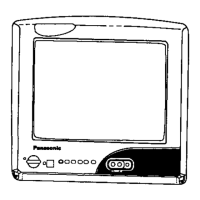
Front Panel Controls

Details the power switch, STR, and F buttons on the TV's front panel.

Remote Control Functions

Explains functions of Standby, TV/AV, Volume, Function Select, numeric, and Teletext keys.

Menu Operation

Main Menu Settings

Adjust Contrast, Brightness, Colour, Sharpness, and C-A-T-S.

OSD Language Selection

Choose the desired language for on-screen menus.

Menu Operation

Tuning Menu Options

Includes ATP, Manual Tuning, TV-Sys, Fine Tuning, and Swap.

Front Panel Tuning

Perform manual tuning using the TV's front panel controls.

Teletext Operation

Switching to Teletext Mode

Press TV/TEXT to switch between TV and Teletext modes.

Navigating Teletext Pages

Use Index, Hold, TIME TEXT, and Page Selection for navigation.

Special Teletext Functions

Includes Reveal, Full/Top/Bottom, FASTEXT buttons, and Normalisation.

Audio; Video Connections

RCA and Headphone Connections

Connect devices via RCA sockets and headphones via the 3.5mm jack.

SCART Connection

Connect devices like VCRs or satellite receivers via the SCART socket.

Connection Warnings and Notes

Information on ancillary equipment, TTL computers, and simultaneous AV input use.

VCR Operation

VCR Remote Control Functions

Operate VCR Standby, Pause, Stop, Play, Record, and channel selection.

VCR Tape Navigation

Control Rewind/Review and Fast Forward/Cue functions for tape playback.

Troubleshooting

Common Picture and Sound Issues

Identifies common symptoms like snowy picture, interference, and no sound with suggested checks.

SCART Terminal Information

SCART Connector Pinout

Diagram and pinout of the SCART connector for various signals.

Specifications

General Specifications

Details Model Number, Power, Picture Tube, Dimensions, and Weight.

Receiving Systems and Connectivity

Lists receiving systems (PAL/SECAM, VHF/UHF) and AV/headphone connections.
Panasonic TX-14S4TP Specifications

General IconGeneral
BrandPanasonic
ModelTX-14S4TP
CategoryTV
LanguageEnglish

Related product manuals