EasyManua.ls Logo

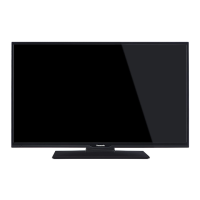
Panasonic TX-24FS500B - User Manual

Panasonic TX-24FS500B
24 pages
Print Icon
To Next Page IconTo Next Page
Loading...
Operating Instructions
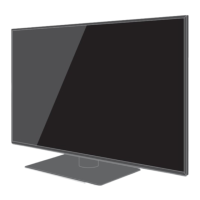
LED TV
Model No.
Thank you for purchasing this Panasonic product.
Please read these instructions carefully before operating this product and
retain them for future reference.
Please carefully read the “Safety Precautions” of this manual before use.
The images shown in this manual are for illustrative purposes only.
F0518SR2120 English
TX-24FS500B
English
TQB0E2832U-2
For more detailed instructions, please refer to [eHELP]
(Built-in Operating Instructions).

How to use [eHELP] (p. 19)

Other manuals for Panasonic TX-24FS500B

Question and Answer IconNeed help?

Do you have a question about the Panasonic TX-24FS500B and is the answer not in the manual?

Summary

Mains Plug and Lead Safety

Fuse Replacement Procedure

Instructions for safely replacing the fuse in the TV's mains plug.

General Safety Precautions

Suffocation and Choking Hazards

Warnings about product packaging and small parts posing a hazard to children.

Pedestal Installation Safety

Instructions and warnings for safe installation and use of the TV pedestal.

Radio Wave Interference Warnings

Advisories on radio wave interference with medical devices and pacemakers.

Installing the TV

Pedestal Assembly and Removal

Instructions for assembling and removing the TV pedestal.

Installing the Wall-Hanging Bracket

Wall Bracket Installation Guide

Guidelines and warnings for installing wall-hanging brackets safely.

Connections Overview

TV Terminal Identification

Identifies and describes various TV terminals and their functions.

Terminal Port Explanations

Explains each numbered terminal (CI slot, USB, HDMI, AV, etc.).

Advanced Connection Options

HDR and Network Setup

Information on HDR support, HDCP, and network connection setup.

Wired and Wireless Connectivity

Details on LAN cable use and built-in wireless LAN setup.

Additional Connection Features

USB HDD for Recording

How to use the USB port for recording via an external HDD.

VIERA Link Integration

Information on connecting devices using VIERA Link for integrated control.

Identifying Remote Controls

Remote Control Layout and Buttons

Identifies all buttons and their basic functions on the remote control.

First Time TV Setup

Initial Setup and Environment Selection

Steps for plugging in the TV and selecting viewing environment.

Network Connection Setup

Instructions for selecting country and configuring network connection.

Watching TV Channels

Using the eHELP Guide

Accessing eHELP Instructions

Steps to access the built-in operating instructions via eHELP.

Navigating eHELP Content

How to select menus, use search, and browse features within eHELP.

Troubleshooting Common Issues

TV Maintenance and Cleaning

Summary

Mains Plug and Lead Safety

Fuse Replacement Procedure

Instructions for safely replacing the fuse in the TV's mains plug.

General Safety Precautions

Suffocation and Choking Hazards

Warnings about product packaging and small parts posing a hazard to children.

Pedestal Installation Safety

Instructions and warnings for safe installation and use of the TV pedestal.

Radio Wave Interference Warnings

Advisories on radio wave interference with medical devices and pacemakers.

Installing the TV

Pedestal Assembly and Removal

Instructions for assembling and removing the TV pedestal.

Installing the Wall-Hanging Bracket

Wall Bracket Installation Guide

Guidelines and warnings for installing wall-hanging brackets safely.

Connections Overview

TV Terminal Identification

Identifies and describes various TV terminals and their functions.

Terminal Port Explanations

Explains each numbered terminal (CI slot, USB, HDMI, AV, etc.).

Advanced Connection Options

HDR and Network Setup

Information on HDR support, HDCP, and network connection setup.

Wired and Wireless Connectivity

Details on LAN cable use and built-in wireless LAN setup.

Additional Connection Features

USB HDD for Recording

How to use the USB port for recording via an external HDD.

VIERA Link Integration

Information on connecting devices using VIERA Link for integrated control.

Identifying Remote Controls

Remote Control Layout and Buttons

Identifies all buttons and their basic functions on the remote control.

First Time TV Setup

Initial Setup and Environment Selection

Steps for plugging in the TV and selecting viewing environment.

Network Connection Setup

Instructions for selecting country and configuring network connection.

Watching TV Channels

Using the eHELP Guide

Accessing eHELP Instructions

Steps to access the built-in operating instructions via eHELP.

Navigating eHELP Content

How to select menus, use search, and browse features within eHELP.

Troubleshooting Common Issues

TV Maintenance and Cleaning

Overview

This document provides operating instructions for the Panasonic TX-24FS500B LED TV. It covers essential information for setup, usage, and maintenance of the television.

Function Description

The Panasonic TX-24FS500B is an LED TV designed for home entertainment. It supports digital terrestrial services (DVB-T/T2) and analogue broadcasts, allowing users to access a wide range of television channels. The TV features HDMI inputs for connecting external devices like DVD/Blu-ray recorders, camcorders, or game equipment, enabling high-definition video and audio playback. It also includes USB ports for connecting USB HDDs for recording TV programs, and a headphone jack for private listening.

The TV is equipped with a built-in wireless LAN and an Ethernet terminal, facilitating network connectivity for internet services and applications. This allows users to access streaming content, browse the web, and utilize smart TV features. The TV supports HDR compatible equipment, although specific HDR content compatibility depends on the playback device and HDMI input specifications.

A key feature is the integrated [eHELP] system, which serves as a comprehensive built-in operating manual. This system provides detailed instructions and explanations for all TV functions, settings, and troubleshooting, accessible directly from the TV interface.

Usage Features

  • Initial Setup: Upon first power-on, the TV guides the user through an "Auto Setup" process to tune available TV channels and configure basic settings, including network connection and viewing environment (Home or Shop mode).
  • Channel Selection: Users can select channels using numeric buttons, channel up/down buttons, or by accessing the TV Guide (Electronic Programme Guide).
  • Input Mode Selection: The remote control allows users to switch between TV mode (DVB/Analogue) and various AV input modes (HDMI, Component/Video) to view content from connected external devices.
  • Smart TV Functions: The TV provides access to "Apps List" for various applications and direct access buttons for popular services like NETFLIX and Freeview Play. A broadband network connection is required to fully utilize these functions. Users can also assign a favorite application to the [MY APP] button for quick access.
  • Audio Features: The TV supports Dolby Audio and offers options for connecting external amplifiers via HDMI (ARC) or DIGITAL AUDIO output for multi-channel sound. A headphone jack is available for personal audio.
  • VIERA Link: This feature allows for integrated control of Panasonic AV components connected via HDMI, simplifying operation of multiple devices with a single remote.
  • Recording: The USB 2 port can be used to connect a USB HDD for recording television programs, providing convenience for users who wish to watch content at a later time.
  • Common Interface (CI) Slot: For encrypted channels, a CI module and smart card can be inserted into the CI slot to enable viewing.
  • Ambient Sensor: The TV includes an ambient sensor that adjusts picture quality based on room brightness when enabled in the Picture Menu, optimizing the viewing experience.
  • Remote Control: The supplied remote control provides comprehensive control over all TV functions, including power, volume, channel selection, menu navigation, and direct access to smart features.
  • Control Panel: For basic operations, the TV has an indicator/control panel on the rear side, offering buttons for input mode selection, channel up/down, volume up/down, and a mains power on/off switch.

Maintenance Features

  • Cleaning: The display panel, cabinet, and pedestal should be regularly cleaned with a soft cloth to remove dirt and fingerprints. For stubborn dirt, a soft cloth dampened with clean water or a diluted neutral detergent can be used, followed by wiping away moisture. It is crucial to avoid harsh cloths, excessive rubbing, or volatile substances, as these can damage the surface.
  • Mains Plug: The mains plug should be wiped with a dry cloth at regular intervals to prevent fire or electrical shock caused by moisture and dust.
  • Battery Replacement: The remote control batteries should be replaced with the same or equivalent type when they run low. It is important to ensure correct polarity, avoid mixing old and new batteries or different battery types, and dispose of them correctly.
  • Ventilation: To prevent overheating and potential malfunction, sufficient space (at least 10 cm) should be maintained around the TV for proper ventilation. Ventilation openings should not be covered by items like newspapers or curtains.
  • Power Management: To completely turn off the apparatus, the mains plug must be pulled out of the mains socket. When the TV is not in use for a prolonged period, removing the mains plug is recommended to prevent continuous power consumption.
  • Troubleshooting: The [eHELP] system includes a "Support" section with FAQs and troubleshooting guides to help users resolve common issues like the TV not switching on, remote control not working, or image display problems. The TV also has a built-in "Self Test" for diagnosing picture or sound problems.
  • Factory Reset: If problems persist, the TV can be initialized to its "Shipping Condition" through the System Menu, which resets all settings.
  • Retuning Channels: For Freeview customers, periodic retuning of channels is recommended to ensure access to the most up-to-date services. This can be done via the [Auto Setup] option in the Tuning Menu.

Panasonic TX-24FS500B Specifications

General IconGeneral
Screen Size24 inches
Resolution1366 x 768 (HD Ready)
Display TypeLED
Smart TVYes
HDMI Ports2
USB Ports1
Wi-FiYes
Audio Output10 W
HDR SupportNo
Operating SystemMy Home Screen

Related product manuals