
 Need help?
Do you have a question about the Panasonic TX-24J330B and is the answer not in the manual?
Information on installing a wall-hanging bracket and compatible VESA dimensions.
How to use the remote for menu navigation, input selection, channels, and timers.
How to connect aerial or cable TV plugs to the TV's input sockets.
Details on various connectors like HDMI, SCART, USB, and their uses.
Instructions on how to turn the TV on from standby and switch it off.
Guide on choosing broadcast types (Digital Aerial, Cable, Satellite, Analogue) for initial scan.
Details on picture adjustments like Mode, Contrast, Brightness, and Advanced Settings.
Safety precautions for connecting the TV to the mains power supply.
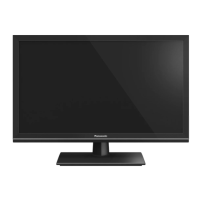
This document describes the Panasonic TX-24J330B LED TV, an operating instruction manual.
The Panasonic TX-24J330B is a remote-controlled color LED TV with fully integrated digital terrestrial/cable/satellite TV capabilities (DVB-T-T2/C/S-S2). It features HDMI inputs for connecting other devices, a USB input for media playback, and a Scart socket for external devices like DVD players, PVRs, or video game consoles. The TV includes an OSD menu system, stereo sound, Teletext, and a headphone connection. It supports automatic programming, manual tuning, automatic power down (up to eight hours), a sleep timer, child lock, automatic sound mute when no transmission, NTSC playback, AVL (Automatic Volume Limiting), PLL (Frequency Search), PC input, and a picture off function. For interactive services on digital channels, it also includes an Ethernet (LAN) port.
Operation with Remote Control: The TV is primarily operated using the remote control. The Home button displays the main menu, and directional buttons with the OK button are used for navigation and selection. The Return/Back or Home button exits menu screens. The Source button switches between input sources. Programme +/- and Volume +/- buttons change channels and adjust volume. Numeric buttons switch channels, enter text, and turn on the TV from standby. The Language button switches sound modes, audio/subtitle languages, and turns subtitles on/off. The Text button displays teletext. The Mute button turns off volume. Back/Return returns to previous screens or menus. Info displays on-screen content information. Coloured buttons follow on-screen instructions.
Main TV Menu: Accessed via the Home button, the main menu allows navigation through various options. Sub-menu items for quick access may appear on the upper side of the menu bar. The Home menu can be customized by adding, deleting, or moving options from other menus.
Timers: Users can set timers for future events and review existing ones. New timers can be added, and existing ones can be edited or cancelled.
Settings Menu: This menu allows management of TV settings, including Picture, Sound, Network, and Installation settings.
Sources: Manages input source references. Users can change the current source and edit names or enable/disable selected source options.
Media Playback via USB Input: Supports connecting 2.5" and 3.5" external hard disk drives or USB memory sticks. The TV supports FAT32 and NTFS disk formatting. Media Browser menu is displayed upon connection, allowing playback of music, movie, and photo files. Playback can be configured with Loop/Shuffle modes.
CEC (Consumer Electronics Control): Allows control of CEC-enabled devices connected via HDMI ports using the TV's remote. The CEC option must be enabled in Settings>System>More. The TV remote automatically performs main functions after a CEC source is selected. ARC (Audio Return Channel) is supported via HDMI1 for audio output to an external sound system.
Electronic Programme Guide (EPG): Accessed via the Guide button, the EPG displays the event schedule of installed channels. Two layouts are available: Timeline Schedule and Now/Next. Users can navigate events, filter by genre, search, and set timers for events.
Teletext Services: The Text button accesses teletext. Digital teletext is also available for DVB-T broadcasts. Coloured buttons and directional buttons are used for navigation.
Software Upgrade: The TV can automatically find and update firmware via broadcast signal or Internet. Users can manually check for upgrades in Settings>System>More. A 3 AM search and upgrade mode is also available if Automatic scanning is enabled.
Wired Network Connection: The TV can be connected to a modem/router or directly to a network wall outlet via an Ethernet cable. Network settings can be configured in the Settings menu, including Network Type (Wired Device or Disabled), Internet Speed Test, and Advanced Settings (IP and DNS configurations).
Display Panel, Cabinet, Pedestal: Regular care involves gently wiping surfaces with a soft cloth to remove dirt or fingerprints. For stubborn dirt, a soft cloth dampened with clean water or diluted neutral detergent (1 part detergent to 100 parts water) should be used, followed by wiping away all moisture. Cautions: Avoid hard cloths, excessive rubbing, insect repellent, solvents, thinners, or other volatile substances. Do not tap or scratch the display panel. Prevent rubber or PVC substances from prolonged contact with the cabinet and pedestal.
Mains Plug: Wipe the mains plug with a dry cloth at regular intervals to prevent moisture and dust from causing fire or electrical shock.
Assembling/Removing the Pedestal: The pedestal consists of two pieces that are installed together. Screws (M4 x 12) are provided to secure the stand. When removing the pedestal for wall-hanging or repacking, unscrew the fixing screws.
Wall Mounting: For wall-hanging, a recommended bracket should be purchased from a local Panasonic dealer. The manual provides dimensions for the VESA bracket holes (a=75mm, b=75mm) and screw depth (min. 7mm, max. 10mm) with M4 diameter screws.
Battery Replacement: The remote control uses two AA batteries. Ensure correct polarity (+ and - signs match). Do not mix old and new batteries. A message will display on screen when batteries are low. Batteries should not be exposed to excessive heat.






 To Next Page
 General