ALIGNMENT SETTINGS
To access Service Mode select program position 99 and set sharpness to minimum.
Press “MUTE” button on remote control and at the same time press the "V" button on the customer controls at the front of
the TV, this will place the TV set into Service Mode.
Press
∧
∧∧
∧ / ∨
∨∨
∨==
====
==buttons to step up / down through the functions.
Press
+ / - buttons to alter the function values.
Press “STR” button on the customer controls at the front of the TV after each adjustment has been made to store the
required values.
To exit Service Mode press “N” button.
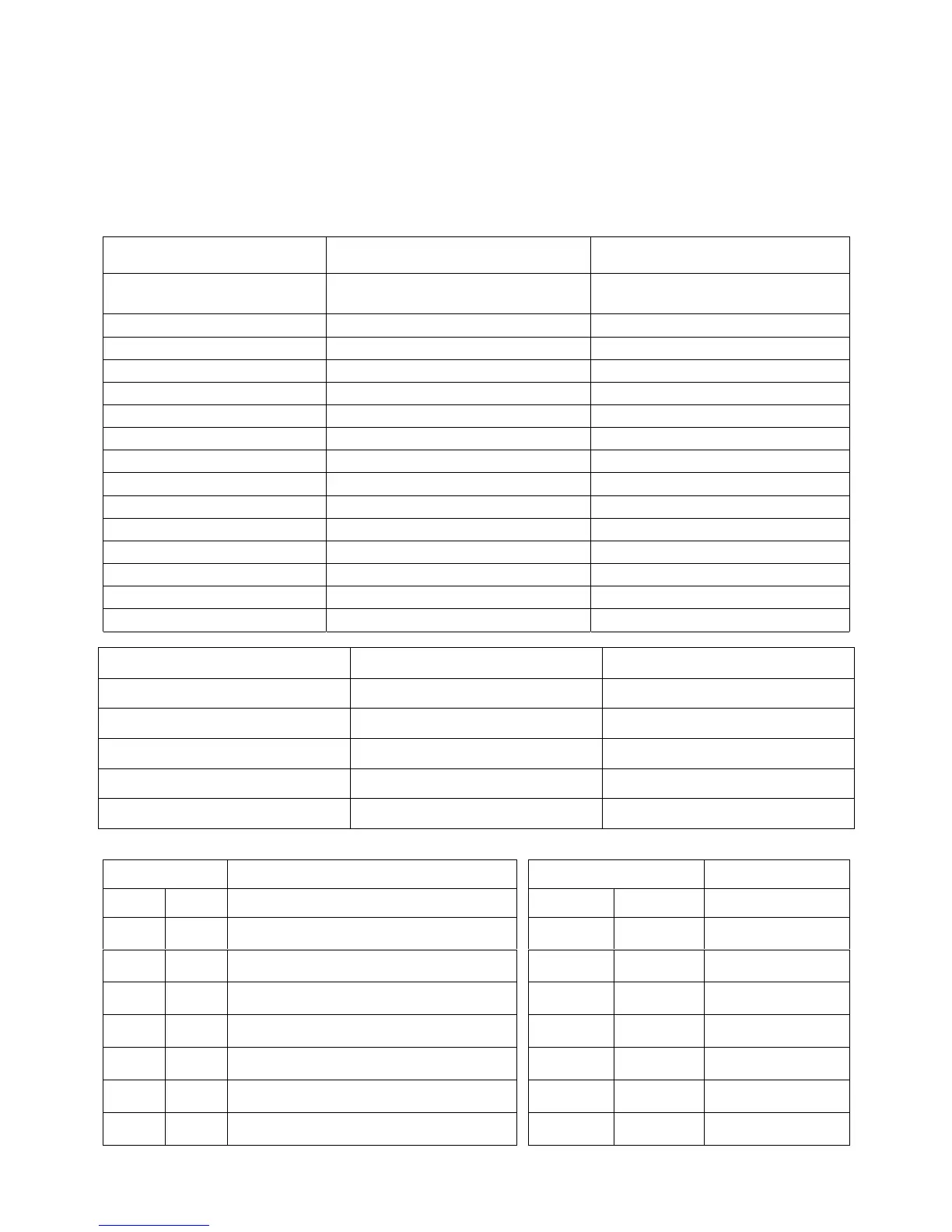
Alignment Function
Setting indication
Note: All setting values are approximate
Settings / Special features
1. Cut off (Ug2)
LED On/Off
(pin6 of connector E1 to the GND)
LED to be just On
2. Vertical slope V-SLO 32 Optimum setting
3. Vertical shift V-POS 43 Optimum setting.
4. Vert. Amplitude V-AMP 60 Optimum setting.
5. Horizontal shift H-CTR 31 Optimum setting.
6. Horizontal parallelogram H-PAR 034 {034} [-] Optimum setting.
7. Horizontal bow H-BOW 031 {031} [-] Optimum setting.
8. R - Cut R - CUT 08 Optimum setting.
9. G - Cut G - CUT 08 Optimum setting.
10. R - Drive R - DRV 31 Optimum setting.
11. G - Drive G - DRV 31 Optimum setting.
12. B - Drive B - DRV 31 Optimum setting.
13. AGC AGC 20 Optimum setting.
14. Sub Colour S - COL 15 Optimum setting.
15. Sub Brightness S - BRI 31 Optimum setting.
For models TX-25CK1P and TX-28CK1P only:
Alignment Function
Setting indication
Note: All setting values are approximate
Settings / Special features
16. Horizontal Width EW – WD 34 Optimum setting.
17. EW parabola EW – PR 32 Optimum setting.
18. EW Upper corners EW – UC32 Optimum setting.
19. EW Lower corners EW – LC 33 Optimum setting.
20. EW Trapezoid EW – TP 36 Optimum setting.
Input remote code "FA" followed by key 5 (14 hex) or press "Status button" on remote control
(numerical keys 0-6 to change value, TV/AV button to store on remote control):
Option Byte - 1 Option Byte Table Option Byte - 2 Option Byte Table
Bit No. Value Functions Bit No. Value Functions
0 0 French model
0
1
NO
YES
00
1 0 Irish model
0
1
NO
YES
10
2 1 NICAM enabled
0
1
NO
YES
20
3 1 A2 stereo enabled
0
1
NO
YES
30
4 0 Tuner manufacturer
0
1
MACO
ALPS
40
5 1 [0] CRT
0
1
21"
25",28"
50
6 1 Q - link enabled
0
1
NO
YES
60
6




 To Next Page