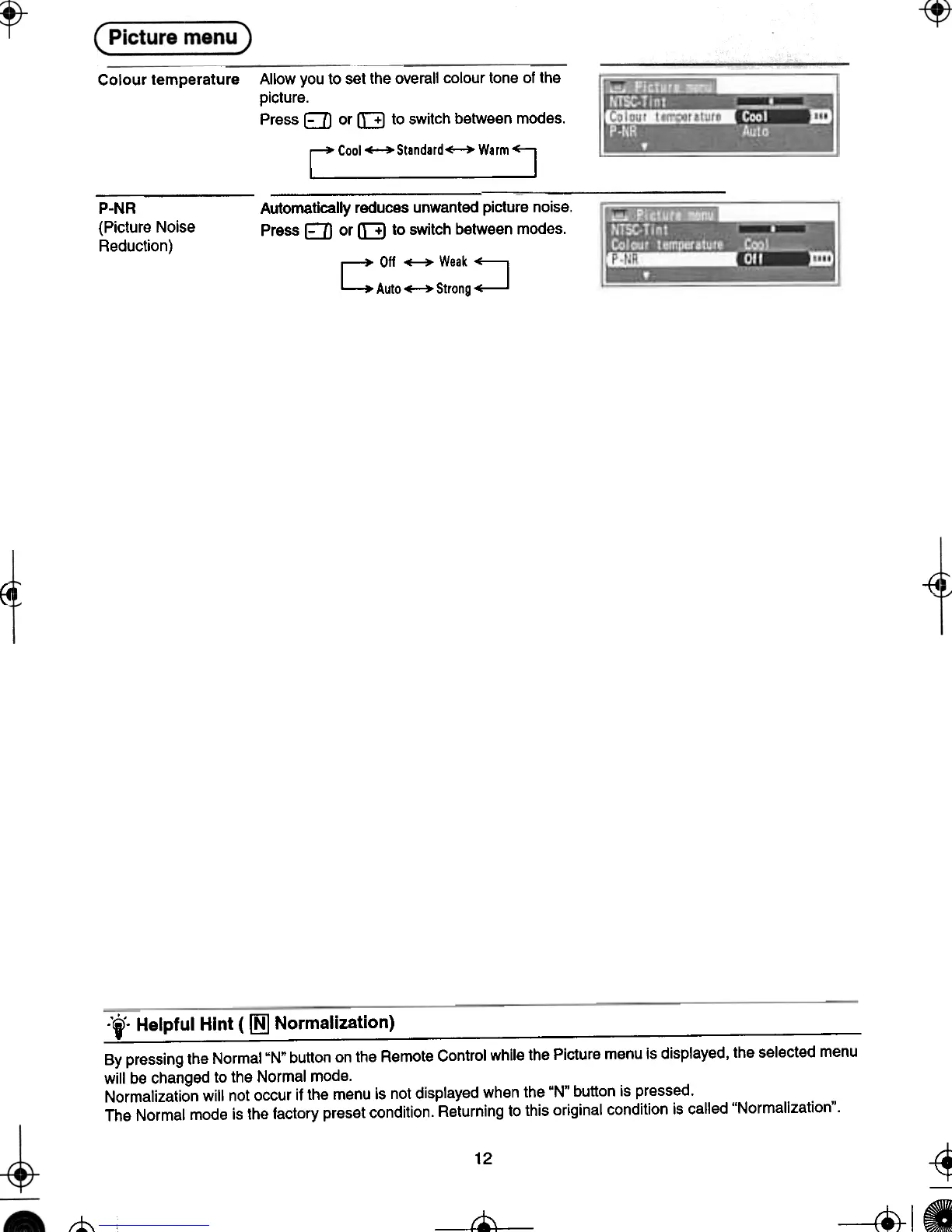
P-NR
(Picture Noise
Reduction)
{4
~
~ --
-'to Helpful Hint ( ~ Normalization)
.--
By pressing the Normal"N" button on the Remote Control while the Picture menu is displayed. the selected menu
will be changed to the Normal mode,
Normalization will not occur if the menu is not displayed when the "N" button is pressed,
The Normal mode is the factory preset condition, Returning to this original condition is called "Normalization",
+-
8
12
-tl
-t-
t-"-
--
Colour temperature Allow you to set the overall colour tone of the
picture.
Press E:JJ or [::B to switch between modes.
rCOOI~Standard~Warml
Automatically reduces unwanted picture noise.
Press E:JJ or [::B to switch between modes.
C Oif ~Weak~
Auto~Strong~






 To Next Page