
 Need help?
Do you have a question about the Panasonic TX-32EST606 and is the answer not in the manual?
Details on digital broadcasting standards supported by the TV.
Warnings and precautions related to the power plug and cable.
General safety advice to avoid hazards like electric shock, moisture, and damage.
Precautions regarding the use and safety of the TV pedestal.
Warnings about potential interference with medical equipment and automatic devices.
Cautions regarding the use of the wireless LAN feature.
Importance of adequate space around the TV for heat dissipation.
Safety instructions for moving the television.
Advice on disconnecting the TV when not in use.
Warning about potential hearing damage from high volume.
Precautions for handling and replacing remote control batteries.
Lists the included accessories like remote control, pedestal, and batteries.
Step-by-step guide for attaching or detaching the TV stand.
Identifies and labels the various input/output terminals on the TV.
Instructions on how to safely detach the TV stand.
Demonstrates common connections like mains lead and aerial.
Guide for connecting a satellite dish for DVB-S reception.
Explains connecting to DVB-via-IP servers for streaming.
Setup for wireless network connections for DLNA and internet.
Instructions for connecting a set-top box using HDMI.
Requirements and preparation for network setup for internet services.
Connecting external AV equipment like DVD or Blu-ray players.
Details on connecting other audio/video devices and accessories.
How to connect the TV to an amplifier for better sound.
Information on connecting and using headphones.
Guide to installing and using the Common Interface module for digital channels.
Instructions for connecting a USB HDD for recording TV programs.
How to use VIERA Link for device control and connectivity.
Identifies buttons and functions of the remote control.
Explains the TV's built-in control panel and status indicators.
Step-by-step guide for replacing remote control batteries.
Details on the TV's control panel functions and input selection.
Guides the user through selecting broadcast modes and initiating the setup process.
Explains how to choose the preferred initial screen display.
Instructions on how to power on the TV using the mains switch or remote control.
Steps to select a TV viewer, mode, and channel.
How to access and use applications available on the TV.
How to access the built-in electronic operating instructions.
Navigating the eHELP menu to find information by keyword or purpose.
Choosing specific topics or sections within the eHELP guide.
How to open and navigate the TV's main menu system.
Choosing main menu categories like Picture, Sound, etc.
Selecting specific settings or options within a menu.
Using sliders to adjust settings like sharpness.
How to input text or names for certain settings.
Adjusting picture settings like viewing mode and specific parameters.
Adjusting sound settings like sound mode and equalizer.
Steps for retuning channels for Satellite (DVB-S) reception.
Steps for retuning channels for Cable (DVB-C), Terrestrial (DVB-T), and Analogue.
Instructions for tuning and editing channels for DVB-via-IP reception.
How to edit the list of all DVB channels, including adding/deleting.
Guide to creating and managing personalized lists of favorite DVB channels.
Steps to add channels from the found list to the main DVB channel list.
Guide to adding channels to the personalized favorites lists.
Accessing the setup menu to manage child lock settings.
Choosing the child lock option within the setup menu.
Managing which channels or inputs are locked.
How to access the menu to select external input sources.
Choosing the correct input source for connected devices.
Using the TV remote to control external devices.
Steps to change the remote control code for different devices.
How to access the teletext service.
Navigating through teletext pages using the remote.
Using picture-in-picture for teletext.
Adjusting the contrast while viewing teletext.
Exiting teletext mode and returning to TV viewing.
Choosing the broadcast type to view the TV Guide.
Accessing the Electronic Programme Guide.
Selecting and viewing a program directly from the TV Guide.
Setting timers for recording or viewing programs.
Connecting and preparing the USB HDD for recording.
Formatting and setting up the USB HDD for exclusive use.
Steps to initiate recording setup and one-touch recording.
Controls for pausing, searching, and playing live TV recordings.
How to stop the live recording feature.
Selecting the broadcast type for timer programming.
Setting program details like channel, date, and time for recording.
Information on timer programming based on TV Guide data.
How to modify or delete existing timer programming events.
Instructions for safely inserting and removing USB flash drives.
Accessing the media player application from the main menu.
Choosing the storage device (USB or network) for media playback.
Browsing and selecting media files (photos, videos, music) for playback.
Explains wired and wireless network connection types.
Steps to configure the TV's network settings.
How to play media content from a DLNA server.
Using a DMC to control media playback from the TV.
How to share TV content with other network devices.
Troubleshooting steps for when the TV fails to power on.
Explains the auto standby function and related issues.
Troubleshooting tips for remote control problems.
Steps to resolve issues with no picture on the screen.
Troubleshooting steps for image display problems.
Information about normal operating temperatures.
Explains normal panel flex and noise.
Instructions for cleaning and caring for the TV's exterior.
Guidance on cleaning the power plug.
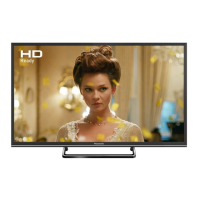
Basic TV model and dimension specifications.
Environmental requirements for TV operation (temperature, humidity).
Technical details on wireless LAN standards and frequency bands.
Safety warnings and precautions for installing wall-mounting brackets.










 To Next Page
 General