EasyManua.ls Logo

Panasonic TX-40HX800B - User Manual

Panasonic TX-40HX800B
28 pages
Print Icon
To Next Page IconTo Next Page
Loading...
TQB0E2929U
Thank you for purchasing this Panasonic product.
Please read these instructions carefully before operating this product and retain them
for future reference.
Please carefully read the “Safety Precautions” of this manual before use.
The images shown in this manual are for illustrative purposes only.
F0320-0 English
Model No.
TX-40HX800B TX-40HX820B
TX-50HX800B TX-50HX820B
TX-58HX800B TX-58HX820B
TX-65HX800B TX-65HX820B
TX-40HX800BZ
TX-50HX800BZ
TX-58HX800BZ
TX-65HX800BZ
Operating Instructions
LED TV
For more detailed instructions, please refer to [eHELP]
(Built-in Operating Instructions).
How to use [eHELP] (p. 20)
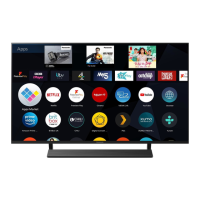
(image: TX-50HX820B)
English
TQB0E2929U.indd 1 03/02/2020 3:26:41 PM
Question and Answer IconNeed help?

Do you have a question about the Panasonic TX-40HX800B and is the answer not in the manual?

Summary

Operating Instructions

LED TV

Basic identification of the product.

Be Sure to Read

Important Notice

Critical disclaimers and user responsibilities.

Safety Precautions

Essential warnings for safe operation.

Accessories Guide

List of included items.

TV Installation Guide

Steps for setting up the physical unit.

Wall-Hanging Bracket Installation

Specific instructions for wall mounting.

Connections Overview

How to connect external devices.

Identifying Controls

Explanation of buttons and interfaces.

First-Time Automatic Setup

Initial configuration process.

Watching TV Basics

How to operate the TV for viewing.

Using the eHELP Feature

Accessing built-in instructions.

Frequently Asked Questions (FAQs)

Common problem-solving.

Maintenance and Cleaning

How to care for the TV.

Technical Specifications

Product details and capabilities.

Important Notice

DVB;Data;IPTV Functions Notice

Information on broadcast and internet service compatibility.

Customer Information Handling

Data collection and privacy policy explanation.

Safety Precautions

Mains Plug and Lead Safety

Warnings regarding power cord and plug.

General Electrical and Physical Safety

Precautions for safe use and handling.

Safety Precautions

Stability, Fire, and Suffocation Hazards

Risks of TV tipping, fire, and packaging.

Pedestal and Radio Wave Safety

Warnings related to the stand and radio frequencies.

Safety Precautions

Wireless, Ventilation, and Movement Safety

Precautions for built-in wireless, ventilation, and moving.

Long-Term Storage and Volume Warnings

Guidance for unused periods and audio levels.

Battery Safety for Remote Control

Warnings about battery handling.

Declaration of Conformity (DoC)

Accessories

Standard Accessories List

Details of items included with the TV.

Installing the TV

Assembling;Removing the Pedestal

Step-by-step guide for the TV stand.

Installing the TV

Pedestal Assembly Procedure

Detailed steps for assembling the TV stand.

Installing the Wall-Hanging Bracket

Bracket Installation Points & Screw Depth

Locating mounting holes and screw requirements.

Removing Pedestal for Wall Mounting

Steps to detach the stand for wall installation.

Connections

External Equipment & Cable Notes

General advice on connecting peripherals.

Connections

Terminals Overview

Identification of all TV input/output ports.

Basic Connection Types

How to connect mains, aerial, and AV devices.

Connections

Network and Internet Setup

Configuring wired and wireless network connections.

4 K;HDR Equipment Connection

Connecting advanced display devices.

Other Connections

Audio;Video Equipment Connections

Connecting players and camcorders.

Amplifier and Headphone Connections

Connecting audio systems and headphones.

Other Connections

Subwoofer, CI, USB, VIERA Link

Connecting specific accessories and features.

Cable Arrangement

Securing Cables

How to manage and tidy cables.

Identifying Controls

Remote Control Layout

Detailed explanation of remote buttons.

Identifying Controls

Indicator and Control Panel

Description of TV's physical buttons and indicators.

First-Time Auto Setup

Watching TV

How to Use eHELP

FAQs

Troubleshooting Power & Remote Issues

Solutions for startup and remote control problems.

Image Display & External Device Issues

Resolving picture problems and connectivity faults.

Operational Anomalies & Freeview Retuning

Addressing general issues and broadcast retuning.

Maintenance

Display Panel & Cabinet Care

Cleaning instructions for the TV exterior.

Mains Plug Cleaning

How to clean the power plug.

Specifications

Model Numbers & Dimensions

Physical characteristics and model variants.

Mass & Power Source

Weight and electrical requirements.

Panel & Sound Output

Display technology and audio specifications.

Connection Terminals Summary

List of all input/output ports.

Receiving Systems; Band Name

Digital & Analogue TV Services

Supported broadcast systems.

Aerial Input Types

Antenna connection information.

Operating Conditions

Environmental limits for operation.

Bluetooth Wireless Technology

Built-in Wireless LAN

Disposal of Old Equipment and Batteries

Sales and Support Information

Customer Communications Centre

Contact for support.

Direct Sales & Online Ordering

Information on purchasing parts.

Customers Record

Summary

Operating Instructions

LED TV

Basic identification of the product.

Be Sure to Read

Important Notice

Critical disclaimers and user responsibilities.

Safety Precautions

Essential warnings for safe operation.

Accessories Guide

List of included items.

TV Installation Guide

Steps for setting up the physical unit.

Wall-Hanging Bracket Installation

Specific instructions for wall mounting.

Connections Overview

How to connect external devices.

Identifying Controls

Explanation of buttons and interfaces.

First-Time Automatic Setup

Initial configuration process.

Watching TV Basics

How to operate the TV for viewing.

Using the eHELP Feature

Accessing built-in instructions.

Frequently Asked Questions (FAQs)

Common problem-solving.

Maintenance and Cleaning

How to care for the TV.

Technical Specifications

Product details and capabilities.

Important Notice

DVB;Data;IPTV Functions Notice

Information on broadcast and internet service compatibility.

Customer Information Handling

Data collection and privacy policy explanation.

Safety Precautions

Mains Plug and Lead Safety

Warnings regarding power cord and plug.

General Electrical and Physical Safety

Precautions for safe use and handling.

Safety Precautions

Stability, Fire, and Suffocation Hazards

Risks of TV tipping, fire, and packaging.

Pedestal and Radio Wave Safety

Warnings related to the stand and radio frequencies.

Safety Precautions

Wireless, Ventilation, and Movement Safety

Precautions for built-in wireless, ventilation, and moving.

Long-Term Storage and Volume Warnings

Guidance for unused periods and audio levels.

Battery Safety for Remote Control

Warnings about battery handling.

Declaration of Conformity (DoC)

Accessories

Standard Accessories List

Details of items included with the TV.

Installing the TV

Assembling;Removing the Pedestal

Step-by-step guide for the TV stand.

Installing the TV

Pedestal Assembly Procedure

Detailed steps for assembling the TV stand.

Installing the Wall-Hanging Bracket

Bracket Installation Points & Screw Depth

Locating mounting holes and screw requirements.

Removing Pedestal for Wall Mounting

Steps to detach the stand for wall installation.

Connections

External Equipment & Cable Notes

General advice on connecting peripherals.

Connections

Terminals Overview

Identification of all TV input/output ports.

Basic Connection Types

How to connect mains, aerial, and AV devices.

Connections

Network and Internet Setup

Configuring wired and wireless network connections.

4 K;HDR Equipment Connection

Connecting advanced display devices.

Other Connections

Audio;Video Equipment Connections

Connecting players and camcorders.

Amplifier and Headphone Connections

Connecting audio systems and headphones.

Other Connections

Subwoofer, CI, USB, VIERA Link

Connecting specific accessories and features.

Cable Arrangement

Securing Cables

How to manage and tidy cables.

Identifying Controls

Remote Control Layout

Detailed explanation of remote buttons.

Identifying Controls

Indicator and Control Panel

Description of TV's physical buttons and indicators.

First-Time Auto Setup

Watching TV

How to Use eHELP

FAQs

Troubleshooting Power & Remote Issues

Solutions for startup and remote control problems.

Image Display & External Device Issues

Resolving picture problems and connectivity faults.

Operational Anomalies & Freeview Retuning

Addressing general issues and broadcast retuning.

Maintenance

Display Panel & Cabinet Care

Cleaning instructions for the TV exterior.

Mains Plug Cleaning

How to clean the power plug.

Specifications

Model Numbers & Dimensions

Physical characteristics and model variants.

Mass & Power Source

Weight and electrical requirements.

Panel & Sound Output

Display technology and audio specifications.

Connection Terminals Summary

List of all input/output ports.

Receiving Systems; Band Name

Digital & Analogue TV Services

Supported broadcast systems.

Aerial Input Types

Antenna connection information.

Operating Conditions

Environmental limits for operation.

Bluetooth Wireless Technology

Built-in Wireless LAN

Disposal of Old Equipment and Batteries

Sales and Support Information

Customer Communications Centre

Contact for support.

Direct Sales & Online Ordering

Information on purchasing parts.

Customers Record

Panasonic TX-40HX800B Specifications

General IconGeneral
Screen Size40 inches
Display TechnologyLED
Smart TVYes
HDMI Ports3
USB Ports2
Built-in Wi-FiYes
BluetoothYes
Audio Output20W (2 x 10W)
Resolution3840 x 2160 pixels
HDR SupportYes
Operating Systemmy Home Screen
Refresh Rate60 Hz

Related product manuals