EasyManua.ls Logo

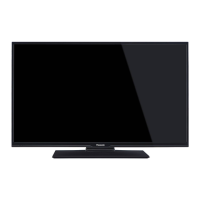
Panasonic TX-50A300E - User Manual

Panasonic TX-50A300E
18 pages
Print Icon
To Next Page IconTo Next Page
Loading...
PanasoniC
 
TX-50A300E
 
Question and Answer IconNeed help?

Do you have a question about the Panasonic TX-50A300E and is the answer not in the manual?

Summary

Safety Information

Electrical Safety Precautions

Avoid electric shock by not removing covers and seeking qualified service for repairs.

Operating Environment and Precautions

Operate TV in moderate climates, avoid liquids, direct sunlight, and heat sources.

Maintenance

Getting Started

Connect Power

Power Connection Guide

Important instructions for connecting the TV to the mains socket outlet after unpacking.

Technical Specifications

Broadcasting and Reception Specs

Details TV broadcasting standards, receiving channels, and digital reception capabilities.

Audio and Power Specifications

Covers audio output, headphone jack, power consumption, and operational voltage.

Remote Control Overview

TV Connections and Ports

Common Connector Types

Explains various input/output connectors like SCART, VGA, HDMI, SPDIF, YPbPr, USB, and CI.

First Time Installation

Initial Setup Process

Guides through language, country, PIN, and mode selection for initial TV setup.

Channel Installation Methods

Covers setting up aerial (digital terrestrial) and cable TV channels.

TV Menu Features and Functions

Picture Menu Settings

Adjusting picture mode, contrast, brightness, sharpness, color, and advanced settings.

Sound Menu Settings

Configuring volume, equalizer, balance, headphone, sound modes, and digital out.

Advanced TV Settings

Install and Retune Menu

Settings for automatic/manual channel scanning, fine tuning, and clearing service lists.

General TV Operation

Channel List and Parental Controls

Managing channels, setting parental locks, and configuring PIN for safe viewing.

Troubleshooting Common Issues

Solutions for TV not turning on, poor picture quality, and other operational problems.

Troubleshooting Common Issues

Picture and Sound Problems

Addresses issues like no picture, poor picture quality, no sound, and sound from one speaker.

Supported USB File Formats

Summary

Safety Information

Electrical Safety Precautions

Avoid electric shock by not removing covers and seeking qualified service for repairs.

Operating Environment and Precautions

Operate TV in moderate climates, avoid liquids, direct sunlight, and heat sources.

Maintenance

Getting Started

Connect Power

Power Connection Guide

Important instructions for connecting the TV to the mains socket outlet after unpacking.

Technical Specifications

Broadcasting and Reception Specs

Details TV broadcasting standards, receiving channels, and digital reception capabilities.

Audio and Power Specifications

Covers audio output, headphone jack, power consumption, and operational voltage.

Remote Control Overview

TV Connections and Ports

Common Connector Types

Explains various input/output connectors like SCART, VGA, HDMI, SPDIF, YPbPr, USB, and CI.

First Time Installation

Initial Setup Process

Guides through language, country, PIN, and mode selection for initial TV setup.

Channel Installation Methods

Covers setting up aerial (digital terrestrial) and cable TV channels.

TV Menu Features and Functions

Picture Menu Settings

Adjusting picture mode, contrast, brightness, sharpness, color, and advanced settings.

Sound Menu Settings

Configuring volume, equalizer, balance, headphone, sound modes, and digital out.

Advanced TV Settings

Install and Retune Menu

Settings for automatic/manual channel scanning, fine tuning, and clearing service lists.

General TV Operation

Channel List and Parental Controls

Managing channels, setting parental locks, and configuring PIN for safe viewing.

Troubleshooting Common Issues

Solutions for TV not turning on, poor picture quality, and other operational problems.

Troubleshooting Common Issues

Picture and Sound Problems

Addresses issues like no picture, poor picture quality, no sound, and sound from one speaker.

Supported USB File Formats

Panasonic TX-50A300E Specifications

General IconGeneral
Screen Size50 inches
Backlight TechnologyLED
ResolutionFull HD
Display TechnologyLED
Smart TVNo
HDRNo
Refresh Rate50 Hz
HDMI Ports2
USB Ports1
Wi-FiNo
BluetoothNo
Display Resolution1920 x 1080

Related product manuals