TV Guide
Freeview EPG (UK)
Using the Freeview EPG enables you to select a programme easily, view
programme information, etc.
●
For DVB (UK only)
1. Select DVB with TV.
2. Display TV Guide with GUIDE.
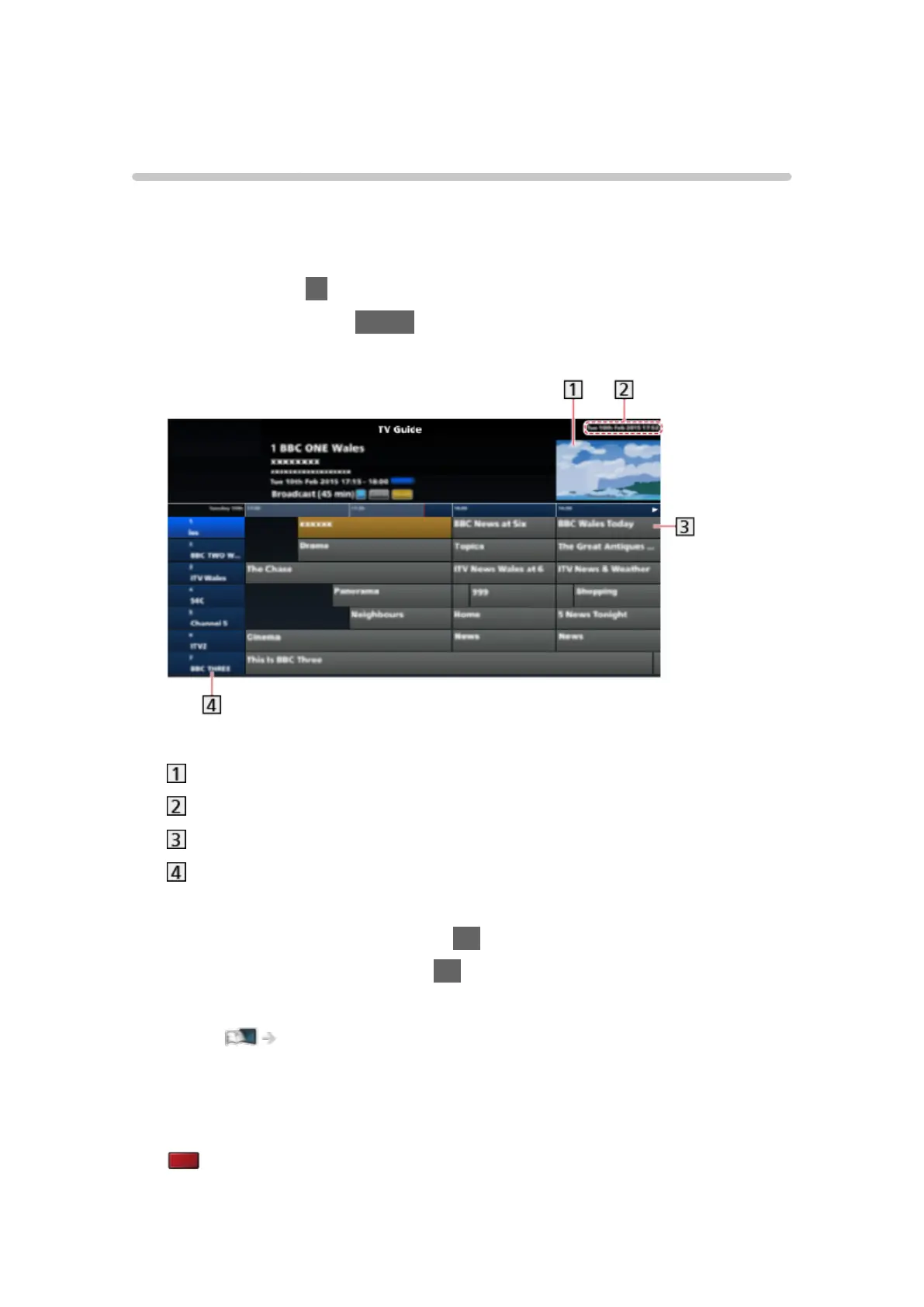
(Example)
TV screen
Date and time
Programme
Channel position and name
●
To watch the programme
1) Select a programme and press OK to access.
2) Select Watch now and press OK to watch.
– To use Timer Programming, select Record.
Watching > TV Guide > Timer Programming
– If a programme exists in both HD and SD broadcasts, Watch in HD
can be selected.
●
To display the schedule information
(red)
- 98 -






 To Next Page