- 66 -
(Example)
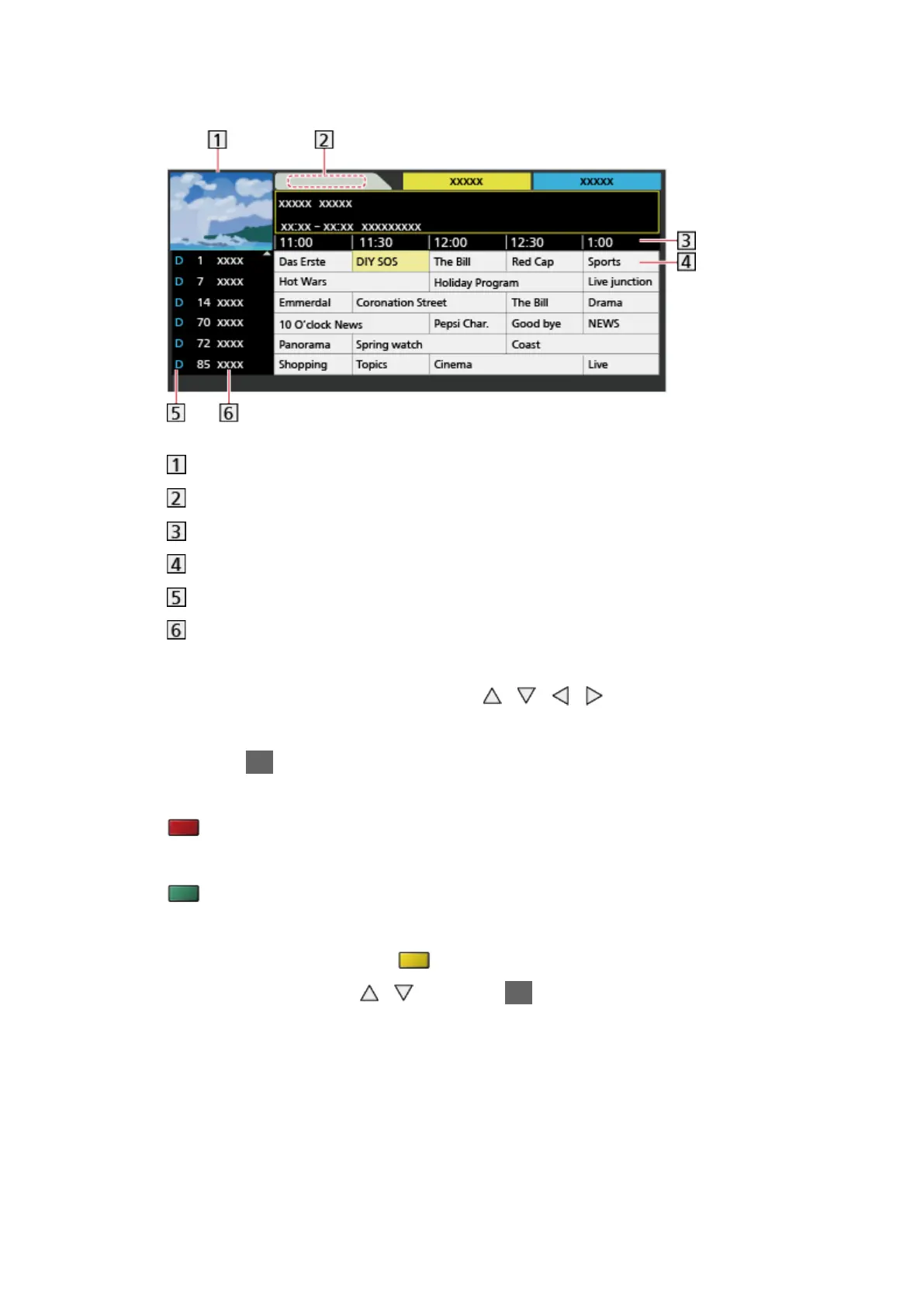
TV screen
Date
Time
Programme
D (DVB-T) / A (Analogue)
Channel position and name
●
To watch the programme
1) Select the current programme with
/ / / .
– The current programme is displayed on the top left of the screen.
2) Press OK to watch.
●
To the previous day (DVB)
(red)
●
To the next day (DVB)
(green)
●
To view a channel list of the selected type
1) Display the type list with
(yellow).
2) Select the type with
/ and press OK to view.



 To Next Page