English
12
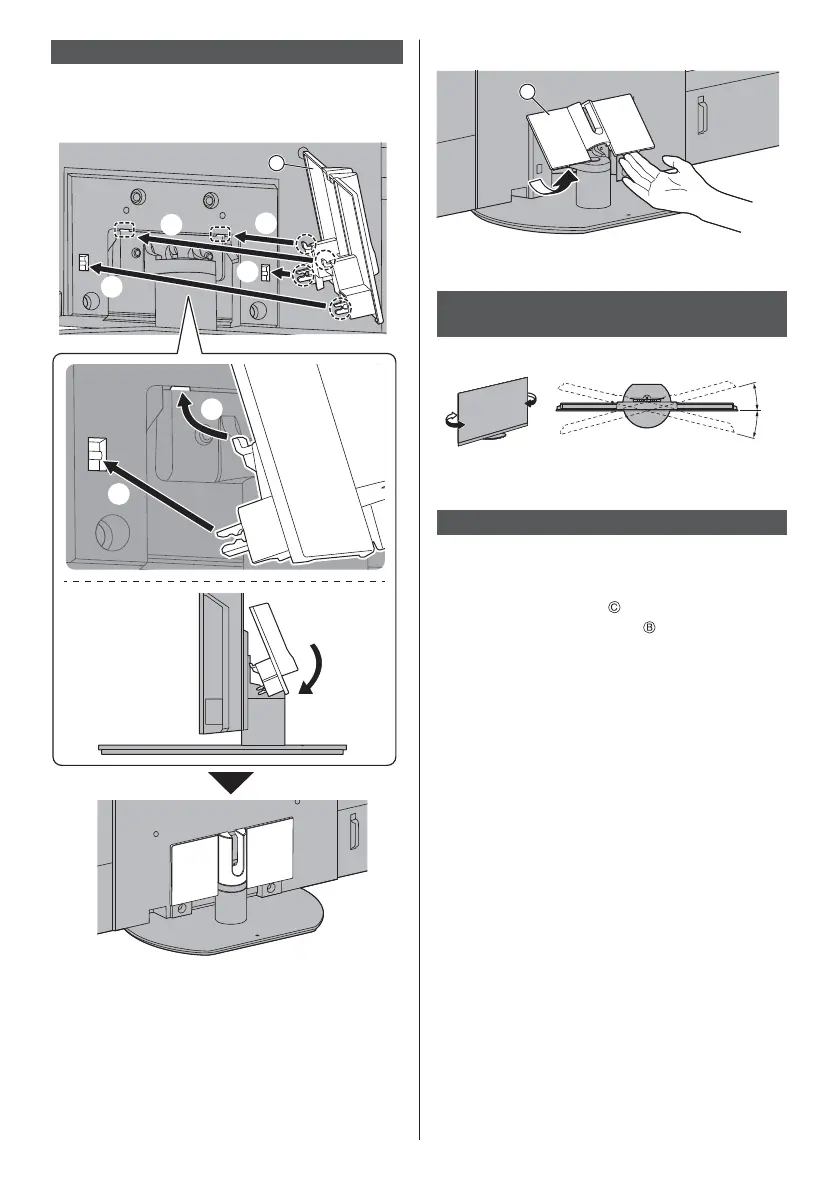
Attaching the cable cover
Be careful not to nip the cables between the TV and
the cable cover.
Do not apply load to the cable cover.
C
To remove from the TV:
C
Adjusting the panel to your desired
angle
Do not place any objects within the full rotation range.
15°
15°
(View from the top)
Removing the pedestal
Be sure to remove the pedestal in the following
procedures when you use the wall-hanging bracket or
repack the TV.
1
Remove the cable cover
.
2
Remove the assembly screws
from the pedestal.
3 Pull out the pedestal from the TV.



 To Next Page