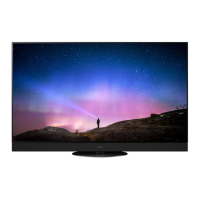
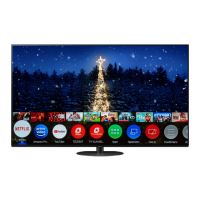
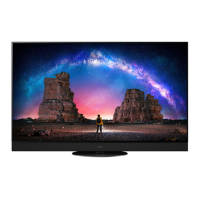
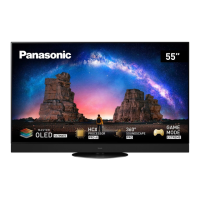
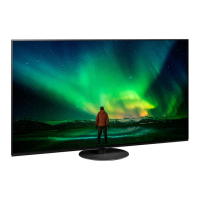
This document describes the Panasonic OLED TV, models TX-55LZ1500B and TX-65LZ1500B, providing operating instructions, usage features, and maintenance guidelines.
Function Description
The Panasonic OLED TV is a smart television designed for home entertainment, offering a range of features including digital and analogue broadcast viewing, internet services, and connectivity with various external devices. It supports high-definition multimedia, including 4K and HDR content, and incorporates advanced audio technologies like Dolby Atmos. The TV is equipped with built-in wireless LAN and Bluetooth® wireless technology for network connectivity and communication with compatible devices, including the supplied remote control. Voice control functionality allows users to operate the TV through spoken commands, facilitating tasks such as changing channels, adjusting volume, and performing internet searches. The TV also supports VRR (Variable Refresh Rate) and AMD FreeSync™ Premium for smoother gaming experiences.
Usage Features
- Initial Setup: Upon first power-on, the TV guides users through an Auto Setup process to search for available TV channels and configure network connections. Users can select their viewing environment (Home or Shop) and region.
- Remote Control: The supplied remote control operates the TV, offering standard functions like power on/off, channel selection, volume adjustment, and access to menus and smart features. It utilizes both infrared and Bluetooth® wireless technology. For voice control, the remote must be registered (paired) with the TV. The remote control mode can be adjusted to avoid interference with other Panasonic TVs in close proximity.
- Voice Control: The TV recognizes speech through a microphone on the remote control, enabling users to perform various operations and searches. Users can select a preferred voice service if multiple options are available.
- Connectivity:
- HDMI: Multiple HDMI inputs (HDMI 1-4) support 4K content, with HDMI 1 and 2 specifically supporting 4K120Hz, VRR, AMD FreeSync™ Premium, and Deep Colour. HDMI 2 also supports eARC/ARC for enhanced audio return. The [HDMI Auto Setting] in the setup menu allows users to optimize image quality for connected 4K compatible equipment.
- USB: USB ports (USB 1, 2, 3) are available for connecting USB HDDs for recording and other USB devices. USB 1 supports SuperSpeed USB (USB 3.0), while USB 2/3 support Hi-Speed USB (USB 2.0).
- Network: Built-in wireless LAN (2.4 GHz and 5 GHz bands) and an Ethernet terminal (RJ45) provide internet connectivity for accessing online services, including Netflix, Prime Video, YouTube, Rakuten TV, Disney+, and Freeview Play.
- AV Input: An AV IN terminal (video and audio L-R) allows connection of older video equipment like DVD players, camcorders, or game consoles.
- Audio Output: A Digital Audio output (PCM / Dolby Audio, Fibre optic) allows connection to external audio systems. A 3.5 mm stereo mini jack serves as a headphone/subwoofer output, configurable in the Sound menu.
- CI Slot: A Common Interface slot allows insertion of CI modules for viewing encrypted channels.
- Satellite/Aerial: Terminals for satellite dish input and terrestrial aerial input enable reception of DVB-S/S2 and DVB-T/T2 broadcasts, respectively.
- eHELP: A built-in operating instructions guide provides detailed explanations of all TV features and functions, accessible directly from the TV menu.
- Panel Maintenance: The TV automatically performs panel maintenance when turned off via the remote control. This process, indicated by an orange LED, helps prevent image retention and ensures optimal picture quality.
- Image Retention Prevention: The TV incorporates features to prevent image retention on the OLED screen, such as activating a screen saver or moving on-screen messages during periods of inactivity. Users are advised to set [Logo Luminance Control] to [Max] and use [4:3 Full] aspect ratio for 4:3 images to further mitigate this.
Maintenance Features
- Display Panel, Cabinet, Pedestal: Regular care involves gently wiping surfaces with a soft cloth to remove dirt and fingerprints. For stubborn dirt, a soft cloth dampened with clean water or diluted neutral detergent (1 part detergent to 100 parts water) can be used, ensuring no liquid enters the TV. After cleaning, all moisture should be wiped away. Harsh cloths, abrasive rubbing, insect repellents, solvents, thinners, or other volatile substances should be avoided as they can damage the surface or paint. The display panel is specially treated and should not be tapped or scratched with fingernails or hard objects. Prolonged contact with rubber or PVC substances should be avoided.
- Mains Plug: The mains plug should be wiped with a dry cloth at regular intervals to prevent moisture and dust accumulation, which could lead to fire or electrical shock.
- Fuse Replacement: The mains plug contains a 10 amp fuse. If it needs replacement, ensure the new fuse has a 10 amp rating and is approved by ASTA or BSI to BS1362. For plugs with a removable fuse cover, ensure it is refitted securely.
- Battery Replacement: The remote control uses R03/LR03, AAA batteries. When replacing, ensure correct polarity (+ or -). Do not mix old and new batteries or different battery types. Rechargeable batteries (Ni-Cd, etc.) should not be used. Batteries should not be burned or broken up, or exposed to excessive heat. Remove batteries if the unit will not be used for a prolonged period to prevent leakage and corrosion.
- Ventilation: Sufficient space (at least 10 cm) around the TV should be maintained to prevent excessive heat. Ventilation openings should not be covered by items like newspapers, tablecloths, or curtains.
- Stability: The TV should always be placed on stable surfaces or mounted using manufacturer-recommended methods. Children should be educated about the dangers of climbing on furniture. Cords and cables should be routed to prevent tripping.
- Disposal: Old equipment and batteries should be disposed of at applicable collection points in accordance with national legislation, not with general household waste.

 Need help?
 General

 To Next Page