12
English
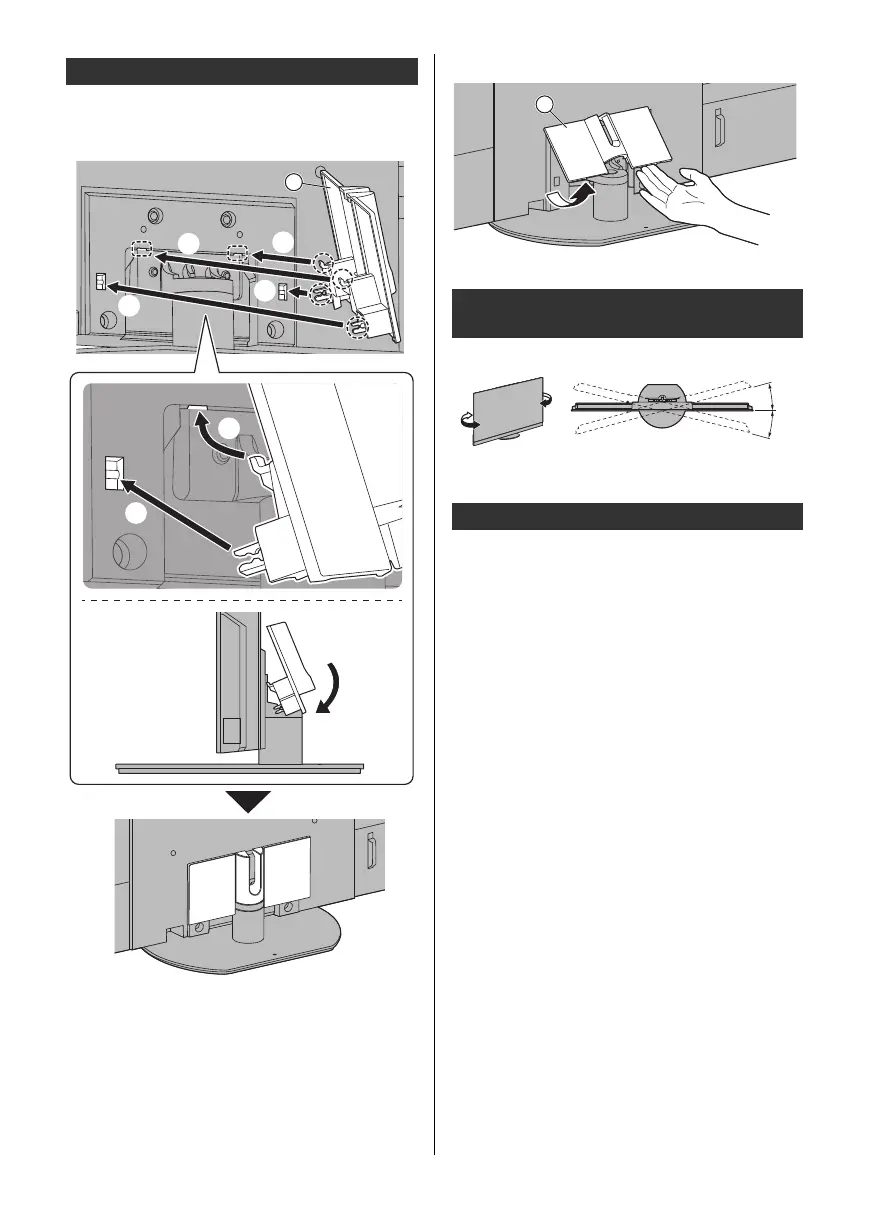
≥ Be careful not to nip the cables between the TV and
the cable cover.
≥ Do not apply load to the cable cover.
≥ To remove from the TV:
≥ Do not place any objects within the full rotation range.
Be sure to remove the pedestal in the following
procedures when you use the wall-hanging bracket or
repack the TV.
1 Remove the cable cover C.
2 Remove the assembly screws B from the pedestal.
3 Pull out the pedestal from the TV.
Attaching the cable cover
Adjusting the panel to your desired
angle
Removing the pedestal
C
TX-55_65LZ2000B_TQB4GA0136_eng.book 12 ページ 2022年1月20日 木曜日 午後1時44分



 To Next Page