EasyManua.ls Logo

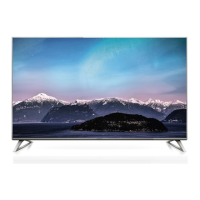
Panasonic TX-58DX750F - User Manual

Panasonic TX-58DX750F
112 pages
Print Icon
To Next Page IconTo Next Page
Loading...
Operating Instructions
LED TV
Thank you for purchasing this Panasonic product.
Please read these instructions carefully before operating this product and retain them
for future reference.
Please carefully read the “Safety Precautions” of this manual before use.
The images shown in this manual are for illustrative purposes only.
Please refer to Pan European Guarantee Card if you need to contact your local
Panasonic dealer for assistance.
English
Deutsch
Nederlands
Français
For more detailed instructions, please refer to
[eHELP] (Built-in Operating Instructions).

How to use [eHELP]
(p. 21)
Model No.
TX-50DX750F
TX-58DX750F
English

Table of Contents

Other manuals for Panasonic TX-58DX750F

Question and Answer IconNeed help?

Do you have a question about the Panasonic TX-58DX750F and is the answer not in the manual?

Summary

Safety Precautions

Mains plug and lead

Warnings and precautions for the power cord and plug.

Take care

General care and warnings for safe operation and placement.

Suffocation; Choking Hazard

Hazards related to packaging and small parts.

Moving the TV

Instructions for safely moving the television.

Accessories

Pedestal

The stand included for TV placement.

Assembling; Removing the pedestal

Assembling the pedestal

Instructions on how to assemble the TV stand.

Connections

Basic connections

Overview of essential TV connections.

Mains lead

How to connect the power cord.

Aerial

Connecting the TV antenna.

Wired connection

Connecting the TV via a LAN cable.

Wireless connection

Connecting the TV wirelessly.

Connections for 4 K compatible equipment

Connecting devices for 4K resolution.

USB HDD (for recording)

Connecting a USB HDD for recording TV programs.

Identifying Controls

Remote Control

Detailed explanation of the remote control buttons and functions.

First time Auto Setup

Watching TV

How to Use eHELP

Viewing 3 D images

FAQS

The TV does not switch on

Troubleshooting steps for a TV that won't turn on.

The remote control does not work or is intermittent

Troubleshooting steps for remote control issues.

No image is displayed

Solutions for when the TV screen shows no image.

An unusual image is displayed

Diagnosing and fixing unusual picture display issues.

Maintenance

When using the wall-hanging bracket

Holes for wall-hanging bracket installation

Location and requirements for wall-hanging bracket holes.

Depth of screw

Screw depth specifications for wall-hanging brackets.

Summary

Safety Precautions

Mains plug and lead

Warnings and precautions for the power cord and plug.

Take care

General care and warnings for safe operation and placement.

Suffocation; Choking Hazard

Hazards related to packaging and small parts.

Moving the TV

Instructions for safely moving the television.

Accessories

Pedestal

The stand included for TV placement.

Assembling; Removing the pedestal

Assembling the pedestal

Instructions on how to assemble the TV stand.

Connections

Basic connections

Overview of essential TV connections.

Mains lead

How to connect the power cord.

Aerial

Connecting the TV antenna.

Wired connection

Connecting the TV via a LAN cable.

Wireless connection

Connecting the TV wirelessly.

Connections for 4 K compatible equipment

Connecting devices for 4K resolution.

USB HDD (for recording)

Connecting a USB HDD for recording TV programs.

Identifying Controls

Remote Control

Detailed explanation of the remote control buttons and functions.

First time Auto Setup

Watching TV

How to Use eHELP

Viewing 3 D images

FAQS

The TV does not switch on

Troubleshooting steps for a TV that won't turn on.

The remote control does not work or is intermittent

Troubleshooting steps for remote control issues.

No image is displayed

Solutions for when the TV screen shows no image.

An unusual image is displayed

Diagnosing and fixing unusual picture display issues.

Maintenance

When using the wall-hanging bracket

Holes for wall-hanging bracket installation

Location and requirements for wall-hanging bracket holes.

Depth of screw

Screw depth specifications for wall-hanging brackets.
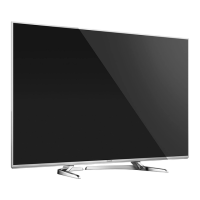
Panasonic TX-58DX750F Specifications

General IconGeneral
BrandPanasonic
ModelTX-58DX750F
CategoryLED TV
LanguageEnglish

Related product manuals