EasyManua.ls Logo

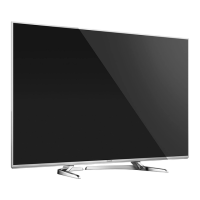
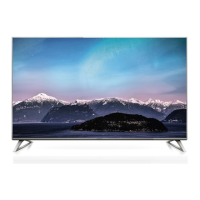
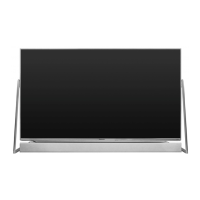
Panasonic TX-58DX750B - User Manual

Panasonic TX-58DX750B
362 pages
Print Icon
To Next Page IconTo Next Page
Loading...
e
HELP
English
TX-58DX902B TX-65DX902B
TX-50DX750B TX-58DX750B TX-65DX750B
TX-40DX700B TX-50DX700B TX-58DX700B

Table of Contents

Question and Answer IconNeed help?

Do you have a question about the Panasonic TX-58DX750B and is the answer not in the manual?

Summary

TV Features and Basic Operation

4 K Resolution Capability

Explains the ability to watch content in 4K format, detailing its resolution benefits.

Home Screen Navigation

Details how to access TV programs, applications, and devices from the Home Screen.

Live TV Usage

Guides on accessing and using the Live TV function for watching broadcast programs.

Selecting TV Channels

Explains methods for selecting TV channels using the remote control or TV guide.

Picture and Audio Settings

Viewing Mode Selection

Selects preferred picture modes like Dynamic, Cinema, or Custom for optimal viewing.

Basic Picture Settings Adjustment

Adjusts levels for Backlight, Contrast, Brightness, Colour, Tint, and Sharpness.

Sound Mode Selection

Selects preferred sound modes like Standard, Music, Ambience, or User for audio output.

Volume Settings Adjustment

Adjusts volume for speakers, headphones, and includes auto gain control.

Advanced Features and Content Management

TV Guide and Program Information

Provides an on-screen listing of broadcast programs and information for easy selection.

Timer Programming for Recording

Allows selecting programs to record to the USB HDD using a timer function.

Channel Tuning and Management

Covers retuning channels, editing lists, and managing favorites for optimal reception.

3 D Viewing Setup

Guides on enjoying 3D images by wearing 3D eyewear and viewing compatible content.

Connectivity and System Setup

Network Connectivity Setup

Details connecting the TV to a network via wireless or wired connections.

DLNA Connection for Media Sharing

Explains setting up a home network for DLNA features to stream media content.

VIERA Link Settings

Configures HDMI Inter-Operability features for controlling connected devices.

Device Maintenance and Care

Provides guidelines for cleaning the display panel, cabinet, pedestal, and mains plug.

Summary

TV Features and Basic Operation

4 K Resolution Capability

Explains the ability to watch content in 4K format, detailing its resolution benefits.

Home Screen Navigation

Details how to access TV programs, applications, and devices from the Home Screen.

Live TV Usage

Guides on accessing and using the Live TV function for watching broadcast programs.

Selecting TV Channels

Explains methods for selecting TV channels using the remote control or TV guide.

Picture and Audio Settings

Viewing Mode Selection

Selects preferred picture modes like Dynamic, Cinema, or Custom for optimal viewing.

Basic Picture Settings Adjustment

Adjusts levels for Backlight, Contrast, Brightness, Colour, Tint, and Sharpness.

Sound Mode Selection

Selects preferred sound modes like Standard, Music, Ambience, or User for audio output.

Volume Settings Adjustment

Adjusts volume for speakers, headphones, and includes auto gain control.

Advanced Features and Content Management

TV Guide and Program Information

Provides an on-screen listing of broadcast programs and information for easy selection.

Timer Programming for Recording

Allows selecting programs to record to the USB HDD using a timer function.

Channel Tuning and Management

Covers retuning channels, editing lists, and managing favorites for optimal reception.

3 D Viewing Setup

Guides on enjoying 3D images by wearing 3D eyewear and viewing compatible content.

Connectivity and System Setup

Network Connectivity Setup

Details connecting the TV to a network via wireless or wired connections.

DLNA Connection for Media Sharing

Explains setting up a home network for DLNA features to stream media content.

VIERA Link Settings

Configures HDMI Inter-Operability features for controlling connected devices.

Device Maintenance and Care

Provides guidelines for cleaning the display panel, cabinet, pedestal, and mains plug.

Panasonic TX-58DX750B Specifications

General IconGeneral
Screen Size58 inches
Display TechnologyLED
HDR SupportYes
Smart TVYes
Operating SystemFirefox OS
HDMI Ports4
USB Ports3
Wi-FiYes
BluetoothYes
3DYes
Audio Output20 W
Resolution3840 x 2160 pixels

Related product manuals