EasyManua.ls Logo

Panasonic TX-50GX800B - User Manual

Panasonic TX-50GX800B
28 pages
Print Icon
To Next Page IconTo Next Page
Loading...
TQB0E2852U
Thank you for purchasing this Panasonic product.
Please read these instructions carefully before operating this product and retain them
for future reference.
Please carefully read the “Safety Precautions” of this manual before use.
The images shown in this manual are for illustrative purposes only.
M0219-0 English
Model No.
TX-40GX800B
TX-50GX800B
TX-58GX800B
TX-65GX800B
Operating Instructions
LED TV
For more detailed instructions, please refer to [eHELP]
(Built-in Operating Instructions).
How to use [eHELP] (p. 20)
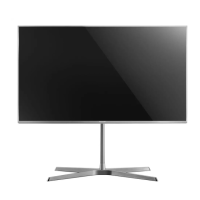
(image: TX-50GX800B)
English
Question and Answer IconNeed help?

Do you have a question about the Panasonic TX-50GX800B and is the answer not in the manual?

Summary

Safety Precautions

Mains Plug and Lead Safety

Guidelines for safe use, replacement, and handling of the TV's mains plug and lead.

How to Replace the Fuse

Step-by-step instructions for replacing the fuse in the mains plug with examples.

General Handling and Safety Warnings

Covers precautions for care, moisture, ventilation, placement, and general safety.

Suffocation and Choking Hazard

Warning about suffocation risk from packaging and small parts, keeping them away from children.

Pedestal Safety

Instructions and warnings regarding the safe installation, use, and handling of the TV pedestal.

Radio Wave Interference

Warnings about potential interference with medical or automatic equipment due to radio waves.

Moving the TV

Moving and Handling Precautions

Instructions and cautions for safely moving the TV, emphasizing disconnection and proper handling.

Installing the TV

Pedestal Assembly

Detailed instructions for assembling the TV pedestal using provided screws and brackets.

Preparations for Installation

Steps to prepare for pedestal assembly, emphasizing caution to avoid scratching or breaking the TV.

TV Lifting and Handling Notes

Important notes on supporting the TV during lifting, avoiding screen pressure, and temporary placement.

Installing the Wall-Hanging Bracket

Bracket Installation Points

Details on the hole patterns for wall-hanging bracket installation on the rear of different TV models.

Screw Depth Specifications

Specifies the required screw depth for fixing the TV to the wall-hanging bracket, varying by model.

Wall Mounting Safety

Critical warnings about risks of injury and damage from improper wall mounting and the need for qualified installers.

Connections

TV Terminal Overview

Diagram and labeling of the TV's various input and output terminals for external connections.

Identifying Controls

First Time Auto Setup

Initial Power On and Connection Check

Instructions for plugging in the TV and turning it on, ensuring connections are made before starting setup.

Country and Network Configuration

Instructions to select the correct country and set up the network connection for initial TV configuration.

Watching TV

FAQS

Summary

Safety Precautions

Mains Plug and Lead Safety

Guidelines for safe use, replacement, and handling of the TV's mains plug and lead.

How to Replace the Fuse

Step-by-step instructions for replacing the fuse in the mains plug with examples.

General Handling and Safety Warnings

Covers precautions for care, moisture, ventilation, placement, and general safety.

Suffocation and Choking Hazard

Warning about suffocation risk from packaging and small parts, keeping them away from children.

Pedestal Safety

Instructions and warnings regarding the safe installation, use, and handling of the TV pedestal.

Radio Wave Interference

Warnings about potential interference with medical or automatic equipment due to radio waves.

Moving the TV

Moving and Handling Precautions

Instructions and cautions for safely moving the TV, emphasizing disconnection and proper handling.

Installing the TV

Pedestal Assembly

Detailed instructions for assembling the TV pedestal using provided screws and brackets.

Preparations for Installation

Steps to prepare for pedestal assembly, emphasizing caution to avoid scratching or breaking the TV.

TV Lifting and Handling Notes

Important notes on supporting the TV during lifting, avoiding screen pressure, and temporary placement.

Installing the Wall-Hanging Bracket

Bracket Installation Points

Details on the hole patterns for wall-hanging bracket installation on the rear of different TV models.

Screw Depth Specifications

Specifies the required screw depth for fixing the TV to the wall-hanging bracket, varying by model.

Wall Mounting Safety

Critical warnings about risks of injury and damage from improper wall mounting and the need for qualified installers.

Connections

TV Terminal Overview

Diagram and labeling of the TV's various input and output terminals for external connections.

Identifying Controls

First Time Auto Setup

Initial Power On and Connection Check

Instructions for plugging in the TV and turning it on, ensuring connections are made before starting setup.

Country and Network Configuration

Instructions to select the correct country and set up the network connection for initial TV configuration.

Watching TV

FAQS

Panasonic TX-50GX800B Specifications

General IconGeneral
Screen Size50 inches
Display TechnologyLED
Smart TVYes
HDMI Ports4
USB Ports2
Audio Output20W (2 x 10W)
Ethernet PortYes
Wi-FiYes
BluetoothYes
Digital Audio Output (Optical)Yes
Built-in SpeakersYes
Resolution3840 x 2160 pixels
HDR SupportHDR10, HLG, Dolby Vision
Operating SystemMy Home Screen

Related product manuals