
 Need help?
Do you have a question about the Panasonic TX-50EX750B and is the answer not in the manual?
Covers essential information and precautions before operating the TV.
Explains how to watch content in 4K format with double horizontal and vertical resolution of the 1080p signal.
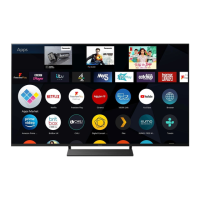
Defines Home Screen as a gateway to TV programmes, applications, and connected devices for easy feature access.
Details how to watch TV and set timer events remotely using network equipment like smartphones.
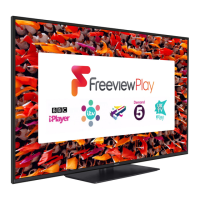
Explains how to use the Freeview Play EPG to select programmes and view information easily.
Details how to access TV programmes, applications, and connected devices from the Home Screen.
Explains how to customize the Home Screen by unpinning, moving, or editing folders.
Guides on how to access TV programmes via the Live TV feature from the Home Screen.
Explains how to access various applications, including internet content, from the Home Screen.
Details on assigning a favorite application to the MY APP button for quick access.
Guides on accessing connected devices like HDMI equipment, USB, and network devices from the Home Screen.
Covers basic connection types for satellite and aerial/external devices.
Explains how to connect 4K compatible equipment using HDMI terminals and 4K cables for viewing.
Details how to set HDMI Auto Setting to Mode1 or Mode2 for optimal image reproduction with 4K equipment.
Guides on selecting and watching content from connected external equipment via various input modes.
Explains HDMI features like input audio/video signals, VIERA Link, Deep Colour, and 4K compatibility.
Allows selection of picture modes like Dynamic, Normal, Cinema, True Cinema, or Custom for optimal viewing.
Covers adjustments for Backlight, Contrast, Colour Temperature, Vivid Colour, and other basic picture settings.
Covers detailed picture adjustments like Contrast Control, HDR Brightness, Colour Gamut, and White Balance.
Allows selection of sound modes like Standard, Music, Ambience, or User for optimal audio quality.
Covers basic audio adjustments including Bass, Treble, Equaliser, Balance, Surround, and Bass Boost.
Allows selection of programmes for recording to USB HDD, including setting, checking, and cancelling timer events.
Guides on switching to teletext, selecting pages, adjusting contrast, and exiting teletext.
Explains FASTEXT and List modes for accessing teletext information and managing page numbers.
Guides on enjoying 3D images by wearing 3D eyewear and lists supported 3D formats.
Allows changing viewing modes for 3D images, including Original, Side by Side, Top and Bottom, and 2D to 3D conversion.
Automatically retunes receivable channels in the area for Freesat, DVB, and Analogue modes.
Helps create favourite channel lists for Freesat, Other Sat./Satellite, and DVB channels for easy switching.
Explains how to format and set up the USB HDD for recording, including caution and confirmation steps.
Allows setting timers to record forthcoming programmes to the USB HDD, including guide link programming.
Allows enjoying photos, videos, and music from USB drives, HDDs, network devices, and recorded TV content.
Allows playback of TV programmes recorded on the USB HDD, with options to view content list and icons.
Lists supported photo formats, including JPEG specifications, sub-sampling, and resolution.
Details supported video formats, including AVI, MP4, MKV, ASF, FLV, 3GPP, PS, TS, and WebM codecs.
Details wireless and wired internet connection methods, including required speeds and cable types.
Guides on quick setup (wireless/wired) and manual configuration of network connections.
Sets the duration for the TV to automatically enter Standby mode.
Automatically turns the TV to Standby mode for energy saving when no operation occurs for 4 hours.
Applies access control for channels or inputs to prevent unwanted access.
Provides access to settings like Keyboard Layout, Shipping Condition, Common Interface, and System Update.
Covers settings for preferred subtitle type, teletext modes, banner display, and playing time display.
Guides on accessing help topics like About Firefox OS, TV Self Test, System Information, and Device Information.
Provides troubleshooting guides for common picture, digital TV, analogue TV, sound, 3D, HDMI, and network issues.
Provides instructions on cleaning the display panel, cabinet, pedestal, and mains plug safely.


 To Next Page
 General