EasyManua.ls Logo

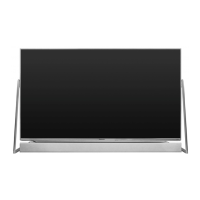
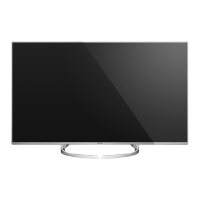
Panasonic TX-50DX750B - User Manual

Panasonic TX-50DX750B
362 pages
Print Icon
To Next Page IconTo Next Page
Loading...
e
HELP
English
TX-58DX902B TX-65DX902B
TX-50DX750B TX-58DX750B TX-65DX750B
TX-40DX700B TX-50DX700B TX-58DX700B

Table of Contents

Question and Answer IconNeed help?

Do you have a question about the Panasonic TX-50DX750B and is the answer not in the manual?

Summary

Features

4 K Resolution

Details about the TV's capability to display content in 4K format.

Dual Tuner

Information on the dual tuner function for watching or recording two programs.

Watching

Selecting channel

Instructions on how to select channels using different methods.

Off Timer

Setting the TV to automatically switch to standby mode after a set period.

Energy saving functions

Features to reduce the TV's power consumption for eco-friendly use.

4 K Resolution

4 K Compatible Equipment

Information on connecting devices compatible with 4K resolution.

External Equipment

HDMI HDR Setting

Settings for High Dynamic Range (HDR) output from connected HDMI devices.

For Best Picture

Viewing Mode

Selecting preferred picture modes for optimal viewing.

Aspect

Changing the image aspect ratio (image size) for optimal display.

For Best Audio

Sound Mode

Selecting preferred sound modes for different types of content.

Basic Settings

Fundamental sound adjustments like bass, treble, and balance.

Volume Settings

Adjusting speaker output, headphone volume, and auto gain control.

Advanced Settings

Detailed sound settings including NICAM, audio preference, and SPDIF selection.

3 D

Viewing 3 D

Guide on enjoying 3D content with 3D eyewear.

3 D Mode Selection

Selecting the correct mode for viewing different 3D image formats.

3 D Settings

Adjusting 3D depth, picture swap, and safety precautions.

Tuning and Editing Channels

Favourites Edit

Creating and managing lists of favourite channels.

Channel List

Skipping unwanted channels or editing the existing channel list.

Auto Setup

Automatically searching for and tuning receivable channels.

Recording

USB HDD Setup

Instructions for setting up a USB HDD for recording TV programs.

Preparations

Steps to prepare the USB HDD for exclusive use with the TV.

Setting for USB HDD

Formatting and configuring the USB HDD for recording functionality.

Recording Current Programme

Features for recording the currently watched program.

Timer Programming

Setting timers to record future television programs.

Media Player

Using Media Player

Guide to enjoying photos, videos, and music via the Media Player.

Recorded TV Mode

Playing back TV programs recorded on the USB HDD.

Recorded TV Mode

Watching Recorded TV

How to play back recorded TV programs.

Network

Cannot Connect to the Network

Troubleshooting steps for network connection issues.

DLNA

In-House streaming and playback of content from DLNA certified media servers.

Network Connections

Setting up wired and wireless connections for network access.

Cannot Operate Internet Content

Troubleshooting problems with accessing internet content.

Network Settings

Configuration options for wireless and wired network connections.

Functions

VIERA Link “HDAVI Control”

Summary of VIERA Link features for HDMI inter-operability.

HDMI

Videos

DIGA Recorder

VIERA Link “HDAVI Control”

Summary of VIERA Link

Overview of VIERA Link features for enhanced HDMI inter-operability.

VIERA Link Control

Controlling connected equipment functions using the TV remote.

System Menu

System Update

Downloading and installing new TV software for enhanced performance.

Software Update

Auto Update

Automatic search and installation of new TV software.

Summary

Features

4 K Resolution

Details about the TV's capability to display content in 4K format.

Dual Tuner

Information on the dual tuner function for watching or recording two programs.

Watching

Selecting channel

Instructions on how to select channels using different methods.

Off Timer

Setting the TV to automatically switch to standby mode after a set period.

Energy saving functions

Features to reduce the TV's power consumption for eco-friendly use.

4 K Resolution

4 K Compatible Equipment

Information on connecting devices compatible with 4K resolution.

External Equipment

HDMI HDR Setting

Settings for High Dynamic Range (HDR) output from connected HDMI devices.

For Best Picture

Viewing Mode

Selecting preferred picture modes for optimal viewing.

Aspect

Changing the image aspect ratio (image size) for optimal display.

For Best Audio

Sound Mode

Selecting preferred sound modes for different types of content.

Basic Settings

Fundamental sound adjustments like bass, treble, and balance.

Volume Settings

Adjusting speaker output, headphone volume, and auto gain control.

Advanced Settings

Detailed sound settings including NICAM, audio preference, and SPDIF selection.

3 D

Viewing 3 D

Guide on enjoying 3D content with 3D eyewear.

3 D Mode Selection

Selecting the correct mode for viewing different 3D image formats.

3 D Settings

Adjusting 3D depth, picture swap, and safety precautions.

Tuning and Editing Channels

Favourites Edit

Creating and managing lists of favourite channels.

Channel List

Skipping unwanted channels or editing the existing channel list.

Auto Setup

Automatically searching for and tuning receivable channels.

Recording

USB HDD Setup

Instructions for setting up a USB HDD for recording TV programs.

Preparations

Steps to prepare the USB HDD for exclusive use with the TV.

Setting for USB HDD

Formatting and configuring the USB HDD for recording functionality.

Recording Current Programme

Features for recording the currently watched program.

Timer Programming

Setting timers to record future television programs.

Media Player

Using Media Player

Guide to enjoying photos, videos, and music via the Media Player.

Recorded TV Mode

Playing back TV programs recorded on the USB HDD.

Recorded TV Mode

Watching Recorded TV

How to play back recorded TV programs.

Network

Cannot Connect to the Network

Troubleshooting steps for network connection issues.

DLNA

In-House streaming and playback of content from DLNA certified media servers.

Network Connections

Setting up wired and wireless connections for network access.

Cannot Operate Internet Content

Troubleshooting problems with accessing internet content.

Network Settings

Configuration options for wireless and wired network connections.

Functions

VIERA Link “HDAVI Control”

Summary of VIERA Link features for HDMI inter-operability.

HDMI

Videos

DIGA Recorder

VIERA Link “HDAVI Control”

Summary of VIERA Link

Overview of VIERA Link features for enhanced HDMI inter-operability.

VIERA Link Control

Controlling connected equipment functions using the TV remote.

System Menu

System Update

Downloading and installing new TV software for enhanced performance.

Software Update

Auto Update

Automatic search and installation of new TV software.

Panasonic TX-50DX750B Specifications

General IconGeneral
Screen Size50 inches
Display TechnologyLED
HDRYes
Smart TVYes
HDMI Ports4
USB Ports3
Audio Output20 W
3DNo
Operating SystemFirefox OS
Refresh Rate1600 Hz
Wi-FiYes
BluetoothYes
Resolution3840 x 2160 pixels

Related product manuals