
 Need help?
Do you have a question about the Panasonic TX-50GX550B and is the answer not in the manual?
Explains symbols used on the product for restrictions, precautions, and safety instructions.
Crucial safety instructions and warnings for safely mounting the TV on a wall.
Instructions for regular cleaning and care of the TV's display, cabinet, and pedestal.
Guidance on cleaning the TV's mains plug and precautions against electrical shock.
Step-by-step instructions for attaching and detaching the TV's pedestal.
Details the dimensions and locations of holes for mounting the TV bracket.
Specifies the minimum and maximum screw depth (mm) required for bracket installation.
Provides tips to reduce energy consumption and set energy saving options.
Highlights the TV's capability for receiving digital TV signals via terrestrial and cable.
Details the TV's HDMI inputs for connecting other devices and its USB input.
Mentions Ethernet (LAN) for internet and built-in WLAN support.
Explains how to use the TV's built-in joystick for volume, channels, source, and power control.
Guide on using the remote control for navigating menus and controlling TV functions.
How to switch between different input sources connected to the TV.
Detailed guide on navigating and using the TV's main menu options and sub-menus.
Instructions on how to insert AA batteries into the TV remote control correctly.
Information on connecting the TV set to the mains power supply.
Guidance on connecting the aerial or cable TV plug to the TV's ANT-TV socket.
Instructions for environmentally responsible disposal of electrical products and batteries in the EU.
Statement of compliance with EU directives for the TV set.
Contact details and operating hours for customer support within the UK and Ireland.
Information on ordering accessories and consumable items from Panasonic UK.
Details TV broadcasting standards, receiving channels, and digital reception capabilities.
Specifies audio output power, headphone connections, and networked standby power.
Provides TV dimensions (with/without stand) and display size information.
Detailed description of each button on the remote control and its function.
Explains how to assign and use the custom function for 'My Button 1'.
Illustrates various connector types (VGA, HDMI, USB, etc.) and required cables.
Instructions for inserting and removing the CI module when the TV is switched off.
Warning about connecting devices exceeding the 500mA USB current limit to prevent TV damage.
Steps for selecting language, country, and setting up initial preferences during first use.
Configuration of network settings, including Wi-Fi and Wake On options.
How to select broadcast types (Digital Aerial, Cable, Satellite) for channel scanning.
How to access and use the Media Browser to view photos, music, and videos from USB.
Steps to enable CEC for controlling connected HDMI devices with the TV remote.
Explanation of ARC feature for audio transmission via HDMI2.
How to use an external amplifier/receiver with the TV and control volume.
Details settings for picture mode, contrast, brightness, sharpness, colour, and energy saving.
Covers dynamic contrast, noise reduction, colour temperature, and picture zoom/shift.
Configuring wired or wireless network connections and WPS pairing.
Tool to check the TV's internet connection bandwidth and display the result.
Procedures for tuning and searching for TV channels.
Options for dynamic channel updates, clearing service lists, and selecting networks.
Settings for language, privacy preferences, and parental controls.
Managing input sources, and accessibility features like Hard of Hearing.
Checking software version, upgrades, and managing installed applications.
Configuring power-up preferences and enabling/disabling the virtual remote feature.
Managing CEC functionality, CEC Auto Power On, and speaker output settings.
How to edit, filter, and manage favourite channels in the TV's channel list.
Creating and managing up to four lists of favourite channels.
Setting up parental locks for menus, content, and internet access.
Browsing TV schedules, event options, and using timeline or now/next layouts.
Using standard teletext and digital teletext features on the TV.
Accessing interactive services like MHEG Teletext and BBC Red Button+.
Solutions for common problems like TV not turning on or poor picture quality.
Guidance for troubleshooting scenarios with no picture, no sound, or remote control failure.
How to center the image and adjust position for PC input.
Details supported PAL, SECAM, and NTSC signals for Back AV input.
Lists available signal resolutions and frequencies for YPbPr input.
Compatibility for various resolutions and refresh rates via HDMI inputs.
Lists supported video codecs, resolutions, bit rates, and containers for USB playback.
Details supported image and photo file formats and their resolutions.
Lists supported audio codecs, sample rates, bit rates, and containers for USB playback.
Details internal subtitle extensions, containers, and subtitle codes.
Lists supported external subtitle extensions, parsers, and remarks.
Instructions for connecting the TV to a wired network using an Ethernet cable.
Guide to connecting the TV to a wireless network (Wi-Fi).
Steps to scan for networks, connect, and manage wireless device settings.
Using WPS to connect the TV to a router without entering a password.
How to perform a speed test and configure IP/DNS settings.
Troubleshooting steps when the TV cannot connect to a wireless network.
Tips for improving connection speed and resolving playback disruptions.
Guide to setting up and using Audio Video Sharing on a home network.
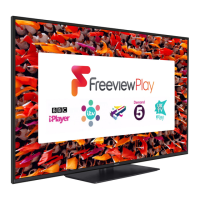
Minimum requirements for using Freeview Play services, including internet connection.
Guide on launching and navigating the TV's internet browser.
Details the wire colours and terminal connections for mains AC power supply.
Guidance on fuse replacement and general safety precautions for electrical shock and moisture.
 General
| Screen Size | 50 inches |
|---|---|
| Display Technology | LED |
| HDR Support | HDR10, HLG |
| Smart TV | Yes |
| HDMI Ports | 3 |
| USB Ports | 2 |
| Audio Output | 20W |
| Operating System | My Home Screen |
| Wi-Fi | Yes |
| Bluetooth | No |
| Resolution | 3840 x 2160 (4K Ultra HD) |


 To Next Page