17
Main Menu
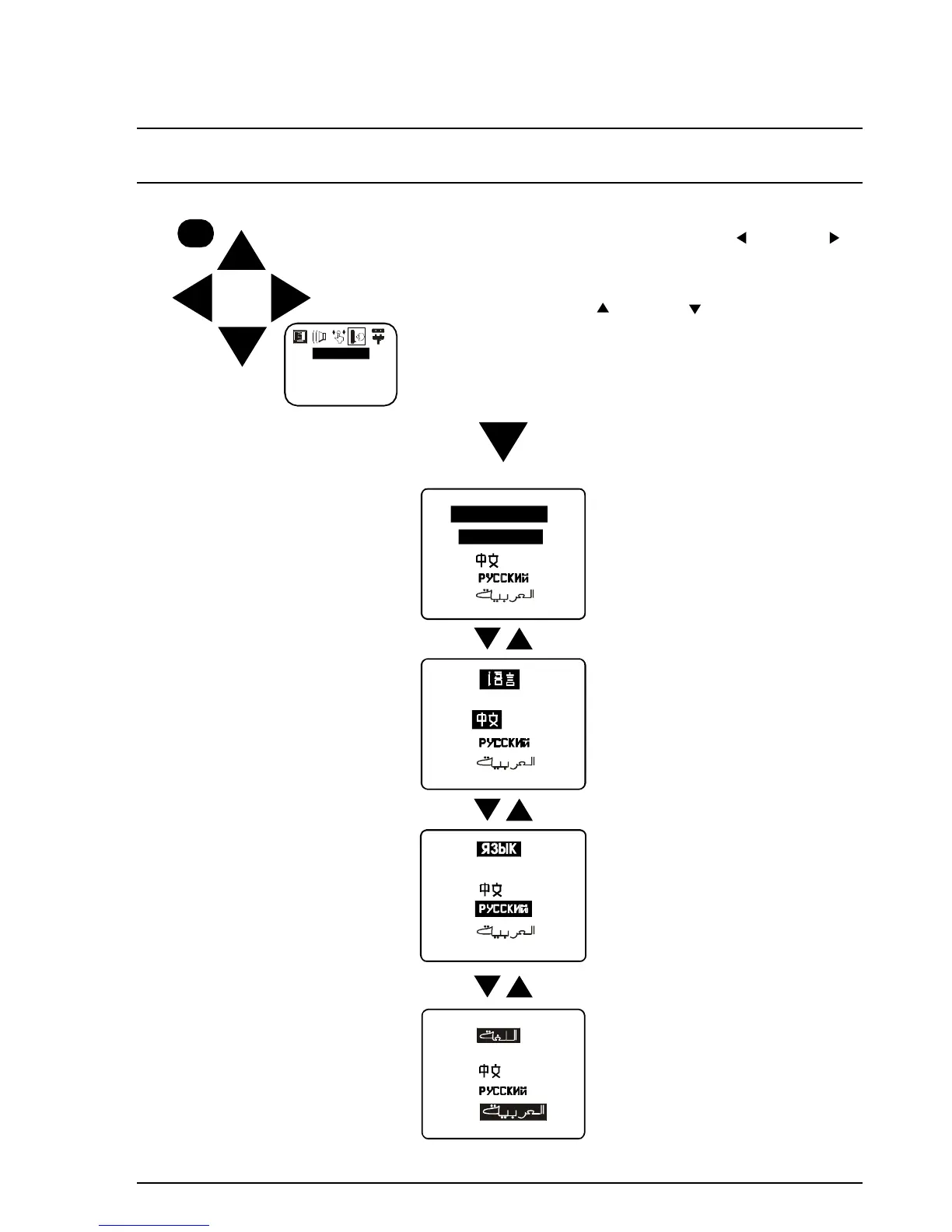
Language Menu Operation
1. Push the MAIN MENU Button.
2. Select the LANGUAGE Menu using the Left ( ) or Right ( )
Button. When the Language symbol is highlighted, the
LANGUAGE Menu has been selected.
3. Change the language between English, Chinese, Russian and
Arabic by using the Up ( ) or Down ( ) Buttons.
4. Push the MAIN MENU Button to return to normal viewing.
MAIN MENU
LANGUAGE
LANGUAGE
ENGLISH
ENGLISH
ENGLISH
ENGLISH







 To Next Page