6
Television Control Panel
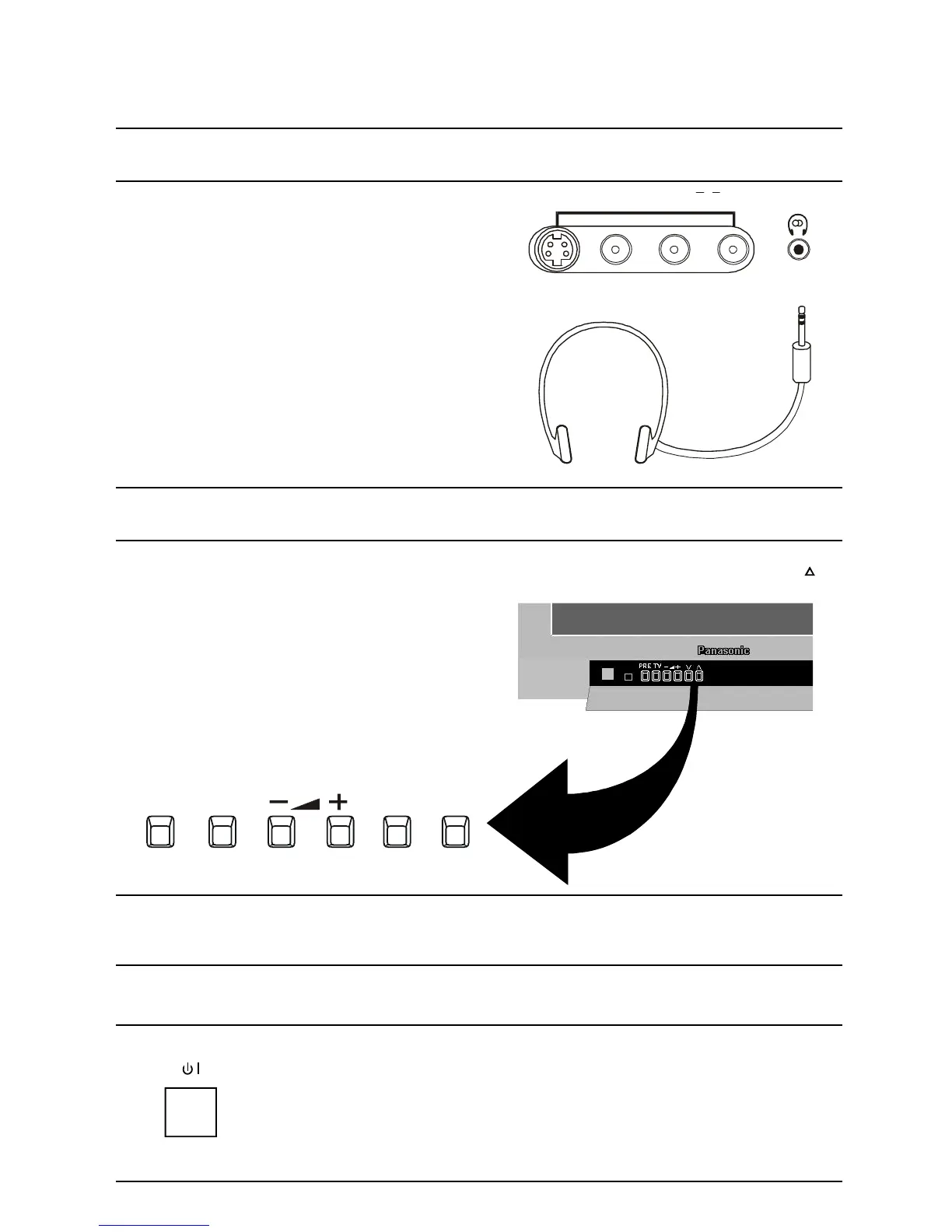
Connecting Headphones
The television has a headphone socket behind the front
panel door.
Headphones
(Not Supplied) 3.5mm Plug
When headphones are plugged into the headphone socket
the speakers are turned off. The headphone volume is
adjusted by the volume control.
Control Panel
Open the control panel door to gain access to the Television controls Push the door at the point marked to
open.
Push again to close.
Control Panel Buttons
BUTTON WHAT IT DOES
POWER
This button is used to turn the television on and off.







 To Next Page