- 13 -
my Home Screen. You can update the software later manually.
Internet service Network settings Software Update
Basic
Basic connection
Please ensure that the unit is disconnected from the mains socket before
attaching or disconnecting any cables.
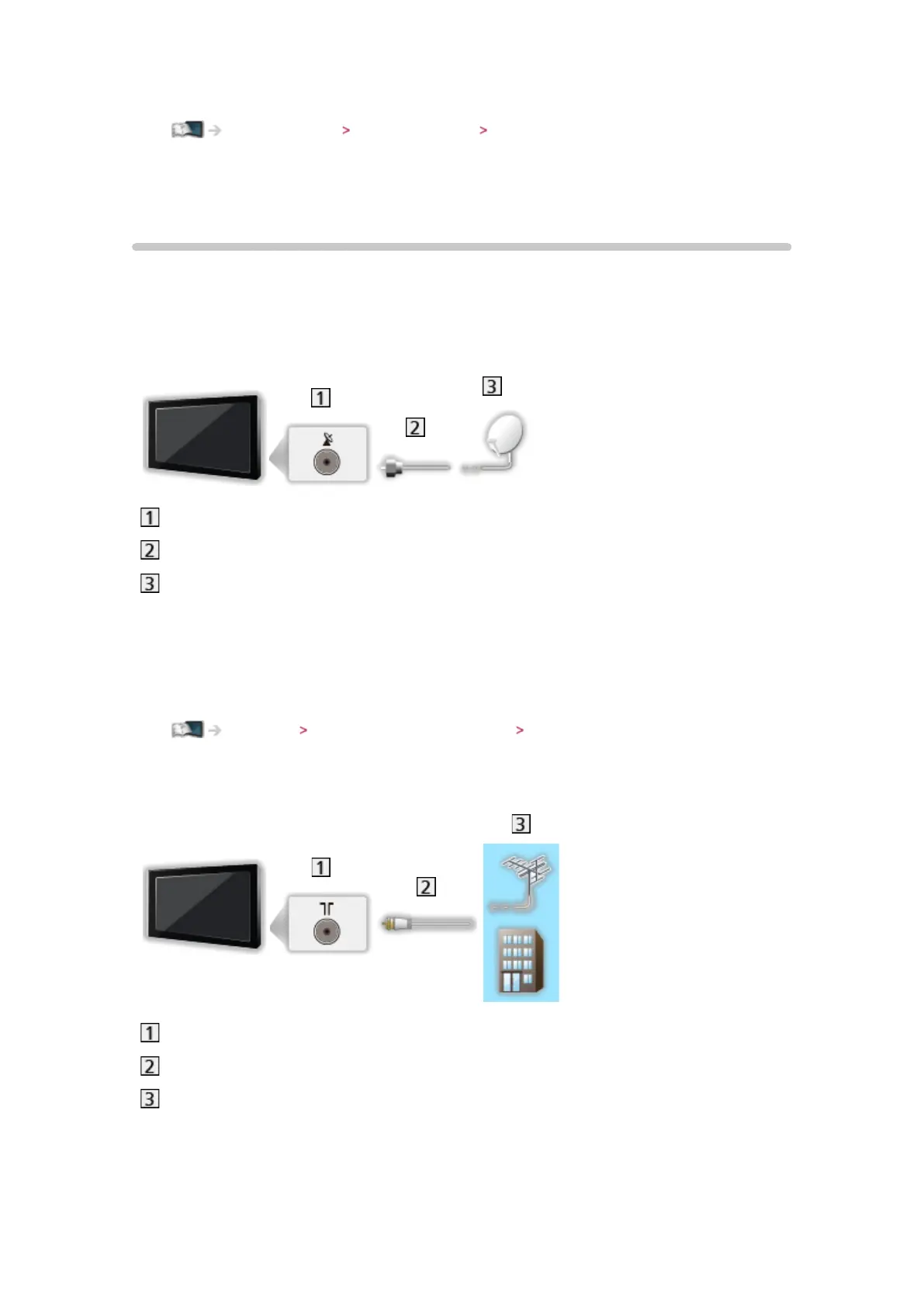
■ Satellite dish
Satellite terminal
Satellite cable
Satellite dish
●
For DVB-S
●
To ensure your satellite dish is correctly installed, please consult your local
dealer. Also consult the received satellite broadcasting companies for
details.
Watching Tuning and editing channels Selectable satellites
■ Aerial
Terrestrial / cable terminal
RF cable
Terrestrial aerial or cable
●
For DVB-C, DVB-T, Analogue
■ DVD Recorder / VCR






 To Next Page