- 97 -
Video
Media Player Video mode
Music
Media Player Music mode
Recorded TV
Media Player Recorded TV mode
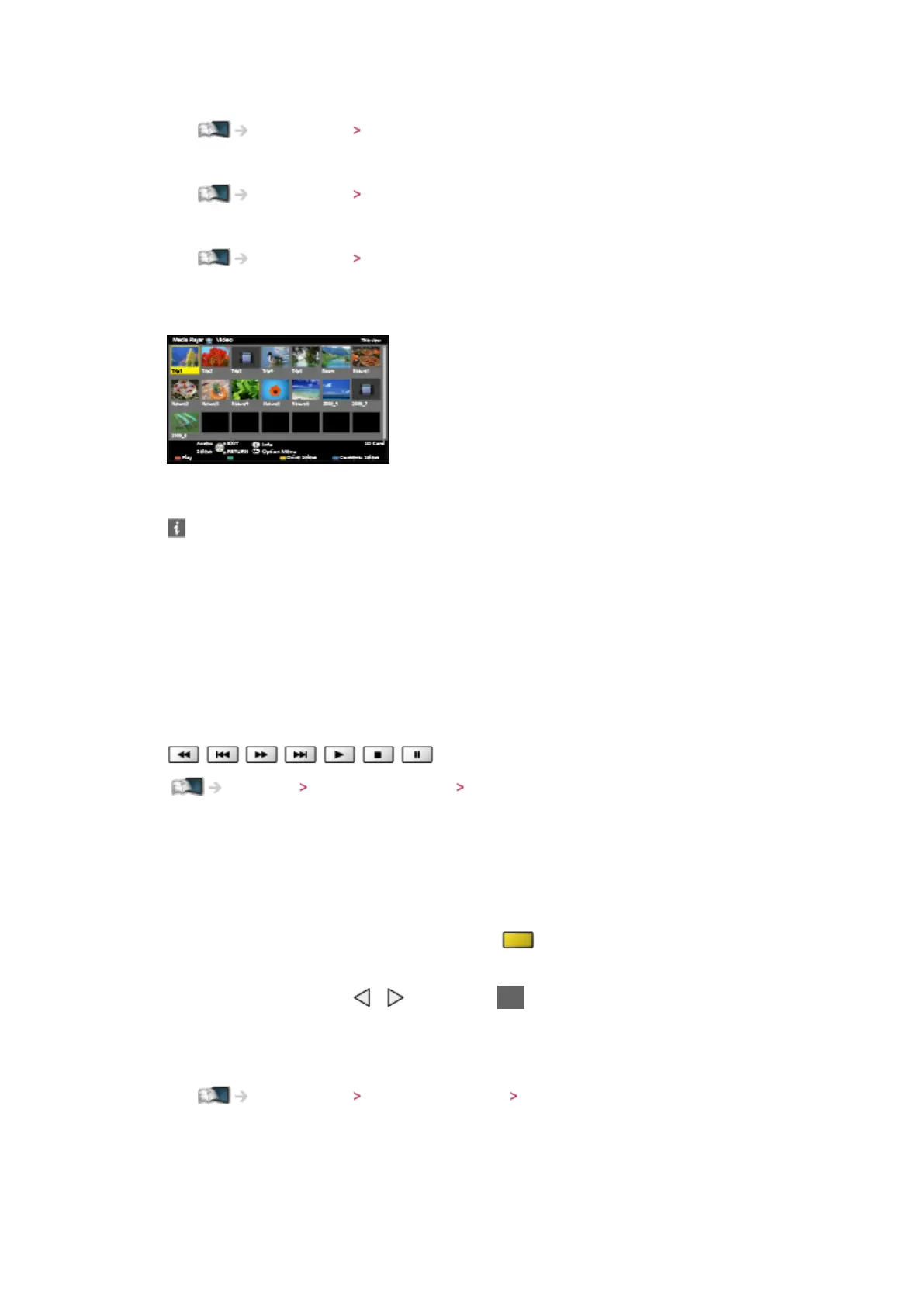
6. The thumbnail view will be displayed
(Example)
●
To display / hide information of the highlighted content
= Note =
●
Recorded TV is available for contents recorded on the USB HDD with this
TV.
●
Select the appropriate device and content for playing back each file.
●
You can use the following buttons during playback. Confirm the remote
control code is “73”.
Watching External equipment Operating with TV’s remote control
■ To change the device
You can change the current device to another device directly in the same
mode when two or more available devices are connected.
1. Display the device selection screen with
(yellow) while the thumbnail
is displayed
2. Select the device with
/ and press OK to access
●
Not valid in Recorded TV mode
– To change the device in Recorded TV mode
Media Player Recorded TV mode Changing device
■ To change the mode
You can switch to another mode of Media Player from the thumbnail view.






 To Next Page